


SaaS vendors back up their servers. ProBackup protects your work.
Daily backups and granular restore for ClickUp, Asana, HubSpot, monday.com and 20+ other apps.
No credit card required. 2-minute setup.



Your SaaS vendor is not responsible for your data. You are.
SaaS providers maintain disaster recovery for their own infrastructure, not for your team's mistakes, deletions, or the data lost when an integration breaks or an account is removed.
Human error
A teammate deletes a board for everyone.

- Daily backups keep the deleted project, tasks, comments and files.
- Restore it as a new copy, without touching current data.
AI agents or prompts
One bad run overwrites hundreds of fields.

- Each daily backup keeps the earlier value of every field.
- Restore only the fields you need from yesterday.
Malicious users
A hacked or angry account deletes work.

- A deletion report shows what was deleted and where.
- Your backups sit outside the app, out of that account's reach.
Glitches and downtime
An outage or sync bug scrambles data.


- Browse and export your backups in ProBackup, even while the app is down.
- Restore what a bug broke from the last good day.

Easy to use. No technical skills needed.
Connect your apps once. ProBackup backs them up every day, and you can browse, search and restore any backup when you need it.
Every connected app, backed up once every 24 hours.
- Setup takes about three minutes per app
- See each day's backup in the calendar
Restore one record, comment, file or field, or a whole board.
- Restores as new records by default, so nothing is overwritten
- Overwrite existing records where the app allows it
Open any daily backup and see your data as it was that day.
- Search within a backup and pick any date
- Export what you need
Find a task, deal, page or file from one search box.
- Results from every connected app in one list
- Unlimited search on Pro and Premium


A weekly summary of your backups, plus a report when something was deleted.
- Deletion reports only arrive when something was deleted
- A warning email if an app is no longer backed up


Keep a second copy of your backups in your own Google Drive.
- Redundant backups in a format your team already knows
- Available on Pro and Premium
Security and privacy, built in.
AI agents now probe every app for weak spots. We go the extra mile: your backups are encrypted, independently tested and audited, and stored in the region you choose.
-
Pen-tested against today's attacks
Independent penetration test of our app (latest: January 2026), on top of AES-256 encryption at rest and TLS in transit.
Download the pentest report (PDF) -
SOC 2 Type II audited
Our security controls are audited by an independent CPA firm over months, not checked once.
Request the SOC 2 report -
GDPR compliant
A Data Processing Agreement covers how we handle your data. Your backups stay yours.
DPA and audit reports -
9 data regions on 5 continents
Pick the AWS region at signup, so your backups meet local data-residency rules (GDPR, NIS2).
Choose where your backups live
Your backups are kept outside the SaaS app, so a deletion or a compromised account there does not touch them. More on data security
Trusted by 3,000+ teams who refuse to lose data
From fast-moving startups to compliance-driven enterprises, ProBackup keeps business-critical data safe across your SaaS apps.
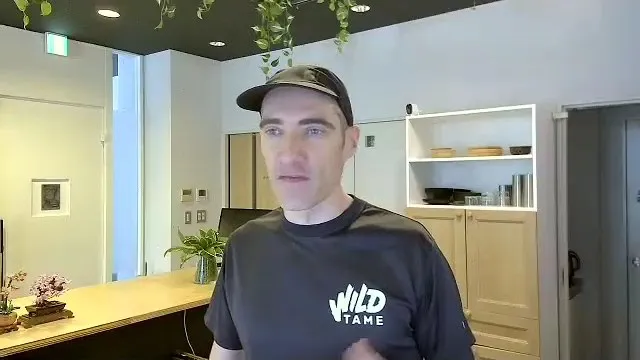
“I’ve been using ProBackup for many years now. I love the simplicity, it just works in the background. I never have to think about it, I never have to worry. Love it.”

“It doesn’t make any sense for our business to fully rely on Asana without any backup. ProBackup was the most affordable option which also had the best options. It’s really great and I even recommended to my business friends.”
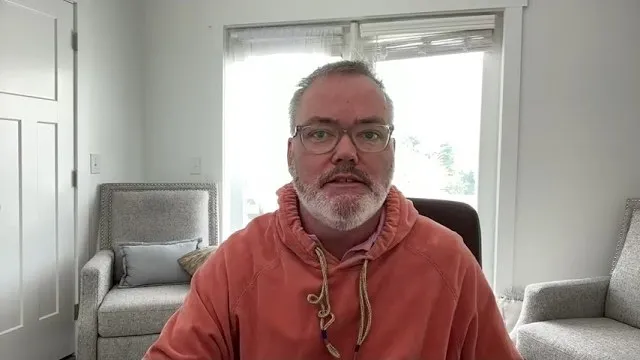
“Knowing that ProBackup has all of our systems backed up and we can access them in case of an emergency. It’s critical for the operations of our company. I highly recommend ProBackup, they’ve been fantastic to work with. They’re a really good company.”

“We are using ProBackup for about two years and we are very satisfied. Once we had to restore data and it was super great and super easy. We got everything we needed. Highly recommend ProBackup.”
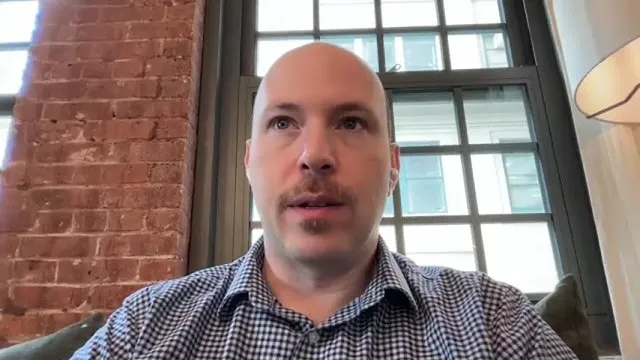
“We would recommend ProBackup to anybody looking for an easy-to-use, cost effective and super seamless backup platform. We’ve tested finding the files and attempting the restores and everything worked seamless for us.”
Frequently asked questions
Can't find your answer here? Our help center covers setup, restores and billing for every app.
Visit the help centerWhat is ProBackup?
ProBackup performs daily, automated backups of your data from 20+ cloud apps including Asana, monday.com, ClickUp, Airtable, HubSpot and Jira. Backups are stored independently of the source platform, with granular one-click restore of individual records, comments, files, fields, or entire projects and boards.
Which apps does ProBackup support?
ProBackup supports 22 platforms across project management, CRM, development and collaboration, including Asana, monday.com, ClickUp, Trello, Notion, Airtable, HubSpot, Jira, Confluence, Slack, GitHub and Google Workspace. One licence covers unlimited apps.
How often does ProBackup run?
Once every 24 hours, automatically. Setup takes about three minutes per app via OAuth, with no installation and no scheduling required.
How long is my backup history kept?
Backup versions are retained for 6 months on Plus, 2 years on Pro, and 4 years on Premium.
Where is my data stored?
Your backups are stored on AWS in one of 9 regions on 5 continents, encrypted with AES-256 at rest and TLS in transit. ProBackup pre-selects the region closest to you during onboarding, and you can choose a different one before your first backup runs. The application that runs your backups, and its databases, are hosted on AWS in Ireland.
How much does ProBackup cost?
Plus is $25 per month, Pro $38 per month and Premium $69 per month when billed annually ($31, $47 and $86 billed monthly). Every plan starts with a 7-day free trial and no credit card is required.

Try ProBackup free for 7 days
No credit card. No setup fees.
Connect your first app in three minutes and see your daily backups running before lunch.