

ProBackup vs
FluentPro for Asana
Relying on Asana to power your organization? Then having a third-party backup solution is essential. ProBackup and FluentPro are two top contenders in this space. Here's how their Asana integrations compare.

No credit card required. 2-minute setup.



Finding the best backup solution for Asana
Asana has become the go-to platform for modern teams: combining powerful project management with AI-driven insights, smart workflows, and seamless collaboration.
As your projects grow more complex, so does the value of the data stored within them. From task dependencies to strategic goals, your Asana workspace holds critical business information that deserves protection.A reliable backup solution ensures your data stays safe from accidental deletions, user errors, or unexpected issues - keeping everything recoverable and always within reach.In this guide, we'll compare two leading backup solutions for Asana: ProBackup and FluentPro. We'll examine their backup and restore capabilities, data accessibility, and pricing models to help you make an informed decision.

What Asana data gets protected?
ProBackup covers the essential components of your Asana environment:

Account level:
workspaces, teams, projects, and portfolios

Project level:
tasks and subtasks, dependencies, custom fields, tags, comments, attachments, milestones, goals, and approvals

Important limitation
Neither solution backs up Views, Forms, Conversations, Rules, timeline positions, comments on subtasks, or files attached via third-party platforms (Dropbox, Google Drive, Box, OneDrive/SharePoint). These data types aren't exposed by Asana's API.
Backup and restore functionality

What FluentPro offers
FluentPro provides detailed control over scheduling and retention policies. You can set backup frequency to 4, 8, 12, or 24 hours and configure how many versions to retain per day, week, month, and year. For restoration, FluentPro offers the option to restore an entire workspace back to your Asana account.

Where ProBackup goes further
ProBackup automatically backs up your Asana account every 24 hours, with a focus on granular backup and restoration for everyday data protection needs.
With ProBackup, you can restore:
- Projects: Restored as new projects in the workspace, including all tasks, comments, files, and custom fields
- Individual tasks: Restored as duplicates in the original project, preserving comments, files, and custom fields
- Comments: Restored as duplicates within the relevant task
- Files: Restored directly to the associated task
- Custom fields: Restored as duplicates in the related project, with all field values of existing tasks included
This granular approach allows you to address specific data issues without overwriting unaffected content in your workspace.
Navigating your backup history
FluentPro's navigation
FluentPro's interface does not allow you to view or access individual backed-up records. Clicking on a previous version displays only the names of workspaces and projects - not the underlying data.
ProBackup's structured exploration
ProBackup offers global search alongside an intuitive interface designed specifically for browsing backup data. You can:
- Navigate workspaces and projects through a hierarchical tree structure
- Switch between tabs to view tasks, comments, or files for each project
- Use the date picker to explore how your projects have changed over time
This combination of sidebar navigation and data-type tabs provides a comprehensive view of your Asana history. View all tasks or files for a specific project in one place, and easily travel back through previous snapshots.
Key features that set ProBackup apart
In addition to the more fleshed out backup navigation, ProBackup offers several key capabilities that differentiate it from FluentPro:

Global search
Quickly locate any record in your backups with our powerful search tool. Search across tasks, files and comments, and more with one search.

Excel exports
Export any data table to Excel with a single click. For larger datasets, request a complete export delivered via email.
Attachment downloads
View and download your backed-up files directly from the platform. ProBackup Premium users can bulk download all attachments for a selected project.

Sync to Google Drive
Create a secondary copy of your backups in Google Drive. This provides redundancy in a format your team already knows. Combined with Desktop for Drive, you can automate local downloads for an additional layer of protection.

Proactive alerts
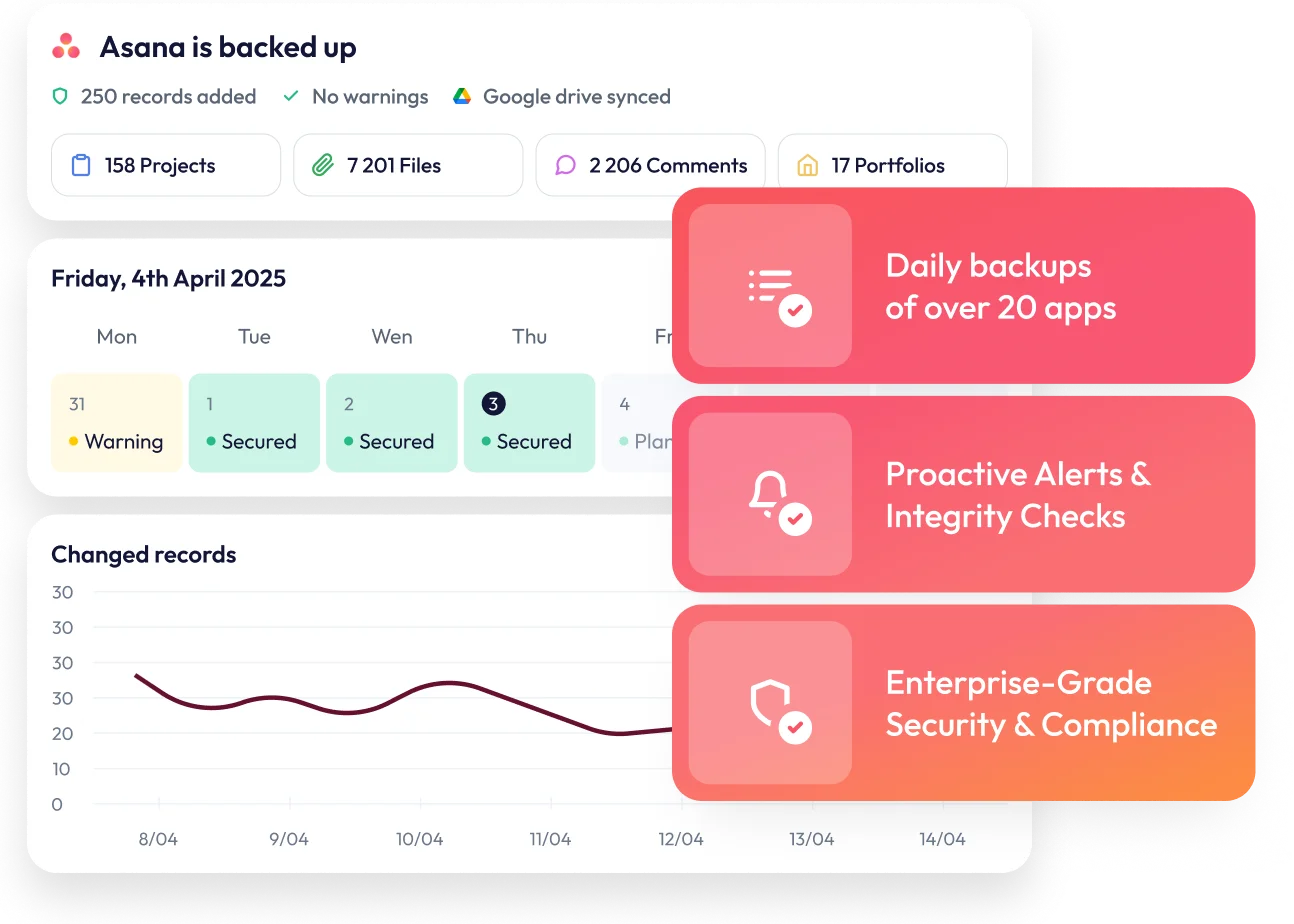
ProBackup watches for unusual activity in your account. If there is a sudden increase in deletions or a notable drop in backed-up projects, administrators receive an email notification. This early warning system helps you respond quickly to accidental deletions, malicious actions, or technical problems.

Advanced scope control
Premium subscribers can exclude specific projects from their backup scope if needed, providing complete control over what data gets protected.
Price plan differences

FluentPro pricing
FluentPro operates on a storage-based pricing model with three distinct tiers:
- 50GB: $50/month
- 100GB: $90/month
- 250GB: $200/month
They provide a 14-day free trial and offer custom Enterprise plans for storage needs exceeding 250GB.
ProBackup's flexible tiers
ProBackup also offers three pricing tiers, specifically designed to scale with your organization's needs.
- Plus ($25/mo): Includes core daily backup and restore functionality.
- Pro ($38/mo): Adds Google Drive sync, global search, weekly status updates, and proactive alerts.
- Premium ($69/mo): Designed for scale, including SSO, priority support, audit reports, and bulk attachment downloads.
The Cross-Platform Advantage
ProBackup’s distinct advantage is its comprehensive cross-platform coverage. Unlike single-point solutions, a one-license subscription protects your entire SaaS ecosystem, not just Asana. You can secure data across Slack, Google Workspace, HubSpot, ClickUp, Monday, Trello, Notion, Miro, and more under a single account.
While FluentPro focuses primarily on Microsoft Project and enterprise project management tools, ProBackup’s unified approach is ideal for organizations using multiple productivity applications, significantly reducing both overhead costs and administrative complexity.
Complete feature comparison
ProBackup
FluentPro
Pro: 2 years
Premium: unlimited
comments & fields
(Pro and Premium)
Which solution is right for you?

Choose FluentPro
if you need to back up your data every 4, 8 or 12 hours.
Choose ProBackup
if you want:
- Daily snapshots of your projects, tasks & files that you can browse and compare over time
- Granular restore options for individual projects, tasks, files, comments, and custom fields
- Global search to quickly locate tasks, files or comments
- Complete data visibility with excel exports and attachment downloads
- Automated Google Drive sync for additional redundancy
- Proactive alerts to catch deletions or other hiccups early
- Protection for multiple SaaS applications under a single subscription
- Cost-effective pricing starting at $25/month


Secure your Asana data today
If your organisation needs dedicated backup protection for Asana, with the ability to monitor, explore, restore, and protect your data across platforms, ProBackup for Asana offers a more focused and comprehensive solution.