


Why ProBackup?
The features that set us apart
ProBackup is the leading backup and restore solution for SaaS productivity apps. While other backup tools offer basic snapshots, ProBackup delivers complete data protection with granular restore, proactive monitoring, and true data accessibility - all from one platform.

No credit card required. 2-minute setup.


What is ProBackup?
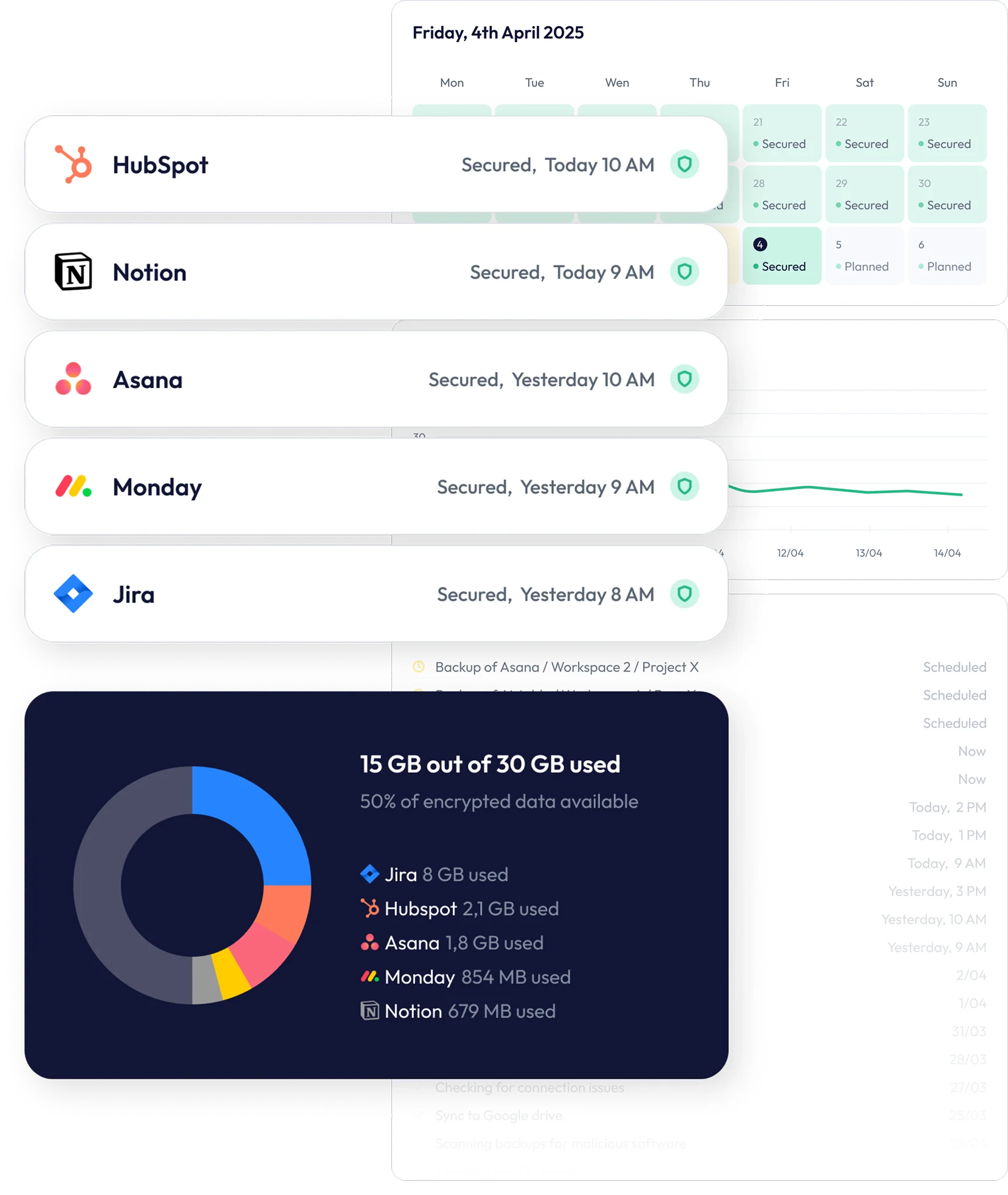
ProBackup is a B2B SaaS security tool that performs daily, automated backups of your productivity and CRM apps - Asana, ClickUp, monday.com, Airtable, Trello, HubSpot and more, as part of 20+ supported platforms.
We protect against human error, malicious deletions, and technical failures with one-click restore capabilities.


Core features

Daily automated backups
No scheduling. No manual intervention. ProBackup captures a complete snapshot of your data every 24 hours, including tasks, items, comments, attachments, and field configurations.
- Backups run automatically via secure OAuth connection
- Select which workspaces to include or exclude
- Smart retry system handles API rate limits automatically

Granular one-click restore
Unlike competitors that only restore entire boards, ProBackup lets you recover exactly what you need:
- Individual records: Restore single tasks, items, or entries with all their field values intact
- Comments and updates: Recover deleted discussions without overwriting current conversations
- Attachments: Restore files directly to their original location
- Custom fields and labels: Rebuild your workspace structure precisely
- Full boards and projects: When needed, restore complete projects as new boards
Why this matters: Most backup solutions force you to roll back an entire board to recover one deleted task - overwriting hours of work. ProBackup's granular approach means you fix only what's broken.

Features that set ProBackup apart
A "downloaded CSV" is not a backup. In the complex world of SaaS, data is interconnected. To be effective, a backup solution must be built on five technical pillars.
Structured data navigation with version history
Browse your backed-up data exactly as it's organised in your source platform:
- Hierarchical tree structure: Navigate workspaces → folders → projects → tasks
- Tabbed data views: Switch between items, comments, and files for any board
- Date picker: Step back in time to see how your data looked on any previous date
- Version comparison: View and compare every revision of every record
What competitors offer: Basic text search with limited filtering. What ProBackup delivers: Complete visual navigation that mirrors your workspace structure, plus full revision history for every data type.

Global search across all data
Find any record, comment, or attachment across all your backed-up platforms in seconds.
- Search across multiple connected apps simultaneously
- Filter by data type, date range, or workspace
- Results show full context and version history

Google Drive sync
Create an independent copy of your backups in a format your team already knows.
- Records sync automatically to Google Sheets (updated daily)
- Attachments save to organised Google Drive folders
- Access your data even if ProBackup is unavailable
- Configure automatic local downloads via Google Drive for Desktop
Technical note: We handle Google Sheets cell limits (2 million cells per sheet) automatically, splitting large datasets across multiple sheets to ensure data integrity.

Proactive alerts and monitoring
ProBackup doesn't just store your data—we actively watch for problems.
- Deletion alerts: Automatic notification when unusual deletion activity is detected
- Volume monitoring: Warnings when backed-up item counts drop significantly
- Weekly status emails: Summary of backup health, recent changes, and storage usage
Why this matters: Most backup solutions are passive—you only discover data loss when you need to restore. ProBackup alerts you before small issues become major incidents, guarding against human error, malicious users, and technical failures.

Team collaboration with granular permissions
Invite team members with precisely the access they need:
- View only: Browse backed-up data without making changes
- Export: Download data to Excel or CSV
- Restore: Full recovery capabilities
- Visibility scope: Choose whether invited users see all data or only data they can access in the source platform
Each invited user authorises ProBackup independently, ensuring their data is also captured in backups.

Bulk attachment download (Premium)
Download all attachments for a selected board in one operation.
- Export complete file archives for compliance or migration
- No need to restore files individually
- Available exclusively on Premium plans
Complete Feature Comparison
ProBackup
Typical competitors
Pro: 2 years
Premium: Unlimited
Pro: 10 guests
Premium: unlimited guests
Security and Compliance
- Encryption: AES-256 at rest, TLS in transit
- Storage: backup data in 1 of 9 AWS regions (closest pre-selected, your choice); application and databases in AWS Ireland
- Authentication: Two-factor authentication, Google SSO, enterprise SSO (Premium)
- Compliance: SOC 2 Type II certified (May 2025), GDPR compliant
Supported Platforms
Asana, ClickUp, monday.com, Airtable, Trello, HubSpot, Notion, Jira, Confluence, Slack, Miro, Smartsheet, Basecamp, GitHub, Google Workspace, Webflow, Teamwork.com, Podio, DocuSign, Attio, and Pipedrive. Back up multiple platforms under one licence - no per-platform pricing.
Frequently asked questions
What data does ProBackup capture?
All API-available data: tasks, items, records, comments, attachments, custom fields, labels, views, and activity logs. Specific coverage varies by platform—see our platform pages for details.
Where is my data stored?
Backup data is stored in one of 9 AWS regions, with AES-256 encryption at rest. ProBackup pre-selects the region closest to you during onboarding and you can choose a different one before your first backup runs; afterwards, support can move it on request. The application that runs your backups, and its databases, are hosted on AWS in Ireland.
Can I restore a single deleted task without affecting my current board?
Yes. ProBackup's granular restore creates the recovered item without overwriting existing data.
What happens if ProBackup is unavailable?
Pro and Premium users with Google Drive sync enabled have an independent copy of their data accessible directly through Google.
How long do you retain backup versions?
Plus: 6 months. Pro: 2 years. Premium: Unlimited.


Don’t Lose What You Built in the Cloud.
Your SaaS stack should move fast — but your data should never be at risk. With ProBackup, you get peace of mind that every project, record, and file is safe — no matter what happens.
Start your free trial