


The ultimate SaaS data backup and recovery guide
Effective SaaS data protection is not about file storage. It is about business continuity, relational integrity and peace of mind.

No credit card required. 2-minute setup.


The SaaS tools you rely on, such as monday.com, HubSpot, ClickUp and Airtable, do not protect you from yourself.
Cloud providers guarantee the security of their infrastructure: uptime, physical servers, network protection. They operate under the shared responsibility model. They secure the platform, but you are responsible for the data inside it.
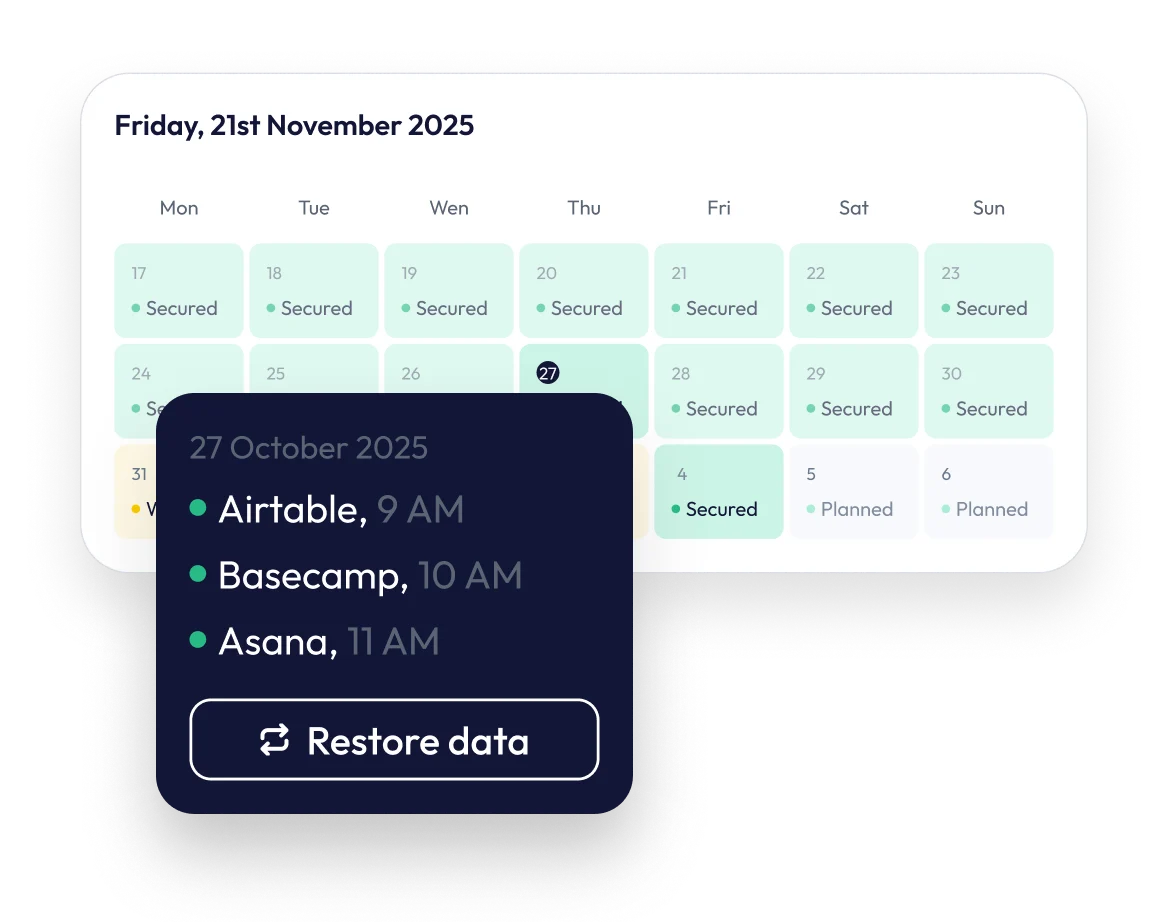
ProBackup is a SaaS backup service that takes automated daily snapshots of your cloud app data and lets you restore individual records, files or whole projects back to the original account.
For many organisations, the gap becomes visible too late: after a rogue automation deletes thousands of tasks, or a departing employee purges a client database. This guide explains why native archiving and soft deletes fail as backup, and how to build a strategy that ensures true business continuity.


The true cost of SaaS data loss
The shared responsibility gap
Most teams rely on native archive or trash features as a backup. Those tools are built for convenience (soft deletes), not for continuity (disaster recovery). The risk sits in the gap between the platform's responsibility (uptime) and yours (data integrity).
Protecting your business and your peace of mind

For managers, founders and C-suite executives,
the priority is trust and continuity. Your project management tools and CRMs are the operating systems of your business. Losing access to them, even for a day, costs productivity and erodes client trust. A backup solution is not an IT line item; it is insurance for your revenue engine.

For IT administrators and project managers,
the threat is more granular. You are the one who has to explain why a project timeline is gone. The most common cause of data loss is not a hacker; it is internal user error, accidental deletion and automations that overwrite critical fields. You need a way to undo those mistakes yourself, without filing a support ticket and waiting for the vendor.

The five pillars of modern SaaS backup
A downloaded CSV is not a backup. SaaS data is interconnected, and an effective backup solution rests on five technical pillars.

1. Relational integrity
SaaS data is not a flat list of files. It is a web of relationships.
- A HubSpot contact is linked to deals, companies, notes and tasks.
- A monday.com item carries column values, updates and file attachments.
A CSV export flattens that structure. You may get the text back, but the context is gone: the contact exists, yet it is no longer attached to the deal.
ProBackup restores relationally. We map the schema of your platform, so a restored record comes back with the links that connect it to everything else, and you can choose between two restore modes: create new duplicate records (safe, leaves originals untouched) or overwrite existing records field by field.

2. Daily snapshots and a predictable RPO
When an automation runs wild, it does not just delete data; it changes it. It can overwrite a status field on a thousand tasks in seconds.
ProBackup takes an automated snapshot of your account every 24 hours, with no scheduling required. If something goes wrong today, you restore from yesterday's version of the affected records, without touching anything else. That gives you a clear, predictable recovery point objective (RPO) of at most 24 hours. We state this plainly because vendors that promise minute-level rollback for SaaS apps rarely explain what their platform's API actually allows.

3. Self-service recovery and a fast RTO
When data loss happens, the native route for many platforms is a support ticket, proof of ownership and, in the worst case, a full instance rollback that overwrites everyone else's work in the meantime. ProBackup puts the admin in control: search for a single deleted task, missing file or corrupted list and restore it in a few clicks. No tickets, no waiting, and a recovery time objective (RTO) measured in minutes rather than days.

4. Data portability and future-proofing
Backup is about ownership. Whether you stay on your current platform or eventually move on, an independent copy of your data in a standardised structure keeps your options open and makes any future migration cleaner and less risky. Your data remains yours, regardless of which cloud app you run on tomorrow.

5. Compliance, auditing and independent copies
Organisations with GDPR obligations, customer audits or legal retention requirements need to demonstrate that business data is recoverable and held independently of the primary vendor. ProBackup provides an independent, encrypted copy of your data stored outside the vendor's infrastructure, with version history you can retrieve on demand to satisfy an audit or legal request. ProBackup itself holds a SOC 2 Type II report (certified May 2025), so your backup layer stands up to the same scrutiny as the rest of your stack.
Addressing the API barrier: a note for IT admins
We understand the technical reality: SaaS backups are limited by public APIs.
Many IT admins are sceptical because they know platforms like Asana or Airtable enforce strict rate limits and API quirks. Can any tool really back up everything?
The honest answer: we back up everything the API allows, and we fight for every byte.
- Smart throttling. Our system respects vendor rate limits while maximising throughput, so backups complete without triggering platform errors.
- Continuous retry logic. If an asset fails on an API timeout (common with large attachments), it is queued for immediate retry rather than skipped.
- Transparency by default. Where a data type cannot be captured, usually because the platform's API does not expose it, ProBackup reports it in a skipped items report instead of failing silently. You know exactly what was not captured before a disaster, not during one.
App-specific backup and recovery
Every platform handles data differently. Below are guides tailored to the architecture of each tool we support.

Project management

Asana keeps deleted items for 30 days; after that they are permanently removed unless you hold an independent backup. Asana's API also limits access to certain project metadata, so a simple export loses context such as dependencies and rule triggers. Explore our Asana integration page or read one of our blog posts to learn more:

ClickUp's hierarchy (Workspace > Space > Folder > List > Task) is difficult to reconstruct if a high-level container is deleted. Native recovery for larger incidents means restoring from a workspace-level snapshot rather than picking out the items you actually lost. Explore our ClickUp integration page or read one of our blog posts to learn more:
- How to Delete and Restore Data in ClickUp: The Complete Guide
- How to back up your ClickUp lists: A step-by-step guide
- ClickUp 3.0 has arrived: Here's what's new
- ClickUp Chat: How does it compare to Slack and other productivity apps
- What's new in ClickUp Whiteboards?
- ProBackup Picks ClickUp's Highlights of 2024
- Exciting Update: Backup and Restore ClickUp Docs with ProBackup
- Guide: How to Restore a Permanently Deleted Space, Folder, or List (Coming Soon)

monday.com's Recycle Bin retains deleted items for 30 days and works well for simple cases, but it lacks the relational mapping needed to reconnect items across linked boards when structures or columns are compromised. Explore our monday.com integration page or read one of our blog posts to learn more:
- The Complete Guide: Monday.com Data Backup, Recovery, and Integrity
- ProBackup earns bronze partner status on the monday.com marketplace
- Important update: monday.com backups now available through the monday.com marketplace
- What’s New on Monday.com: The Biggest Updates for 2024
- How to protect your monday.com boards: A Step-by-step guide to backing up monday.com

Archiving a card in Trello is safe. Deleting a card is permanent and immediate: there is no recovery window for deleted cards, and their comments and attachments are purged with them. An independent backup is the only way back. Explore our Trello integration page or read one of our blog posts to learn more:

CRM and spreadsheets

Airtable's snapshots are full-base copies. You cannot restore a single record from a snapshot without spinning up a new base and copying data across manually, losing all incremental changes made elsewhere in the base since the snapshot.
- The Complete Guide: Airtable Data Backup, Recovery, and Integrity
- Airtable Cobuilder: Create Airtable Apps with AI
- Airtable’s Latest Release: Introducing Portals
- Guide: Restoring Deleted Records & Linked Dependencies(Coming Soon)

In HubSpot, accidental deletion often happens through workflows. Native recovery may bring a contact back but not its workflow membership or full activity timeline, and complex multi-step deletions cannot be undone natively in a single relational action.
- HubSpot Backup & Data Recovery: Complete Guide [2026]
- Access your deleted HubSpot records without leaving HubSpot
- How to secure your HubSpot data: A step-by-step guide to backing up HubSpot
- Why Your Business Needs a Free CRM (and How HubSpot Makes it Effortless)
- Best HubSpot Apps for Data Quality: Deduplication, Portal Migration & Backup

Content and collaboration

As Notion becomes the operating system for many companies, the impact of a workspace-wide deletion grows. Native Notion backups are manual HTML or Markdown exports that destroy database relationships and embedded content, which makes them unusable for anything beyond basic text recovery.
- ProBackup for Notion creates a navigable, structural copy of your workspace.
Conclusion
Data loss is rarely a question of if, but when. A sync error, a frustrated employee or an automation gone wrong: the risk to your business continuity is real.
You need more than a file downloader. You need a backup layer that understands the structure of SaaS data and gives you a secure, independent, self-service safety net.
Don't wait for the disaster to validate the need.
Frequently asked questions
Why can't I rely on my SaaS platform's trash or archive?
Native trash features are soft deletes built for convenience, with retention windows of typically 30 days or less. After that, data is permanently purged with no recovery option. They also cannot undo overwritten fields or reconnect relational data.
How long does ProBackup keep my backup versions?
Version history depends on your plan: 6 months on Plus, 2 years on Pro, and unlimited on Premium.
How does ProBackup handle files and attachments?
ProBackup backs up all API-available file attachments on tasks, contacts and records. Where a platform's API does not expose certain files (for example, files uploaded directly to a monday.com item rather than to a column), these cannot be captured, and ProBackup reports them rather than failing silently.
Why is a CSV export not a backup?
A CSV is a flat file without the IDs that link records to the platform's structure (tasks to projects, contacts to deals, items to boards). Restoring from CSV is manual, non-relational work that usually creates more problems than it solves.
Where is my backup data stored?
In the AWS region you select at signup; nine regions are available. Data is encrypted with AES-256 at rest and TLS in transit. Changing region after the first backup requires support assistance.


Don’t Lose What You Built in the Cloud.
Your SaaS stack should move fast — but your data should never be at risk. With ProBackup, you get peace of mind that every project, record, and file is safe — no matter what happens.
Start your free trial