
Daily ClickUp backup. Restore tasks and Docs.
ClickUp backs up its servers. ProBackup protects your work: daily snapshots of your Lists, tasks, Docs, comments and files, ready to restore from any day.
7-day free trial. No credit card required. 3-minute setup.



Doesn't ClickUp back up my data?
ClickUp keeps its own servers safe and gives you a 30-day trash. That covers yesterday's slip. ProBackup covers the edit you notice next week, and what the trash can't bring back.
| Situation |
|
With ProBackup |
|---|---|---|
| Deleted task, List or Doc |
|
With ProBackupStays in your backup for your plan's history (6 months up to 4 years). An admin restores it. |
| A deleted comment |
|
With ProBackupStill in your backup. Restore it into its task. |
| A task changed by mistake (bulk edit, automation, AI agent) |
|
With ProBackupEach day's version is kept. Overwrite only the fields you pick, from status and assignees to custom fields. |
| Full copy of your data |
|
With ProBackupAutomatic every 24 hours, Excel export of any table, Google Drive sync (Pro and Premium). |
| ClickUp's own backups |
|
With ProBackupYour copy, in the AWS region you choose. |

 With ProBackup

Use ClickUp's trash for this morning's mistake, and ProBackup for everything older, overwritten, or out of the trash's reach.

Everything you need to protect ClickUp
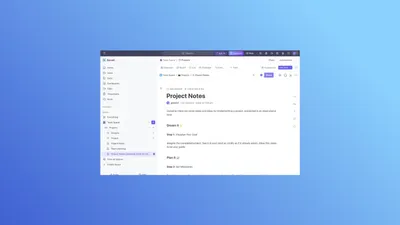
A task, a comment, a Doc or a whole List.
- Restore as new by default; overwrite selected task fields
- A task restored as new brings its comments, files, checklists and subtasks
Every 24 hours, no scheduling.
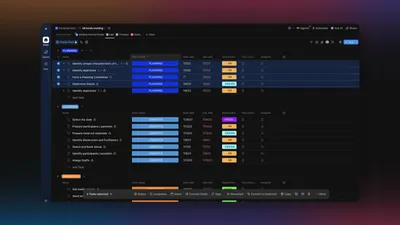
- Spaces, Lists, tasks, subtasks, comments, files, Docs, custom fields, checklists, time tracking, goals, views, Chat
- A new version only when a record changes


Your Spaces, Folders and Lists as you know them.
- Pick a day in the calendar
- Open a task's earlier versions
Know when a List disappears.
- Email when a List has dropped out of your backup
- Weekly deletion report, only when something was deleted
Find any task across every List.
- Global search (unlimited on Pro and Premium, 3 a day on Plus)
- Excel export of any table

How ProBackup compares to other ClickUp backup tools
HYCU restores Spaces, Folders, Lists, tasks and attachments. Its public documentation doesn't describe a way to browse what's in a backup, and you provide and pay for the storage yourself.
ProBackup lets you browse every List, task and comment by day, and repairs a task in place by overwriting only the fields you pick.
The comparison lists HYCU's own sources, with the date we checked.


One license. Every SaaS app you use. Pay by storage, not by team size.
Plus
For founders and small teams
$25 per month billed annually
or $31 billed monthly
Start free trial- Daily backup of all apps
- 6 month backup history
- Invite 1 guest
- Backup of all records, files & comments
- Smart retries
- Granular restore
- Recently deleted items report
ProRecommended
For project managers & growing teams
$38 per month billed annually
or $47 billed monthly
Start free trialEverything in Plus, and:
- 2 year backup history
- Invite 10 guests
- Sync to Google Drive
- Global search
- Weekly status emails
- Smart alerts
Premium
For IT admins & enterprise compliance
$69 per month billed annually
or $86 billed monthly
Start free trialEverything in Pro, and:
- 4 year backup history
- Invite unlimited guests
- Single Sign-On (SSO)
- Bulk download of files
- Priority support
- Advanced scope control
- Audit reports
- Virus scanner

“We have our whole agency built out in ClickUp. I love knowing that I can just go into ProBackup if ClickUp was to go down and find all information in there. I had to use it once and it was very easy to find the thing I was looking for.”
Deleted it. Can you get it back?
Every app empties its trash on its own schedule. Pick yours and see how many days you have before deleted work is gone for good.
 ClickUp
Kept for 30 days
 HubSpot
Kept for 90 days
 Asana
Kept for 30 days
 Airtable
Kept for 7 days
Frequently asked questions
Can't find your answer here? Our help center covers setup, restores and billing for every app.
Visit the help centerWhat ClickUp data is backed up?
The following data types are backed up: Spaces, Folders, Lists, tasks and subtasks, checklists, ClickUp Docs, files, comments and their replies, custom fields, time tracking, goals, views, List members and Chat channels with their messages. Due to API limitations we cannot back up automations, forms, whiteboards and task templates.
How does restore work for ClickUp?
When restoring a ClickUp task, you have two options: create new tasks from your backup, leaving all existing data untouched, or overwrite existing tasks by selecting only the fields you want to update. When you restore a task as new, its comments, files, checklists, time tracking and subtasks come back with it; overwriting only updates the fields you pick. A List comes back as a new List with its tasks, and a Doc as a new Doc with the version date in its name. For other data types (e.g. attachments, comments and custom fields) a new record is always created from your backup and existing data is never overwritten.
Can I restore a ClickUp task deleted more than 30 days ago?
Yes, as long as it was in a ProBackup snapshot before it was deleted. It stays in your backup for your plan's history: 6 months on Plus, 2 years on Pro, 4 years on Premium. It comes back with its comments, files, checklists and subtasks.
Can I undo a change to a ClickUp task?
Yes. Open the task's version from an earlier day and overwrite only the fields you pick: name, description, status, priority, dates, time estimate, assignees, tags or custom fields. Everything else on the task stays as it is today.
Is ClickUp Chat backed up?
Yes. Chat channels, their messages and replies are backed up every 24 hours, so you can read them by day and export them to Excel. They can't be restored back into ClickUp.
How safe is my data?
The backups and the access tokens are secured with the Advanced Encryption Standard (AES) using a 256-bit encryption key. Applying the best practices of encryption methods, we use a different initialisation vector for every record, meaning it is virtually impossible to extract the data via reverse engineering.
Do I need a license for each team member?
No, you only need one ProBackup license to back up your team's data. The pricing model is not based on the number of seats – instead you pay to back up your own account and the connected accounts.
Can I build this myself?
You can. With an AI coding tool, a script that exports your data every night is a weekend project. The hard part comes after that: keeping it working when the app's API changes, storing the copies encrypted and away from the app, noticing when a run quietly misses data, and restoring, which means rebuilding records with their comments, files and links in the right place without overwriting today's work. ProBackup does that for 20+ apps. It keeps a version of every record each day it changes, emails you when a backup stops running, checks the APIs of its largest integrations against known-good responses every week, is SOC 2 Type II audited, and lets you browse any day and restore it.
Related posts
-
How to delete and restore data in ClickUp: the complete guide
Learn how to safely delete, archive, and restore tasks, lists, and docs in ClickUp. Understand the 30-day trash limit and how to protect your data beyond it.
-
ClickUp backup: how to back up ClickUp (and restore deleted tasks)
A step-by-step ClickUp backup guide: what ClickUp's 30-day Trash covers and what it can't restore, what ProBackup backs up and doesn't, how to connect a workspace, and how to restore tasks, Lists and Docs as copies or by overwriting selected task fields.
-
How to back up and restore ClickUp Docs
Since June 2024 ProBackup backs up ClickUp Docs every 24 hours, at workspace, list and task level. Browse any earlier version and restore a Doc as a new copy, whether the original was deleted or still exists.

Try ProBackup free for 7 days
Daily snapshots and granular restore for your lists or Docs. Set up in 3 minutes, no credit card required.
No credit card required · Cancel anytime