

ProBackup vs
On2Air for Airtable
Your Airtable data deserves reliable protection. ProBackup and On2Air both offer backup capabilities, yet they differ in data visibility, restore flexibility, and broader platform support. Discover which solution is right for you.

No credit card required. 2-minute setup.



Why Airtable backup matters
Airtable is more than a spreadsheet. It's a flexible, AI-powered low-code platform that enables teams to build custom applications and automate workflows without technical expertise.
This versatility makes it ideal for managing everything from client databases to product launches.However, the more your organisation depends on Airtable, the greater the risk if something goes wrong. Your bases house client records, project timelines, form submissions, and business-critical workflows. Without proper backup protection, accidental field changes, a wrongly imported Excel file, or a disgruntled employee could result in permanent data loss.A reliable backup solution ensures your data remains recoverable and accessible whenever you need it.

What Airtable data gets backed up?
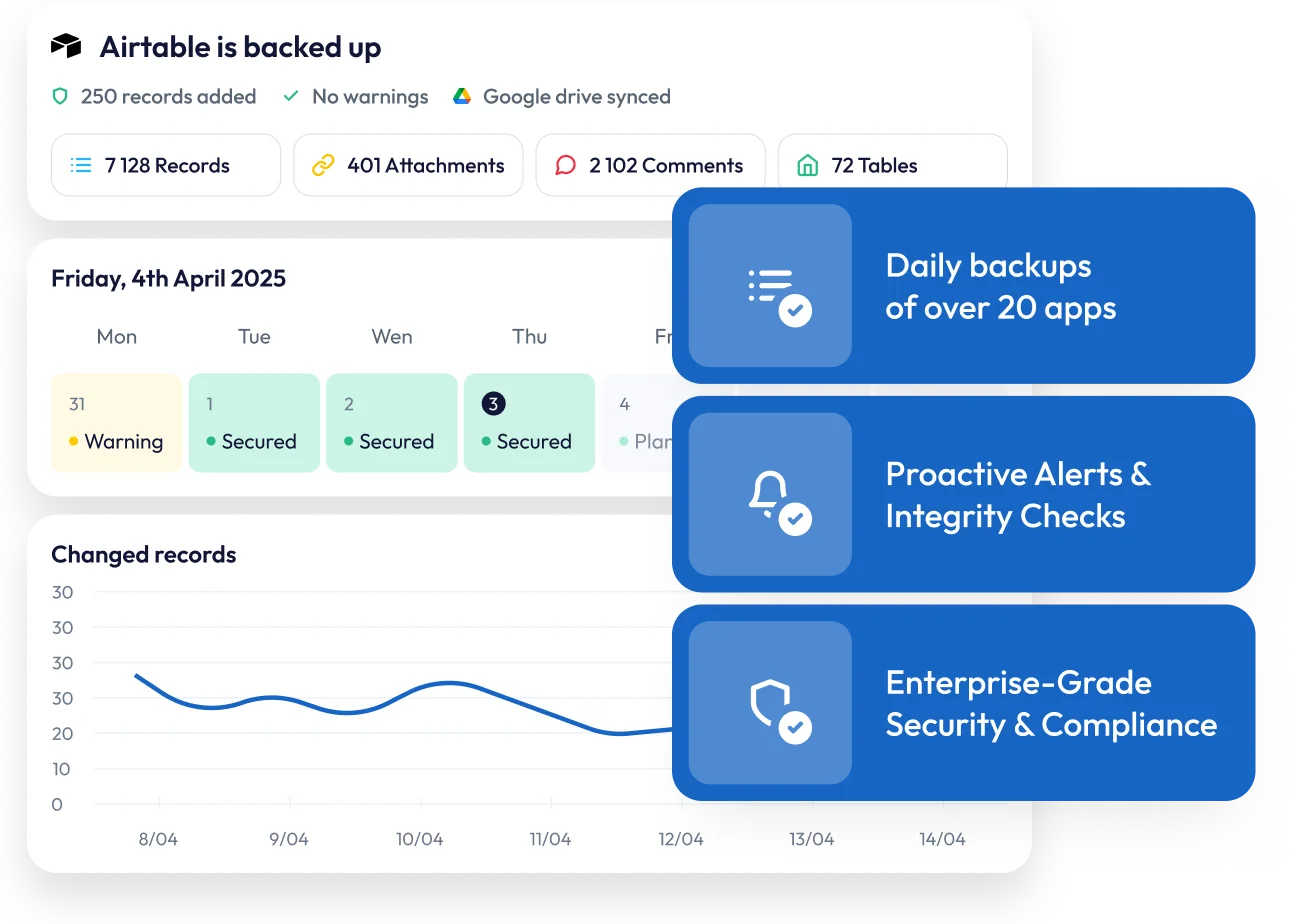
ProBackup covers the essential components of your Airtable environment. On the account level, this includes workspaces, bases and shared bases. On the table level, ProBackup backs up records, columns (including formulas), comments, and files.

Important limitation
Neither solution backs up Automations, Views, Forms, or Password & Share settings. This is because Airtable's API does not expose these data types for external access.
Backup frequency and scheduling
Both platforms offer automated backups, but with different scheduling options.

On2Air
provides more flexible scheduling, with options for hourly, daily, weekly, or monthly backups. However, the hourly backup option is only available on their Premium plan at $79.99 per month, making it a costly choice for organisations requiring frequent snapshots.

ProBackup
runs backups automatically every 24 hours without requiring manual configuration. This hands-off approach ensures consistent daily protection for your Airtable data.
Status notifications

Both ProBackup and On2Air
offer detailed status emails to keep users informed about their backups. If something goes wrong during the backup or the sync to Google Drive, administrators receive notifications to help them respond quickly.
ProBackup
takes this further with proactive alerts that watch for sudden increases in deletions or notable drops in backed-up records, providing an early warning system for accidental deletions, malicious actions, or technical problems.
Accessing your data backups
This is where the two solutions differ most significantly.
On2Air's limitations
On2Air primarily functions as a sync and export tool. While you can see which tables and bases have been backed up, you cannot browse the actual backup data within the platform. Viewing individual records, files, or comments is not possible through On2Air's interface.
To access your data, you must rely on the exported files in Google Drive. On2Air syncs data as CSV and JSON files, but pushes new files during every backup cycle. This quickly clutters your folders with multiple versions, making organisation and retrieval cumbersome. The JSON files are difficult to read directly, though On2Air does offer an option to copy-paste JSON code into the app to view table metadata.
ProBackup's enhanced navigation
ProBackup offers global search alongside an intuitive interface for browsing your data directly within the platform. You can:
- Navigate bases and tables through a hierarchical tree structure
- Switch between tabs to view records, comments, or files for each table
- Use the date picker to explore how your bases have changed over time
- Browse and compare the versions that were created for each record
This combination of sidepane navigation and data type tabs gives you a comprehensive view of your Airtable history. You can view all records or all files for a specific table in one place and travel back through previous snapshots without leaving the application.

Restore functionality

On2Air restore options
On2Air offers limited restore capabilities. You can restore entire bases or specific tables, but that is where the options end. If you accidentally delete a single record or need to recover a specific comment, you cannot restore just that item. You must restore an entire table or base, potentially overwriting other changes made since the backup.
ProBackup's granular restore
ProBackup provides one-click restore options at every level of your data:
- Tables restore as duplicates to the existing base, with timestamps indicating when the restore occurred
- Individual records restore with comments, files, field values, and relationships to other records preserved
- Comments restore as duplicates within the relevant record
- Files restore directly to the associated record
This precision allows you to address specific data issues without affecting unaffected content in your bases.
Note: Certain field types cannot be restored, including Formulas, Rollup, Count, and Lookup fields. These are skipped during record or table restoration
External storage synchronisation
The two platforms take different approaches to external storage.
On2Air
supports multiple storage destinations including Google Drive, Box, Dropbox, and OneDrive. This flexibility comes with a trade-off: On2Air pushes new CSV and JSON files during every backup cycle, quickly cluttering your folders with redundant files that become difficult to navigate.
ProBackup
syncs exclusively to Google Drive. This focused approach allows for a seamless integration with Google Sheets that isn't possible with other storage providers. Rather than creating new files each cycle, ProBackup dynamically updates your Sheets and organises files into structured folders. You get redundancy in a format your team already knows, without the folder bloat. Combined with Google's Desktop for Drive, you can automate local downloads for an additional layer of protection.
Additional features that set ProBackup apart

Global search
Quickly locate any record in your backups with our powerful search tool. Search across tasks, files and comments, and more with one search.

Proactive alerts
ProBackup watches for unusual activity in your account. If there is a sudden increase in deletions or a notable drop in backed-up cards, administrators receive an email notification. This early warning system helps you respond quickly to accidental deletions, malicious actions, or technical problems.

Excel exports
Export any data table to Excel with a single click. For larger datasets, request a complete export delivered via email.
Attachment access
View and download your backed-up files directly from the platform. ProBackup Premium users can bulk download all attachments for a selected project.
Price comparison
On2Air pricing
On2Air offers pricing tiers based on sync frequency and the number of base restores:
- Daily backups require the Pro plan at $49.99/month, which includes only 5 base restores
- Hourly backups require the Premium plan at $79.99/month
For organisations using multiple productivity tools, ProBackup's unified approach can reduce both costs and administrative complexity.
ProBackup pricing
ProBackup offers three scalable plans :
- Plus: $25/month – Core backup and restore functionality
- Pro: $38/month – Google Drive sync, weekly status updates, global search
- Premium: $69/month – SSO, priority support, audit reports
A key advantage is cross-platform coverage. A single ProBackup subscription protects all your supported SaaS applications, not just Airtable. Your account can include Asana, ClickUp, Monday, HubSpot, Trello, Slack, Notion, Jira, Confluence, Miro, and more.
Complete feature comparison
ProBackup
On2Air
Which solution is right for you?
Choose On2Air
if your primary need is exporting Airtable data to external storage and you require hourly backup frequency (and are willing to pay the premium for it).
Choose ProBackup
if you want:
- Granular restore options for individual records, files, and comments, not just tables and bases
- Complete data visibility with the ability to browse backups directly in the app
- Clean Google Drive sync without folder clutter from repeated file dumps
- Proactive alerts to catch problems early
- Historical snapshots you can browse and compare over time
- Protection for multiple SaaS applications under a single subscription
- Better value with daily backups starting at $25/month


Ready to protect your Airtable bases?
If your organisation needs more than basic data export, if you want to monitor, explore, and restore your data with precision, ProBackup for Airtable offers a more comprehensive solution.