

ProBackup vs
Skyvia for Asana
Your Asana data deserves reliable protection. ProBackup and Skyvia both offer backup capabilities, yet they differ significantly in focus, data visibility, restore reliability, and ease of use. Discover which solution is right for you.

No credit card required. 2-minute setup.

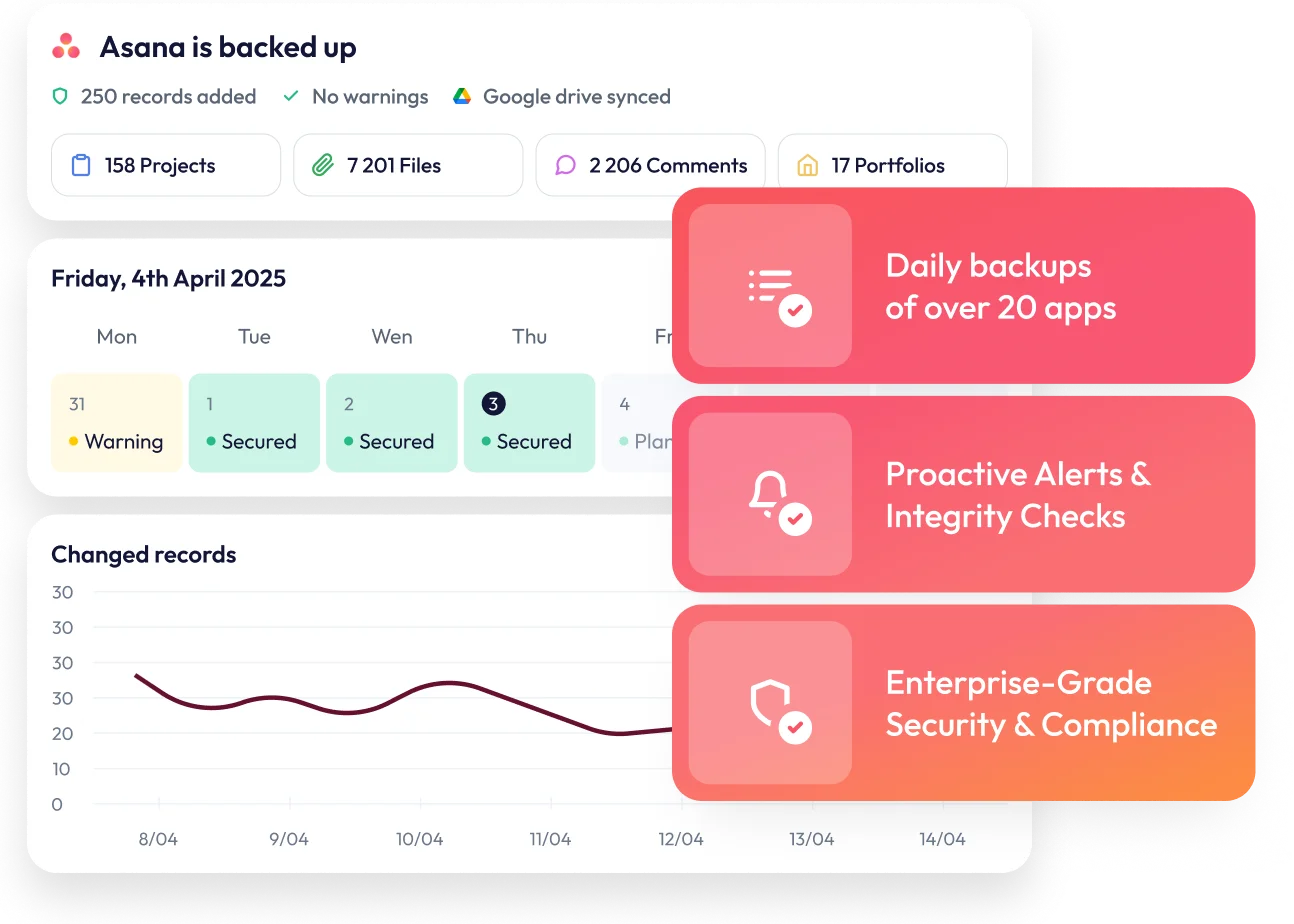


Why Asana backup matters
Asana is more than a task manager. It's a powerful work management platform that enables teams to translate their goals into projects, tasks and workflows seamlessly.
From marketing campaigns to product launches, organisations rely on Asana to keep their operations running smoothly.However, the more your organisation depends on Asana, the greater the risk if something goes wrong. Your workspaces house project timelines, task assignments, client deliverables, and business-critical workflows. Without proper backup protection, accidental deletions, a wrongly imported Excel file, or a disgruntled employee could result in permanent data loss. A reliable backup solution ensures your data remains recoverable and accessible whenever you need it.

What Asana data gets backed up?
ProBackup covers the essential components of your Asana environment. On the account level, this includes workspaces, teams, projects, and portfolios. On the project level, ProBackup backs up tasks and subtasks, dependencies, custom fields, tags, comments, attachments, milestones, goals, and approvals.

Important limitation
Neither solution backs up Views, Forms, Conversations, Rules, or Timeline positions. This is because Asana's API does not expose these data types for external access.

Key difference
Skyvia does not back up comments, which can be critical for preserving project context and team communications. ProBackup includes full comment history in your backups.
Backup frequency and scheduling
The two platforms take different approaches to backup scheduling.

Skyvia
allows you to trigger manual backups at any time, offering more flexibility for on-demand snapshots. Additionally, Skyvia lets you exclude certain data types from the backup scope (such as attachments), which can be useful if you want to reduce storage usage.

ProBackup
runs backups automatically every 24 hours without requiring manual configuration. This hands-off approach ensures consistent daily protection for your Asana data.
Accessing your data backups
This is where the two solutions differ most significantly
Skyvia's developer-focused approach
Skyvia is designed primarily as a data integration platform, with backup being just one part of their broader portfolio. The interface reflects this: Skyvia lists all data types below each other and displays all records for a selected data type (e.g., tasks) in a flat table. All tasks from all projects appear in the same table, with project references shown as ID numbers rather than names.
This approach makes it harder to navigate your data intuitively. Finding a specific task within a particular project requires filtering by ID references rather than browsing a familiar project structure. It's clear that Skyvia is designed for developers comfortable with database concepts, not for system administrators or project managers who want quick access to their data.
ProBackup's intuitive navigation
ProBackup offers global search alongside an intuitive interface for browsing your data directly within the platform. You can:
- Navigate workspaces, teams, and projects through a hierarchical tree structure that mirrors your Asana organisation
- Switch between tabs to view tasks, comments, or files for each project
- Use the date picker to explore how your projects have changed over time
- Browse and compare the versions that were created for each record
This combination of sidepane navigation and data type tabs gives you a comprehensive view of your Asana history. You can view all tasks or all files for a specific project in one place and travel back through previous snapshots without leaving the application.
Restore functionality
In addition to the more fleshed-out backup navigation, ProBackup offers several key capabilities that differentiate it from Skyvia:

Skyvia's restore challenges
Skyvia offers the option to both insert or update records during restoration. However, during our testing, all restore operations were failing in Skyvia, raising concerns about reliability when you need to recover data urgently.
ProBackup's granular restore
ProBackup provides one-click restore options at every level of your data:
- Projects restore as new projects in the workspace, with all tasks, comments, files, and custom fields preserved
- Tasks restore as duplicates in the related project, with comments, files, and custom field values included
- Comments restore as duplicates within the relevant task
- Files restore directly to the associated task
- Custom fields restore as duplicates with all field values for existing tasks preserved
This precision allows you to address specific data issues without affecting unaffected content in your projects. ProBackup always creates new copies when restoring, ensuring you never accidentally overwrite current data.
External storage synchronisation
The two platforms take different approaches to external storage.
Skyvia
supports multiple storage destinations including Google Drive, OneDrive, Dropbox, and more. This flexibility is valuable for organisations with specific storage requirements or existing infrastructure.
ProBackup
syncs exclusively to Google Drive. This focused approach allows for seamless integration with Google Sheets that isn't possible with other storage providers. Rather than creating obscure file formats, ProBackup syncs your data to Google Sheets - a format your team already knows. Combined with Google's Desktop for Drive, you can automate local downloads for an additional layer of protection.
Key features that set ProBackup apart
In addition to the more fleshed-out backup navigation, ProBackup offers several key capabilities that differentiate it from Skyvia:

Excel exports
Export any data table to Excel with a single click. For larger datasets, request a complete export delivered via email.
Attachment downloads
View and download your backed-up files directly from the platform. ProBackup Premium users can bulk download all attachments for a selected project.

Proactive alerts
ProBackup watches for unusual activity in your account. If there is a sudden increase in deletions or a notable drop in backed-up cards, administrators receive an email notification. This early warning system helps you respond quickly to accidental deletions, malicious actions, or technical problems.

Team collaboration
Invite team members to your ProBackup account, providing extra redundancy and allowing your team to access backup data when needed.
Price plan differences
Skyvia pricing
Skyvia has separate pricing models for each of their products (data integration, automation, query, connect, and backup). Their backup-specific plans include four tiers:
- Free: Up to 1GB
- Standard: $7/month – Up to 20GB
- Professional: $79/month – Up to 200GB
- Enterprise: $399/month – Up to 1TB
Skyvia's Standard plan at $7/month is attractive for smaller teams with less than 20GB of data. However, the pricing increases aggressively once you exceed that threshold. Jumping from $7/month to $79/month represents an 11x price increase: A significant leap for teams that simply need a bit more storage.
This tier-based model also ties features to storage limits. You might end up paying for storage you don't need just to access premium features, or conversely, paying for advanced features you won't use simply because your data has grown beyond the Standard tier's 20GB cap.
ProBackup's flexible tiers
ProBackup offers three straightforward plans that scale with your needs:
- Plus: $25/month – Core backup and restore functionality (10GB storage)
- Pro: $38/month – Google Drive sync, weekly status updates, global search (10 GB default storage)
- Premium: $69/month – SSO, priority support, audit reports (25 GB default storage)
A key advantage is flexible storage scaling. ProBackup's pricing scales with your data usage within each plan, so you don't need to upgrade to a higher tier just because you've exceeded your storage limit. This means you only pay for the features you actually need, while your storage grows with your data.
Additionally, a single ProBackup subscription protects all your supported SaaS applications, not just Asana. Your account can include Airtable, ClickUp, Monday, HubSpot, Trello, Slack, Notion, Jira, Confluence, Miro, and more.
Complete feature comparison
ProBackup
Skyvia
Which solution is right for you?
Choose Skyvia if:
- Your team is comfortable with developer-oriented interfaces
- You need a comprehensive data integration platform beyond just backup
- You require manual, on-demand backup triggers
- You want to exclude certain data types (like attachments) from backups
- You need multiple external storage connector options
- Your team is comfortable with developer-oriented interfaces
Choose ProBackup if:
- A dedicated backup solution with proven restore reliability
- Intuitive data navigation that mirrors your Asana structure
- Complete comment backup to preserve project context
- Granular restore options for individual tasks, files, and comments
- Proactive alerts to catch problems early


Secure your Asana data today
If your organisation needs more than a developer-focused data integration tool - if you want to monitor, explore, and reliably restore your data with precision - ProBackup for Asana offers a more comprehensive and user-friendly solution.