

ProBackup vs
Skyvia for HubSpot
Your HubSpot data requires dependable protection. While both ProBackup and Skyvia provide backup functionality, they differ considerably in their approach, data accessibility, restore dependability, and user experience. Find out which solution best fits your needs.

No credit card required. 2-minute setup.



Why backing up HubSpot is essential
HubSpot is far more than a simple CRM. It's a comprehensive customer platform that helps businesses manage contacts, close deals, automate marketing, and deliver exceptional customer service.
From sales pipelines to marketing campaigns, companies depend on HubSpot to drive revenue and maintain customer relationships.The more your business relies on HubSpot, the higher the stakes when things go wrong. Your CRM contains contact records, deal histories, customer communications, and revenue-critical workflows. Without adequate backup protection, accidental deletions, a faulty data import, or a disgruntled employee could lead to irreversible data loss. A dependable backup solution guarantees your data stays recoverable and accessible when you need it most.

What HubSpot data gets backed up?
ProBackup safeguards the critical components of your HubSpot environment. This includes CRM data (Contacts, Companies, Custom objects, Engagements including notes, meetings, emails, and tasks), Marketing assets (Emails, Forms), Sales records (Deals, Line Items, Products, Quotes), Service data (Tickets), and Automation (Workflows).

Important limitation
Neither solution backs up Calls, Activity feed, Conversations (Inbox, Chatflows, Snippets, Templates), Ads, Landing pages, Campaigns, Forecasts, Meetings, Payments, Playbooks, Customer Portal, Feedback Surveys, Knowledge Base, Sequences, or Reporting (Dashboards, Reports, Datasets). This is due to HubSpot's API limitations for external access.
Backup frequency and scheduling
These platforms handle backup scheduling differently.

Skyvia
permits you to initiate manual backups whenever needed, providing greater flexibility for on-demand snapshots. Skyvia also allows you to omit specific data types from backup scope (such as attachments), which can help minimise storage consumption.

ProBackup
executes backups automatically every 24 hours with zero manual setup required. This automated approach delivers consistent daily protection for your HubSpot data without any intervention.
Accessing your data backups
This represents the most significant difference between the two solutions.
Skyvia's developer-focused UI
Skyvia functions primarily as a data integration platform, with backup representing just one component of their broader offering. The interface demonstrates this: Skyvia presents all data types in a list format and shows all records for a chosen data type (e.g., contacts) in a flat table. All contacts from all sources appear in the same table, with relationship references displayed as ID numbers instead of names.
This method complicates intuitive data navigation. Locating a specific deal within a particular pipeline requires filtering by ID references rather than browsing a familiar CRM structure. Skyvia clearly targets developers comfortable with database concepts, not sales managers or CRM administrators seeking quick data access.
ProBackup's user-friendly navigation
ProBackup delivers global search combined with an intuitive interface for exploring your data directly within the platform. You can:
- Navigate contacts, companies, deals, and tickets using a logical structure that's similar to Hubspot's
- Click through engagements and related records to view associated data
- Use the date picker to look up how your CRM data has evolved over time
- Browse and compare the versions that were created for each record
Restore functionality

Skyvia's restore limitations
Skyvia provides options to both insert and update records during restoration. However, during our evaluation, all restore operations failed in Skyvia, raising serious concerns about reliability when urgent data recovery is needed.
ProBackup's granular restore
ProBackup delivers one-click restore options across every level of your data:
- Contacts restore as new records with all associated data preserved
- Companies restore as duplicates with relationship data intact
- Deals restore with full deal history and associated records
- Engagements (notes, emails, meetings) restore as duplicates within the relevant record
- Custom objects restore with all field values preserved
- Tickets restore with complete service history
- Products, Quotes, Line Items restore with all associated data
This granularity enables you to resolve specific data issues without impacting unaffected content in your CRM. ProBackup consistently creates new copies during restoration, ensuring you never accidentally overwrite existing data.
External storage synchronisation
The two platforms diverge in their external storage approach.
Skyvia
accommodates multiple storage destinations including Google Drive, OneDrive, Dropbox, and others. This versatility benefits organisations with particular storage requirements or established infrastructure.
ProBackup
synchronises exclusively with Google Drive. This targeted approach enables seamless Google Sheets integration that other storage providers cannot match. Instead of generating obscure file formats, ProBackup syncs your data to Google Sheets—a format your team already understands. Paired with Google's Desktop for Drive, you can automate local downloads for an extra protection layer.
Key features that set ProBackup apart
Beyond superior backup navigation, ProBackup provides several distinctive capabilities:

Excel exports
Export any data table to Excel with a single click. For larger datasets, request a complete export delivered via email.
Attachment downloads
View and download your backed-up files directly from the platform. ProBackup Premium users can bulk download all attachments for a selected project.

Proactive alerts
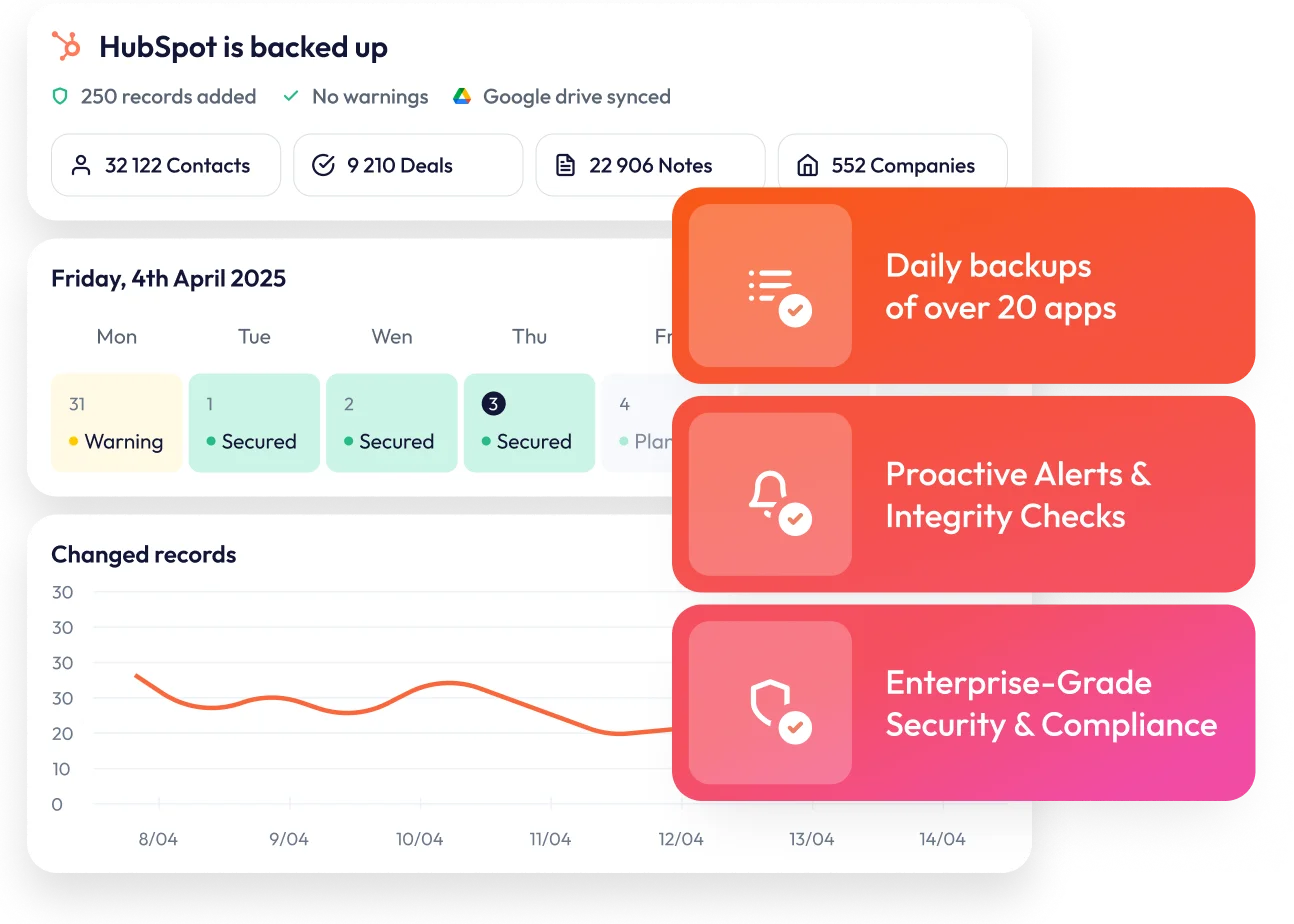
ProBackup watches for unusual activity in your account. If there is a sudden increase in deletions or a notable drop in backed-up cards, administrators receive an email notification. This early warning system helps you respond quickly to accidental deletions, malicious actions, or technical problems.

Team collaboration
Invite team members to your ProBackup account, providing extra redundancy and allowing your team to access backup data when needed.
Price plan differences
Skyvia pricing
Skyvia maintains separate pricing models for each product (data integration, automation, query, connect, and backup). Their backup-specific plans comprise four tiers:
- Free: Up to 1GB
- Standard: $7/month – Up to 20GB
- Professional: $79/month – Up to 200GB
- Enterprise: $399/month – Up to 1TB
Skyvia's Standard plan at $7/month appeals to smaller teams with under 20GB of data. However, pricing escalates dramatically once you surpass that threshold. The jump from $7/month to $79/month represents an 11x price increase—a substantial leap for teams that simply require additional storage.
This tier-based structure also links features to storage limits. You might pay for unnecessary storage just to access premium features, or conversely, pay for advanced capabilities you won't utilise simply because your data exceeded the Standard tier's 20GB ceiling.
ProBackup's flexible tiers
ProBackup provides three straightforward plans that grow with your requirements :
- Plus: $25/month – Core backup and restore functionality (10GB storage)
- Pro: $38/month – Google Drive sync, weekly status updates, global search (10 GB default storage)
- Premium: $69/month – SSO, priority support, audit reports (25 GB default storage)
A major benefit is flexible storage scaling. ProBackup's pricing adjusts with your data usage within each plan, eliminating the need to upgrade tiers solely because you've exceeded storage limits. You pay only for features you actually use, while storage expands alongside your data.
Furthermore, a single ProBackup subscription safeguards all your supported SaaS applications, not just HubSpot. Your account can encompass Asana, Airtable, ClickUp, Monday, Trello, Slack, Notion, Jira, Confluence, Miro, and more.
Complete feature comparison
ProBackup
Skyvia
Which solution is right for you?
Choose Skyvia if:
- Your team prefers developer-oriented interfaces
- You need a comprehensive data integration platform beyond backup alone
- You require manual, on-demand backup triggers
- You want to exclude certain data types (like attachments) from backups
- You need multiple external storage connector options
Choose ProBackup if you need:
- A dedicated backup solution with proven restore reliability
- User-friendly data navigation that reflects your HubSpot structure
- Granular restore options for individual contacts, deals, and records
- Proactive alerts to identify problems early


Protect your HubSpot data today
If your organisation requires more than a developer-focused data integration tool - if you want to monitor, explore, and reliably restore your CRM data with precision - ProBackup for HubSpot delivers a more comprehensive and accessible solution.