
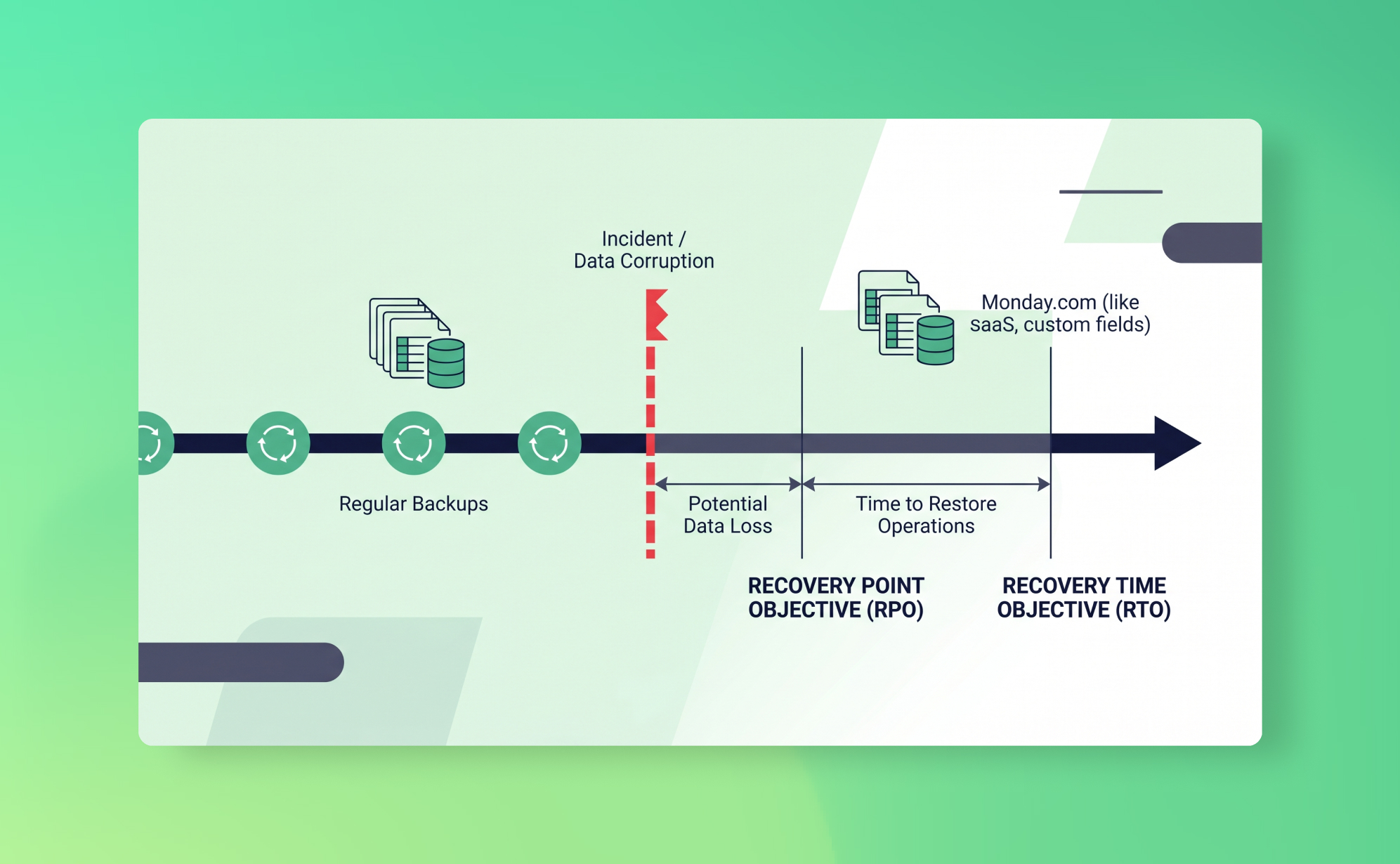
In short: RTO (Recovery Time Objective) is how long your team can afford to be without usable data after an incident; RPO (Recovery Point Objective) is how much recent work you can afford to lose. With daily SaaS backups your RPO is at most 24 hours; your RTO depends on how fast you can find and restore the affected records.
Last Tuesday, your ops lead ran a CSV import into monday.com. It was supposed to update project statuses. Instead, it overwrote 300 custom field values across six boards. Nobody noticed until Friday. By then, three days of real work had been layered on top of the corrupted data, and monday.com's recycle bin had nothing to offer because nothing was deleted. The data was just wrong.
Two questions determine how badly this hurts: how long until the data is usable again, and how much work did you lose? In disaster recovery, those questions have names. The first is your Recovery Time Objective (RTO). The second is your Recovery Point Objective (RPO). Together, they define what "acceptable" looks like when things go wrong, and they should be shaping your backup strategy right now, before you need them.
What is RTO?
Recovery Time Objective is the maximum amount of time your team can tolerate being without access to usable data after an incident. Not how fast your backup tool runs. How long your business can function without the data.
An RTO of zero means you need instant failover, no downtime at all. That's what banks and hospitals aim for. An RTO of 24 hours means you can survive a full working day without the affected system. An RTO of one week means the data is important but not operationally critical on a daily basis.
For most SaaS-dependent teams, the honest answer is somewhere between a few hours and one business day. If your project management tool's data is corrupted or your CRM records are gone, you can probably limp through the morning. But by afternoon, people are blocked: they can't see task assignments, client history, deal stages, or project timelines.
What people get wrong about RTO is assuming it only applies to total outages. It doesn't. The monday.com import scenario above isn't an outage. The platform works fine. But your team is locked out of accurate data until someone fixes it, and that's an RTO scenario just the same.
Your RTO isn't just an abstract number. It determines what kind of restore process you need. If your RTO is four hours, you need a backup solution where you can identify affected records, select a clean snapshot, and restore them within that window. If your RTO is "whenever we get around to it," you don't have an RTO. You have a hope.
What is RPO?
Recovery Point Objective is the maximum amount of data loss your organisation can tolerate, measured in time. It answers the question: if we had to restore from a backup right now, how far back is acceptable?
An RPO of zero means you can't lose any data at all. Every transaction, every field update, every comment needs to be captured in real time. An RPO of 24 hours means you can accept losing up to one day's worth of changes. An RPO of one week means losing a week of work is tolerable if it comes to that.
RPO is the metric that most directly determines your backup frequency. If your RPO is 24 hours, you need daily backups at minimum. If it's one hour, you need near-real-time replication. If it's a week, weekly backups might work, though you'd want a strong reason for accepting that level of risk.
Back to the monday.com scenario. If you had a daily backup and noticed the problem on the same day, your RPO of 24 hours means you restore from last night's snapshot and lose, at most, a few hours of work done before the import. Annoying, but manageable. But the problem wasn't noticed until Friday. Now your RPO is fine (you have yesterday's snapshot), but the right snapshot to restore from is Tuesday's, before the import ran. Whether that snapshot still exists depends on your retention period. RPO tells you the maximum gap between backups. Retention tells you how far back those backups go. You need both.
Why RTO and RPO matter for SaaS apps
In traditional IT, RTO and RPO planning is standard practice. You have servers, backup schedules, and someone on the infrastructure team has documented recovery procedures and tested them.
With SaaS apps, most of that planning disappears. The provider handles infrastructure, and teams assume that means recovery is handled too. It isn't. The shared responsibility model means your provider recovers from their infrastructure failures. Account-level data loss, deletions, overwrites, corruption from integrations, is yours to deal with.
Without defined RTO and RPO objectives, teams default to whatever their SaaS app's native recovery offers. And those native features have hard limits. Recycle bins expire after 30 days on most platforms. Trello has no recycle bin for deleted cards. None of them protect against field-level overwrites or bulk import errors, which are among the most common data loss scenarios.
The practical consequence: when data loss happens without a backup, your actual RTO becomes "however long it takes someone to manually reconstruct the data." We've seen teams spend an entire week rebuilding a project board from screenshots and Slack messages. Your actual RPO, meanwhile, becomes "whenever someone last happened to export a spreadsheet." That's not a strategy. That's luck.
How to calculate your RTO and RPO
You don't need a consultant for this. You need honest answers to a few questions, applied to each SaaS app your team depends on.
For RTO, ask: If this app's data became unusable right now, how long before it affects revenue, client commitments, or team output? Be specific. "We'd lose some productivity" is not an RTO. "The sales team couldn't update pipeline for a full day, which means the Monday forecast review is based on stale data and we might miss a renewal" is an RTO of roughly one business day.
Then ask: can our recovery process actually meet that window? If your RTO is four hours but your only recovery option is manually rebuilding from memory, you've already exceeded it. If you have a backup tool, time the process: how long to find the right snapshot, select the affected records, trigger the restore, and verify the result? That's your real RTO.
For RPO, ask: If we had to restore from a backup, how much lost work could we absorb? Think about what changes daily. A CRM where reps log 50 calls and update 30 deal stages per day has very different RPO needs than a knowledge base that gets edited twice a week.
Walk through your critical apps one by one. Your CRM probably has a tighter RPO than your design tool. Your project management platform sits somewhere in the middle. Not everything needs the same recovery objectives, and acknowledging that is part of the exercise.
What happens when you exceed your RPO
Your RPO is exceeded when the data loss stretches further back than your most recent usable backup can cover.
The most common way this happens isn't dramatic. Someone modifies a batch of records via import, or a third-party integration quietly overwrites field values over several days. Nobody notices for three weeks. The recycle bin expired two weeks ago, and if your backup retention is shorter than the detection window, the clean version is gone from your backups too.
The result is manual reconstruction. Someone pieces together what the data should look like from memory, client emails, exported spreadsheets, screenshots in Slack threads. It's slow, error-prone, and deeply demoralising for the team doing it.
This is also where compliance risk lives. If your RPO was 24 hours on paper but the actual loss was three weeks of data, that's a control failure. The major frameworks all have something to say about this:
- SOC 2 (Availability trust principle) requires organisations to demonstrate they can restore data within documented recovery objectives.
- ISO 27001 (Annex A.12.3) requires documented backup procedures with regular testing.
- GDPR (Article 32) requires "the ability to restore the availability and access to personal data in a timely manner." It doesn't mandate a specific RPO, but failing to meet your own documented objectives is a problem.
An auditor seeing a three-week gap against a 24-hour RPO will flag that as a control failure. For more on how backups support these frameworks, see our post on why backups matter for SOC 2 and ISO 27001.
Two things determine whether you'll exceed your RPO: backup frequency (how often snapshots are taken) and retention period (how long those snapshots are kept). Frequent backups with short retention won't help if the problem isn't discovered for months. Infrequent backups with long retention leave too large a gap between the incident and the last clean snapshot.
Daily backups vs real-time: what makes sense
If shorter RPO is better, why not back up everything in real time?
For databases and financial systems, real-time replication makes sense. The data changes constantly, every transaction matters, and losing even a few minutes is costly.
For SaaS productivity and CRM tools, the calculus is different. Real-time backup sounds ideal, but it runs into practical limits:
- API rate limits. SaaS platforms restrict how many requests you can make per minute. A single Asana workspace with 10,000 tasks requires thousands of API calls to fully capture. Running that every few minutes would exhaust your rate limit and could affect your team's normal use of the platform.
- Cost. Real-time or near-real-time SaaS backup solutions exist, but they're significantly more expensive and designed for enterprise environments with specific regulatory needs. For most teams, the additional cost doesn't match the marginal RPO improvement.
- Diminishing returns. Most SaaS data doesn't change by the second. It changes by the day. A project board updated 20 times across a workday looks functionally the same whether you snapshot it hourly or nightly.
The more useful question is: does a 24-hour RPO actually cover your risk?
For the vast majority of SaaS use cases, it does. Most data loss is either immediate and obvious (someone deletes a board, the team notices within hours) or slow and silent (a bad integration corrupts data over days or weeks). For the first category, a 24-hour-old snapshot means you lose at most one day of work. For the second category, what matters is retention depth, not backup frequency. Backing up every hour won't help if nobody notices the corruption for a month. What helps is having a clean snapshot from before it started.
That's a retention question, not a frequency question.
How ProBackup's daily snapshots fit your RPO
ProBackup runs a complete snapshot of your connected SaaS apps every 24 hours, giving you an effective RPO of 24 hours.
Every evening (based on your local time), our backup engine captures the current state of your workspace: tasks, records, cards, comments, files, custom field values, and field configurations. Each snapshot is stored as a separate version, encrypted with AES-256, in one of 9 AWS regions across 5 continents. ProBackup pre-selects the region closest to you during onboarding and you can choose a different one before your first backup runs; afterwards, support can move it on request. The backups are incremental (we only process what changed since the last cycle) but the result is a complete, point-in-time picture of your data for every day within your retention window.
Retention depends on your plan: 6 months on Plus, 2 years on Pro, and unlimited on Premium. Pro and Premium users can also configure shorter retention periods if their compliance policies require it. That depth matters because it determines how far back you can reach when a problem isn't caught quickly.
When something goes wrong, the restore process is designed to keep your RTO short. You pick a date in the ProBackup vault, browse or search for the affected items, select what you need, and click restore. ProBackup creates a new copy in the original location, so nothing in your current workspace gets overwritten. Restoring a single task, including its comments and attachments, takes a few clicks. Restoring an entire board creates a new copy with "restore" and the date appended to the name. You can track progress in the Restore Report page, and large restores typically complete within a few minutes.
For the monday.com scenario from the intro: you'd open ProBackup, navigate to the affected boards, select Tuesday's snapshot (before the bad import), identify the 300 records with corrupted custom field values, and restore them. The original corrupted records stay in place, and the clean copies appear alongside them for you to verify and reconcile. Total time from "we have a problem" to "we have clean data back": probably under 30 minutes, depending on the volume.
On the Pro and Premium plans, proactive alerts notify you when unusual deletion activity is detected, which helps close the detection gap that makes slow-burn data loss so dangerous. If 50 tasks disappear in an hour, you'll know before the recycle bin even becomes relevant.
We support 20+ platforms under a single licence, including Asana, monday.com, ClickUp, Trello, Notion, HubSpot, Jira, Airtable, and Slack. Plans start at $25/month (billed yearly). See how teams have used ProBackup to recover from real data loss on our success stories page.
If you want to map your RTO and RPO across your full SaaS stack, the ultimate backup and recovery guide walks through the full strategy. Or just start a free trial and have your first snapshot within 24 hours.

Related posts
NIS2 and your backups: what the directive actually requires


The 7 best SaaS backup tools in 2026

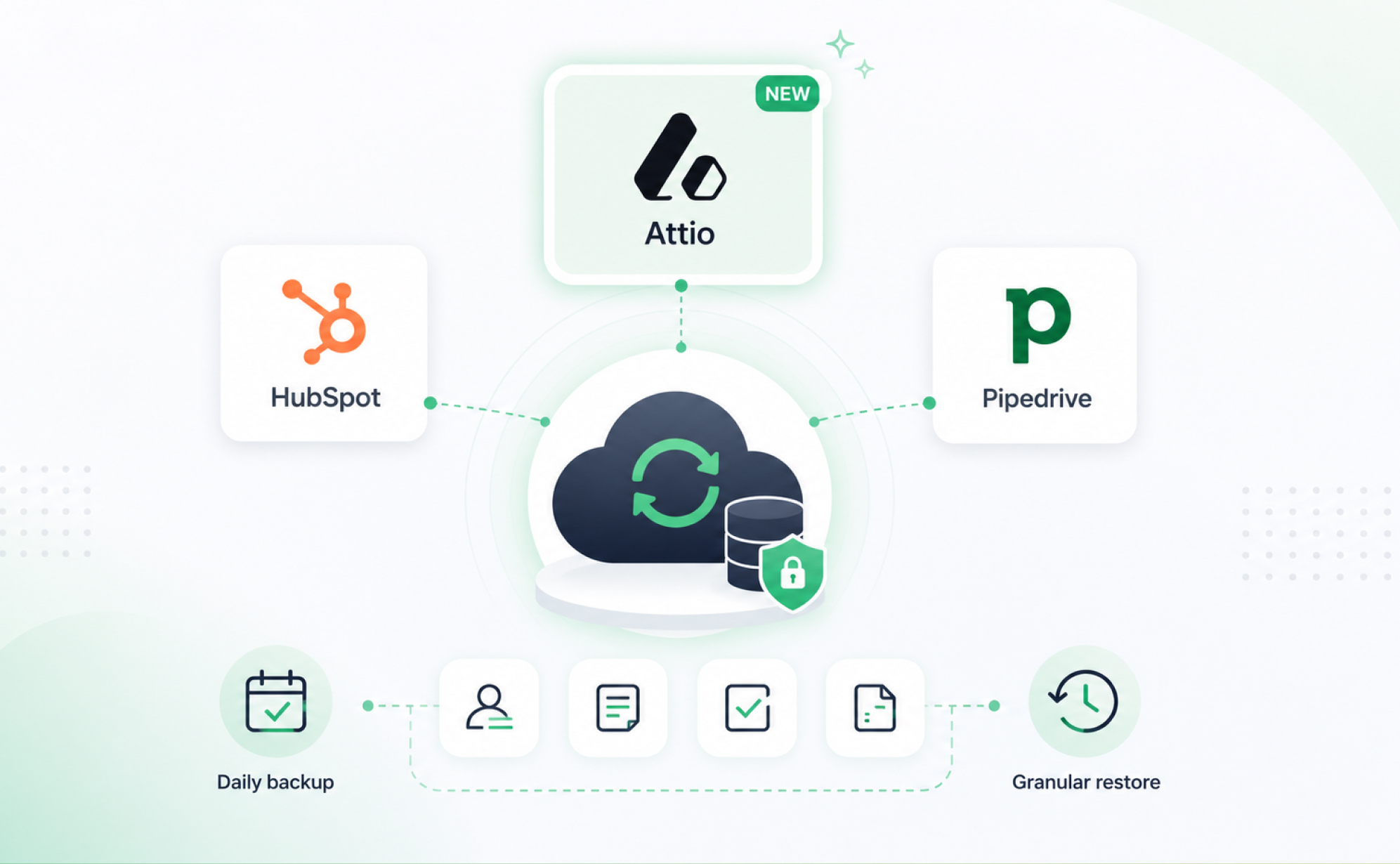
Attio backup is here: ProBackup now covers three leading CRMs