
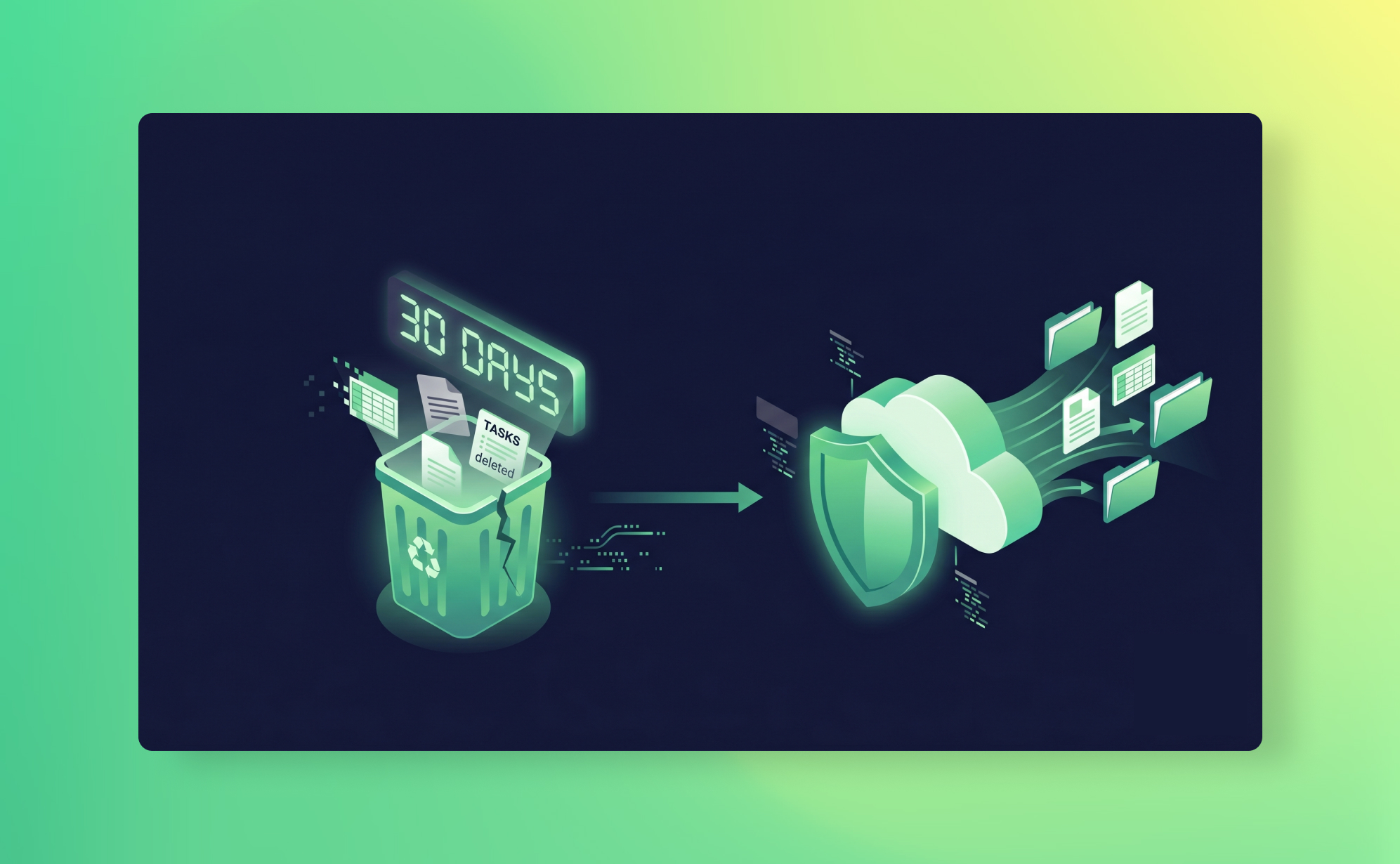
In short: SaaS recycle bins are not backups. They only hold deleted items, for a limited window — typically 30 days, 90 on HubSpot, none at all for Trello cards — and they miss data that was overwritten by edits, imports or integrations. Reliable protection requires an independent backup that snapshots your workspace daily and can restore any item to a chosen date.
Your SaaS app has a recycle bin. You've seen it. Maybe you've even used it once or twice to fish out a task someone deleted by accident. It worked, and you moved on with your day.
That experience is exactly what makes recycle bins dangerous. They work just often enough that you start to trust them as a safety net. They're not. They're a convenience feature with a countdown timer, and when you actually need them, in a real data loss scenario, they will let you down in ways you didn't expect.
The story usually goes something like: "I assumed the recycle bin would have it." It didn't. The item had expired, or it was the wrong data type, or someone had emptied the bin, or the deletion happened through an integration that bypassed the bin entirely. The shared responsibility model means your SaaS provider keeps the platform running. Protecting your data is on you.
This post breaks down what recycle bins actually do, where they fall short, and what you need instead.
What SaaS recycle bins actually do
Before we get into the problems, it's worth understanding what these features are designed for. Most SaaS apps handle deletion in two or three stages, and the terminology isn't consistent across platforms.
Archive/close is a soft delete. The item is hidden from active views but still exists in your workspace. You can usually bring it back at any time. Trello calls this "Archive." ClickUp calls it "Close." The item is still there, just tucked away.
Recycle bin/trash is a time-limited holding area. Deleted items sit here for a fixed number of days before they're permanently removed. This is what most people think of as "undo." Asana, monday.com, ClickUp, Notion, and HubSpot all have some version of this.
Permanent delete is exactly what it sounds like. Gone. No recovery path through the platform, no support ticket that will bring it back. Some platforms let users jump straight to this step. Trello, notably, sends deleted cards straight to permanent deletion with no recycle bin in between.
The recycle bin stage is the one teams rely on. And for simple, recent, single-item deletions? It genuinely works. The problem is that data loss rarely looks like that.
How retention works across popular platforms
The details matter here, because each platform handles recovery differently. Here's what the retention policies actually look like in practice.
Asana: Deleted items are searchable for 30 days via Advanced Search with the "Deleted" filter. There's no visual recycle bin in the interface. After 30 days, items are permanently removed. Projects, tasks, and subtasks are all covered, but once deleted, attachments and comments on those items are harder to recover separately.
monday.com: The Recycle Bin retains deleted items for 30 days. Workspace owners and admins can view and restore items deleted by any user. After 30 days, data is permanently purged. Subitems are included in board-level deletions, but restoring a board doesn't always restore its subitems cleanly.
ClickUp: Trash retains deleted items for 30 days. Members and guests can only see items they personally deleted, while admins and owners see everything. Comments and certain views cannot be restored from Trash, even within the 30-day window. Also: if a Folder or List is deleted, individual tasks within it don't appear separately in the Trash. You have to restore the whole container to get them back.
Notion: Trash retains deleted pages for 30 days by default. Enterprise plans can customise this to up to 10 years. Version history is available for 7 days on the Free plan, 30 days on Plus, and 90 days on Business. So even if a page is in your Trash, the version you actually need might already be gone from history. Worth reading alongside Notion AI and your data if your team uses those features.
HubSpot: The most generous of the group. Records (contacts, deals, companies, tickets) stay in the recycle bin for 90 days. Files, however, only stay for 30 days. And GDPR-related permanent deletions bypass the recycle bin entirely. Records permanently deleted for compliance reasons are immediately and irreversibly gone.
Trello: The outlier. Trello has no recycle bin at all for cards. If you hit "Delete" on a card (rather than "Archive"), it is permanently removed. Trello support cannot recover deleted cards. This catches a lot of teams off guard, especially those coming from platforms with a proper trash folder.
Slack: There is no trash for deleted messages, which is why teams back up Slack channels separately.
Podio: No recycle bin either, and Podio's documentation states that deleted items and apps cannot be recovered, which is why a Podio backup has to sit outside the platform.
Five ways recycle bins fail you
The 30-day window (or 90 for HubSpot) sounds reasonable in theory. In practice, these are the scenarios where it breaks down.
1. The slow discovery problem
Not all data loss is obvious. Someone deletes a project or modifies a field, and nobody notices for six weeks. By the time someone asks "where did that go?", the recycle bin expired five weeks ago. This is especially common with data that's referenced infrequently, like archived client records, completed project boards, or historical reporting data. The longer it takes to notice, the less likely your recycle bin will help.
2. Selective coverage
Recycle bins don't protect everything. Across most platforms, automations, views, forms, and field configurations are not recoverable from trash. In ClickUp, comments deleted from a task are permanently gone, no Trash entry. In Trello, Power-Ups and automations aren't backed up via the API at all, and they're not covered by the archive system either. The gaps vary by platform, but every platform has them.
3. Bulk operations can bypass them
A bad CSV import that overwrites 2,000 records doesn't delete anything. It updates existing records with wrong values. No recycle bin in any SaaS app will catch that, because from the platform's perspective, no deletion occurred. Similarly, a misbehaving third-party integration that clears field values or reassigns tasks in bulk won't trigger a trash event. These are among the most common data loss scenarios we encounter, and the recycle bin is completely blind to them.
4. Malicious deletion can empty them
In most SaaS apps, anyone with admin access (or even regular member access in some cases) can permanently delete items from the Trash before the retention period expires. A disgruntled employee who wants to cause damage won't just delete your project, they'll empty the trash too. ClickUp and monday.com both allow admins to permanently delete items from Trash. HubSpot allows GDPR-style permanent deletion that bypasses the recycle bin entirely. If someone has the intent and the access, the recycle bin won't stop them. An independent backup can at least get you alerted when records are deleted.
5. No compliance trail
Recycle bins don't give you point-in-time recovery. They can't show you what your data looked like on a specific date three months ago. They don't provide audit trails of who deleted what and when (beyond basic activity logs). If you're subject to GDPR data retention requirements, SOC 2 controls, or just need to prove the state of a project at a specific point in time for a client dispute, recycle bins give you nothing to work with.
The gap between "undo" and "backup"
There's a useful way to think about this. A recycle bin is an undo button. A backup is an insurance policy.
An undo button is great for "I just deleted that by accident, let me grab it back." It's immediate, it's simple, and it works for recent, obvious mistakes.
An insurance policy covers you when things go genuinely wrong. When the damage isn't obvious for weeks. When the problem is data corruption, not deletion. When someone acts maliciously. When you need to prove what your data looked like at a specific point in time.
These are different tools for different problems. The mistake most teams make is treating the undo button as if it were an insurance policy. It isn't. And the shared responsibility model your SaaS provider operates under makes it clear that actual data protection is your job.
What a real backup gives you that recycle bins don't
We're obviously biased here, but we'll be specific about what we do and what we don't do.
ProBackup runs daily automated snapshots of your SaaS data. Every 24 hours, we capture a complete copy of your workspace, including tasks, items, records, comments, attachments and other metadata, custom field values, and field configurations. That snapshot is stored in our own AWS infrastructure, in one of nine AWS regions — you select the region at signup and it applies to every backup in your ProBackup account — encrypted with AES-256, using authentication tokens that are completely separate from your SaaS accounts.
That separation is the critical difference. If your SaaS account is compromised, your backups are untouched. If someone empties the recycle bin, your snapshots are still there. If an import corrupts 500 records and nobody notices for two months, you can go back to the snapshot from the day before the import and restore exactly what you need.
What we can restore: individual tasks, records, cards, comments, files, custom field values, and entire projects or boards. You pick the date, select the items, and click restore. The platform creates a new copy, so nothing gets overwritten.
What we can't back up (because the APIs don't expose them): automations, forms, and dashboard configurations on most platforms. Trello Power-Ups and views. Files uploaded directly to items in monday.com (as opposed to via custom fields). We're transparent about these limits because they're real, and we don't want anyone surprised. The full list for each platform is in our Help Centre.
On the Pro and Premium plans, we also run smart alerts that notify you when unusual deletion activity is detected. So if someone deletes 50 tasks in a single hour, you'll know before the recycle bin even becomes relevant.
We support 20+ platforms under a single licence, including Asana, monday.com, ClickUp, Trello, Notion, HubSpot, Jira, Airtable, and Slack. Plans start at $25/month (billed yearly). See how other teams have recovered from data loss on our success stories page.
What to do next
Check your SaaS apps' recycle bin policies. Look up the retention period, what data types are covered, and who can permanently delete from Trash. If your answer to "what happens when the recycle bin isn't enough?" is "I don't know," you have a gap.
The ultimate SaaS backup and recovery guide walks through how to build a proper backup strategy. Or if you'd rather just see it working, start a free trial. Setup takes about three minutes, and your first snapshot runs within 24 hours.

Related posts
What happens to their work when someone leaves: offboarding data in Asana, ClickUp, monday.com and HubSpot
.png)
ProBackup's SOC 2 Type II report: what it covers, how to request it, and what it does not mean
The dangers of vibe coding a backup tool for your business