
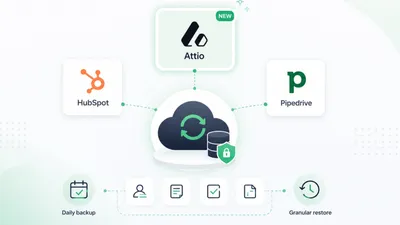
Attio backs up its servers. ProBackup protects your work.
Daily snapshots of your people, companies, deals, custom objects, lists, notes and files. Go back to any day and restore what went wrong.
No credit card required. 3-minute setup.
From $25/month, billed annually · See plans



Doesn't Attio back up my data?
Attio runs its own servers, but a record you delete can't be recovered by you or your team. Its own backup is a download you start by hand.
A deleted record
-

- With ProBackup: Stays in your backup for your plan's history (6 months up to 4 years). Restore it as new, with its notes, comments, files and list entries.
A bad import or bulk update

-
- With ProBackup: Each day's version is kept. Overwrite only the fields you pick with the values from before the import.
An AI assistant edit
-
- With ProBackup: The version from before the assistant ran stays in your backup. Overwrite only the fields it changed, or restore the record as new.
A full copy

-
- With ProBackup: Automatic every 24 hours, browsable by day, Excel export, Google Drive sync (Pro and Premium).
Attio can't bring a deleted record back. ProBackup can, for months or years.

Everything you need to protect Attio
- People, companies, deals, custom objects, list entries, notes, tasks, comments, files
- Emails, calls and sequences are not covered



- Date picker, one object at a time
- Earlier versions of a record
- A record restored as new brings its notes, comments, files and list entries
- Or overwrite only the fields you pick on the existing record
- Deletion report of records, list entries, notes and tasks; email when an object has dropped out of your backup
- Global search (unlimited on Pro and Premium, 3 a day on Plus); Google Drive sync on Pro and Premium
One license. Every SaaS app you use. Pay by storage, not by team size.
Plus
For founders and small teams
$25 per month billed annually
or $31 billed monthly
Start free trial- Daily backup of all apps
- 6 month backup history
- Invite 1 guest
- Backup of all records, files & comments
- Smart retries
- Granular restore
- Recently deleted items report
Pro
For project managers & growing teams
$38 per month billed annually
or $47 billed monthly
Start free trialEverything in Plus, and:
- 2 year backup history
- Invite 10 guests
- Sync to Google Drive
- Global search
- Weekly status emails
- Smart alerts
Premium
For IT admins & enterprise compliance
$69 per month billed annually
or $86 billed monthly
Start free trialEverything in Pro, and:
- 4 year backup history
- Invite unlimited guests
- Single Sign-On (SSO)
- Bulk download of files
- Priority support
- Advanced scope control
- Audit reports
- Virus scanner
Frequently asked questions
Can't find your answer here? Our help center covers setup, restores and billing for every app.
Visit the help centerWhat Attio data is backed up?
The following data types are backed up: people, companies, deals, custom objects, lists, notes, tasks, comments and files. Emails, calls, reports, sequences, workflows and chats are not backed up.
How does restore work for Attio?
When restoring an Attio record (a person, company, deal or custom object), you have two options: create a new record from your backup, leaving all existing data untouched, or overwrite the existing record by selecting only the fields you want to update. When a record is restored as new, its notes, comments, files and list entries are restored with it.
Can I get back an Attio record that was deleted?
Yes, as long as it was in a ProBackup snapshot before it was deleted. Attio itself can't recover it. ProBackup restores it as a new record with its notes, comments, files and list entries, and links it again to the other records it pointed to, when those still exist or were restored too. It stays in your backup for your plan's history: 6 months on Plus, 2 years on Pro, 4 years on Premium.
Are tasks restored with a record?
No. Restore a task on its own from the Tasks tab. It is linked to the records it belonged to, using the restored copies where you restored those too. A completed task comes back as completed on the day you restore it.
How safe is my data?
The backups and the access tokens are secured with the Advanced Encryption Standard (AES) using a 256-bit encryption key. Applying the best practices of encryption methods, we use a different initialisation vector for every record, meaning it is virtually impossible to extract the data via reverse engineering.
Do I need a license for each team member?
No, you only need one ProBackup license to back up your team's data. The pricing model is not based on the number of seats – instead you pay to back up your own account and the connected accounts.
Can I build this myself?
You can. With an AI coding tool, a script that exports your data every night is a weekend project. The hard part comes after that: keeping it working when the app's API changes, storing the copies encrypted and away from the app, noticing when a run quietly misses data, and restoring, which means rebuilding records with their comments, files and links in the right place without overwriting today's work. ProBackup does that for 20+ apps. It keeps a version of every record each day it changes, emails you when a backup stops running, checks the APIs of its largest integrations against known-good responses every week, is SOC 2 Type II audited, and lets you browse any day and restore it.
Related posts
-
How to back up Attio (and restore deleted data)
Attio permanently deletes records with no recycle bin or rollback; ProBackup snapshots your Attio workspace daily and restores records as new entries or by overwriting selected fields, plus notes, tasks, comments and files.
-
Attio backup is here: ProBackup now covers three leading CRMs
ProBackup now supports Attio CRM backup: daily automated snapshots and granular restore for records, notes, tasks and files. Available on all plans.
-
How ProBackup backs up your data: API pulls, daily snapshots, revisions and what the API cannot give us
First-hand explainer of the ProBackup backup engine: per-collection pull jobs every 24 hours, revisions stored only when a record's checksum changes, point-in-time snapshots rebuilt from revisions, attachment handling, the two restore modes and a per-platform list of what the API does not expose.



Try ProBackup free for 7 days
Daily snapshots and granular restore for your people, companies, deals & notes. Set up in 3 minutes, no credit card required.
No credit card required · Cancel anytime