
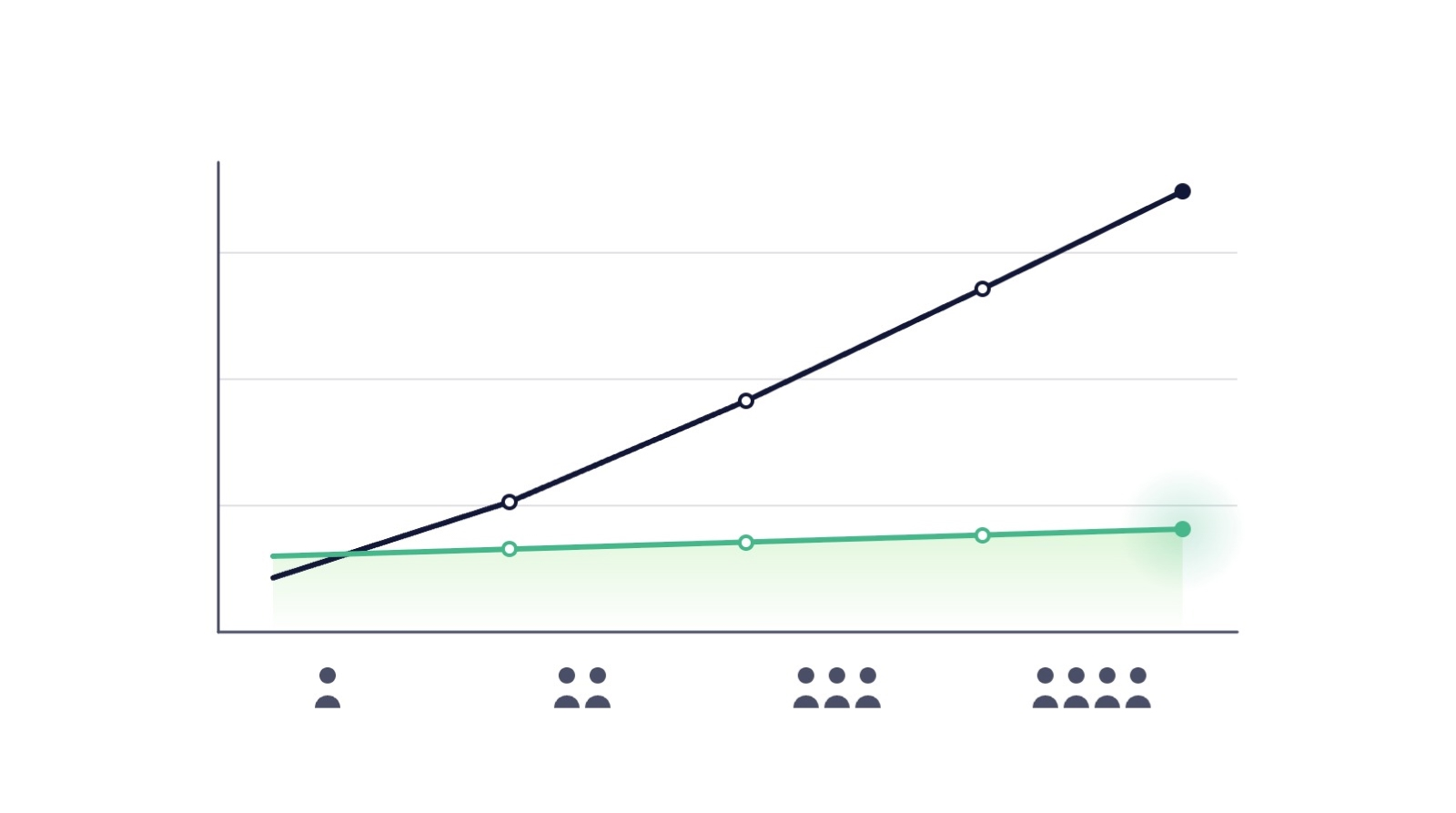
In short: SaaS backup vendors typically use one of four pricing models: per user, per unit of content (board or file), flat tiers and quote-only. Per-user pricing tracks headcount: Rewind charges $4 per user per month from 11 to 100 users (September 2026). ProBackup's flat tiers cost $25 (Plus), $38 (Pro) and $69 (Premium) monthly, billed annually, so 100 users pay $38 on Pro.
Backup pricing looks simple until you try to compare two vendors and discover they are not selling the same unit. One charges per user, one per board, one a flat monthly tier; one includes storage, another includes retention you did not ask for. This guide maps the pricing models on the market with real, dated numbers, shows what each model costs at typical team sizes, and replaces the usual hand-wavy ROI claims with arithmetic you can run on your own figures.
The four pricing models
1. Per user. The most common model: you pay for every seat in the connected platform, whether or not that user's data changes. Rewind's published cloud app pricing (rewind.com, checked September 2026) is the clearest example: a flat $40 per month for organisations under 10 users, $4.00 per user per month from 11 to 100 users, sliding to lower per-user rates at very large counts. Per-user pricing is easy for procurement to understand, and its defenders would note that seats are a fair proxy for account complexity. The catch is direction: your backup bill tracks your headcount, not your risk.
2. Per unit of content. Some products charge per board, file or object. Rewind prices Trello backups at $1.00 per board per month with a $5.00 monthly minimum, and QuickBooks Online backups at $16.00 per file per month (rewind.com, checked September 2026). This can be very cheap for small, concentrated workspaces and expensive for sprawling ones, and it makes cost forecasting depend on how your team happens to organise its work. For how these models play out across the market, see our round-up of seven SaaS backup tools compared.
3. Flat tiers. A fixed monthly price per plan, independent of seats. ProBackup's plans are $25 per month for Plus, $38 for Pro and $69 for Premium, billed annually ($31, $47 and $86 billed monthly), with 10 GB of backup storage on Plus and Pro and 25 GB on Premium, version history of 6 months, 2 years and unlimited respectively, and a 50% discount for non-profits. The trade-off is symmetrical: a five-person team pays the same as a fifty-person team on the same plan, which favours growing teams and data-heavy small teams, and matters less to very small accounts.
4. Quote-based. Some vendors publish no pricing at all. That is not automatically a red flag for enterprise deals, but it makes budgeting and comparison impossible without a sales cycle, and it deserves the direct question from our evaluation framework: how does my price change if my team doubles?
What the models cost at real team sizes
Using the published figures above (both checked September 2026), a team backing up one cloud platform pays:
The comparison is illustrative, not exhaustive: plans differ in retention, storage and features, and per-user vendors offer volume discounts at much larger counts. But the shape of the curve is the point. Under per-user pricing, cost scales linearly with hiring; under flat tiers, it steps only when you change plans. Run the same table for every vendor on your shortlist before comparing anything else. Our own flat-tier numbers are set out in full on the ProBackup pricing page.
ROI without invented statistics
Most backup ROI content leans on dramatic industry statistics of untraceable origin. You do not need them. The value of backup is an expected-loss calculation you can run with your own numbers:
Cost of an incident = hours to reconstruct × loaded hourly cost + revenue or delivery at risk + compliance exposure.
Work through one realistic scenario. Suppose losing a client project board would take your team 40 hours to reconstruct from email threads and memory, at a loaded cost of €50 per hour: that is €2,000 in labour alone, before any client-facing damage. (An illustration with round numbers, not a statistic; substitute your own.) Against that, ProBackup's Pro plan costs $456 per year billed annually. One prevented incident of that size covers years of subscription, and the calculation gets stronger the more platforms and the more people depend on the data. The same arithmetic applies to the cost of building it yourself, where the maintenance never ends.
Three factors usually dominate the arithmetic:
- Discovery lag. Native recovery windows of 7 to 30 days mean late-discovered losses are total losses. Backup ROI concentrates in exactly the incidents native tools cannot cover.
- Reconstruction is the real cost. Data seldom vanishes with a receipt attached. It vanishes as weeks of quiet re-work spread across a team.
- Time-to-restore. A self-service restore measured in minutes versus a reconstruction measured in days is the difference between an anecdote and an incident report.
Red flags on pricing pages
- Prices that require a sales call to learn, combined with per-user scaling you cannot see.
- Storage or retention limits buried outside the pricing table.
- Essential capabilities (self-service restore, alerts, region choice) gated into tiers the pricing page does not clearly mark.
- Comparison content, from any vendor, quoting competitor prices without a source and date.
For a sourced, dated side-by-side instead, see ProBackup compared with alternatives.
Conclusion
Backup pricing rewards the buyer who models rather than skims: pick your realistic team size for next year, put every shortlisted vendor's real number beside it, and weigh that against an incident cost you calculated from your own payroll and pipeline rather than someone else's statistic. On that arithmetic, backup is one of the cheapest insurance policies in your stack, and the pricing model you choose decides whether it stays that way as you grow.
👉 Start your 7-day free trial at ProBackup: https://app.probackup.io/onboarding
This guide is written for IT managers, operations leads and founders budgeting data protection for SaaS platforms. All third-party pricing was checked against live vendor pages in September 2026 and may change.

Related posts
How to evaluate a SaaS backup vendor: criteria, questions and red flags


Metadata in SaaS backups: why comments, fields and attachments matter more than you think

How to restrict deletions in Asana, ClickUp, monday.com, Trello, HubSpot and Airtable