

ProBackup vs
BackupLabs for Trello
If your team relies on Trello for projects and workflows, protecting that data is essential. ProBackup and BackupLabs both offer automated cloud backups for Trello, but differ in flexibility, restore options, and platform coverage. This comparison will help you choose the right fit. (reviewed on 21-08-2026)

No credit card required. 2-minute setup.

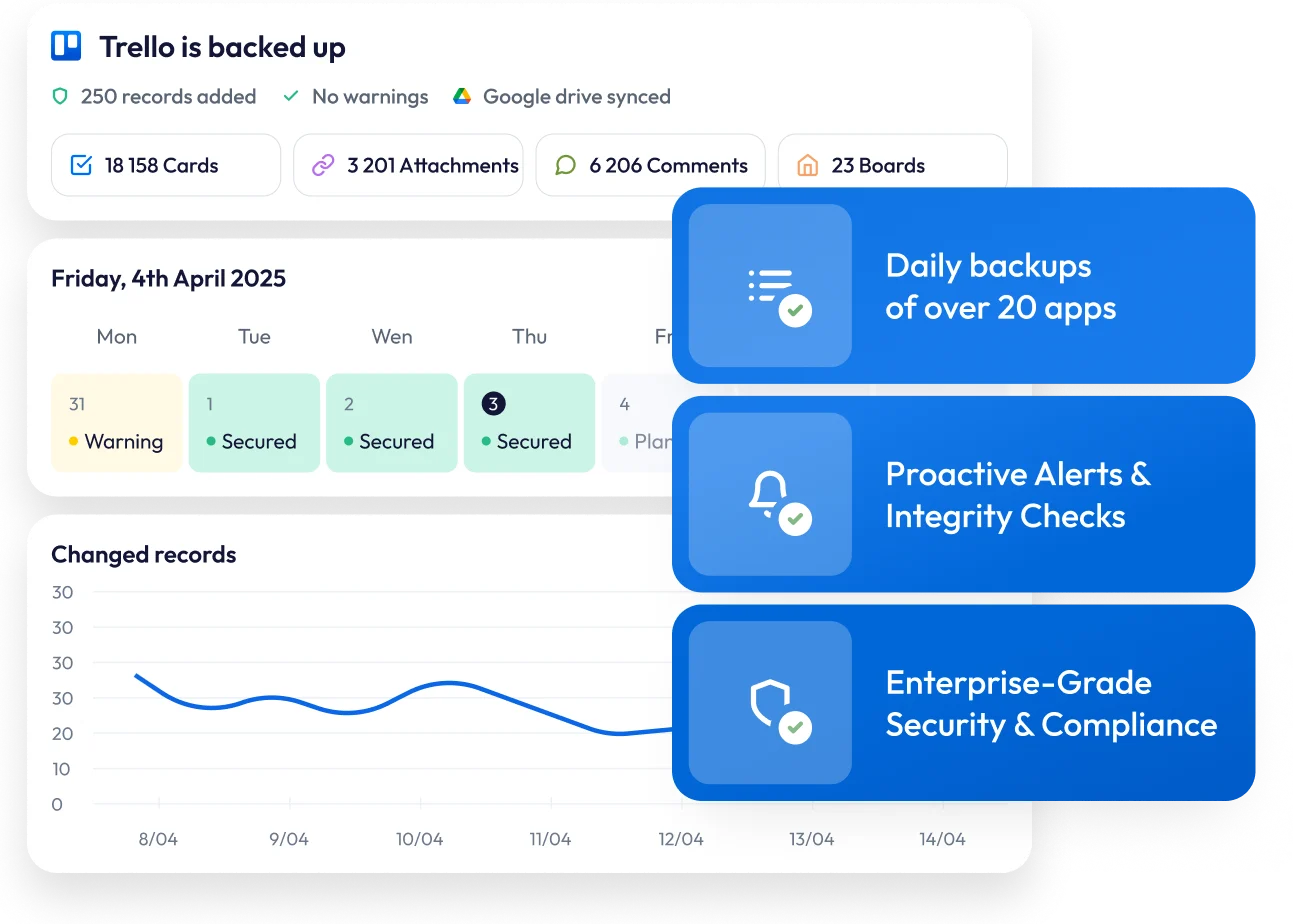


Finding the best backup solution for Trello
Trello has become a favourite among teams worldwide: offering intuitive Kanban boards, flexible automation with Butler, and seamless integrations that keep work flowing.
As your boards multiply and workflows become more sophisticated, the value of the data within them grows significantly. From checklists and due dates to attachments and card histories, your Trello workspace contains critical business information that deserves protection.A reliable backup solution ensures your data stays safe from accidental deletions, user errors, or unexpected issues - keeping everything recoverable and always within reach.In this guide, we'll compare two leading backup solutions for Trello: ProBackup and BackupLabs. We'll examine their backup and restore capabilities, data accessibility, and pricing models to help you make an informed decision.

What Trello data gets protected?
Both ProBackup and BackupLabs safeguard the essential components of your Trello environment. ProBackup specifically covers teams, users, workspaces, boards, cards, custom fields, attachments, comments, checklists, labels, and lists.

Important limitation
Neither solution backs up Automations, Power-Ups, or Views. This is because Trello's API does not expose these data types for external access.
Backup and restore functionality

Similarities between the two
Both platforms deliver daily, automated backups that capture your Trello data without manual intervention. Backups run automatically every 24 hours, so there is no scheduling to configure.

Where ProBackup goes further
BackupLabs focuses primarily on board-level recovery, allowing you to restore complete boards to an earlier state. ProBackup takes a more granular approach to data restoration.
With ProBackup, you can restore :
- Boards including all associated cards, comments, and attachments
- Individual cards with descriptions, members, attachments, custom field values, comments, checklists, and labels
- Comments as duplicates within the relevant card
- Files directly to the associated card
- Custom fields when the original field has been removed from the board
- Labels when the original label has been deleted
This precision allows you to address specific data issues without overwriting unaffected content on your boards.
Navigating your backup history
BackupLabs navigation
BackupLabs doesn't allow you to view or access individual backed-up cards, files, or comments directly in the interface. To view your data, you need to download a board and open it as separate JSON files.
ProBackup's enhanced navigation
ProBackup offers a global search feature, allowing you to search across all data types using a text string-making it easy to find exactly what you need. It also provides a more intuitive interface for browsing your Trello backups. You can:
- Navigate boards through a hierarchical tree structure
- Switch between tabs to view cards, comments, or files for each board
- Use the date picker to explore how your boards have changed over time
- Browse and compare the versions that were created for each record
This combination of sidebar navigation and data type tabs gives you a comprehensive view of your Trello history. Unlike BackupLabs, you can view all cards or all files for a specific board in one place - no downloads or JSON files required.
Features exclusive to ProBackup
ProBackup includes several capabilities that BackupLabs does not offer:

Global search
Quickly locate any record in your backups with our powerful search tool. Search across tasks, files and comments, and more with one search.

Excel exports
Export any data table to Excel with a single click. For larger datasets, request a complete export delivered via email.

Sync to Google Drive
Create a secondary copy of your backups in Google Drive. This provides redundancy in a format your team already knows. Combined with Desktop for Drive, you can automate local downloads for an additional layer of protection.

Proactive alerts
ProBackup watches for unusual activity in your account. If there is a sudden increase in deletions or a notable drop in backed-up cards, administrators receive an email notification. This early warning system helps you respond quickly to accidental deletions, malicious actions, or technical problems.
Price plan differences

BackupLabs pricing
BackupLabs offers two tiers that scale based on the number of your boards. The cheapest plan starts at $8 per month to back up 10 boards.
ProBackup's flexible tiers
ProBackup offers three scalable plans :
- Plus: $25/month, Core backup and restore
- Pro: $38/month, Google Drive sync, weekly status updates, global search
- Premium, $69/month, SSO, priority support, audit reports
The key advantage is cross-platform coverage. A single ProBackup licence protects all your supported SaaS applications, not just Trello. Your subscription can include Asana, ClickUp, monday.com, HubSpot, Slack, Notion, Jira, Confluence, Miro, and more under one account.
BackupLabs requires a separate license for each platform. For organisations using multiple productivity tools, ProBackup's unified approach can reduce both costs and administrative complexity.
Complete feature comparison
ProBackup
BackupLabs
Pro: 2 years
Premium: unlimited
attachment downloads
attachment downloads
(Pro and Premium)
change tracking
Pro: 10 guests
Premium: unlimited guests
Which solution is right for you?

Choose BackupLabs
if you need straightforward board-level backups with a simple pricing model for smaller Trello setups.
Choose ProBackup
if you want:
- Daily snapshots of your projects, tasks & files that you can browse and compare over time
- Granular restore controls for individual cards, files, comments, and fields
- Global search to quickly locate cards, files or comments
- Automated sync to Google Drive for extra redundancy
- Proactive alerts and change monitoring
- Coverage for multiple SaaS apps under one licence
- Team collaboration with invited guests on Pro and Premium plans


Secure your Trello data today
If your organisation needs more than basic backup, if you want to monitor, explore, and protect your data across platforms, ProBackup for Trello offers a more comprehensive solution.
Start my Trello backup