
This article explains how to revoke ProBackup’s access to your Asana account.
How to uninstall
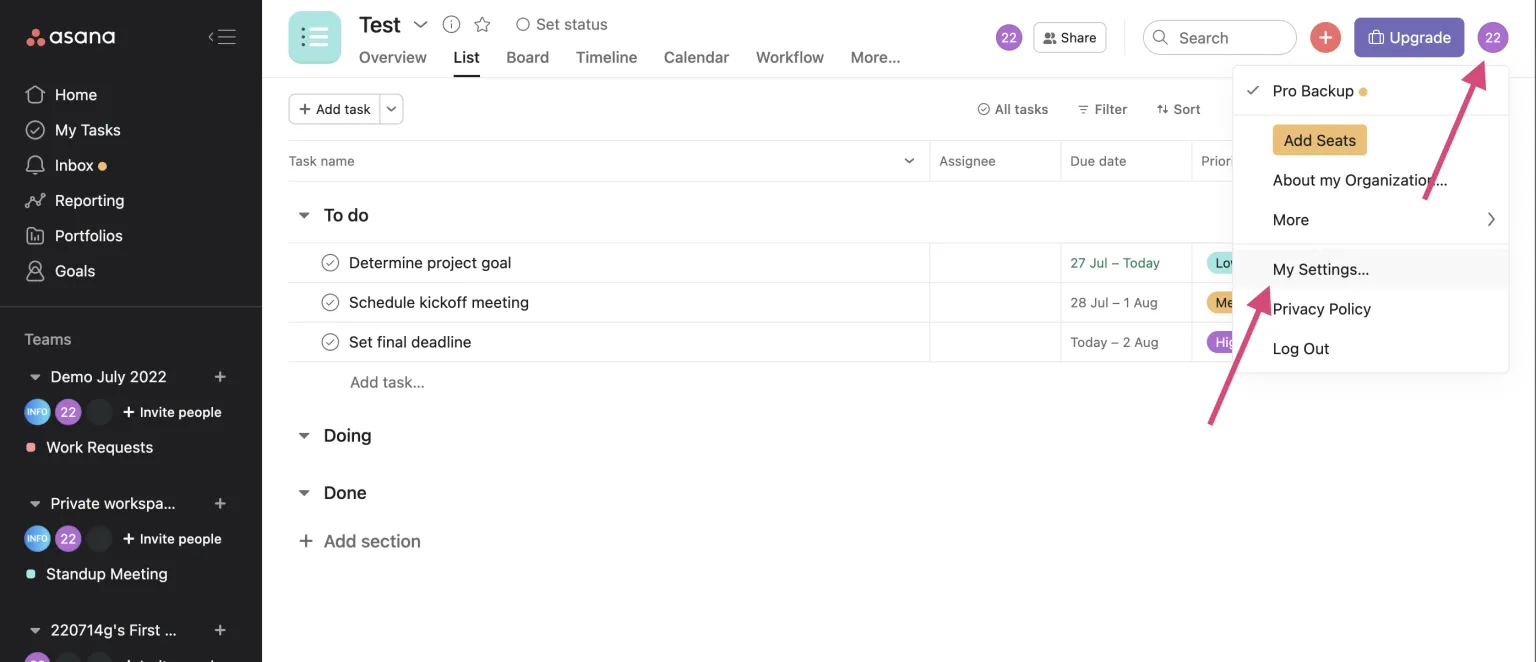
- In Asana, click your profile photo and select Settings.
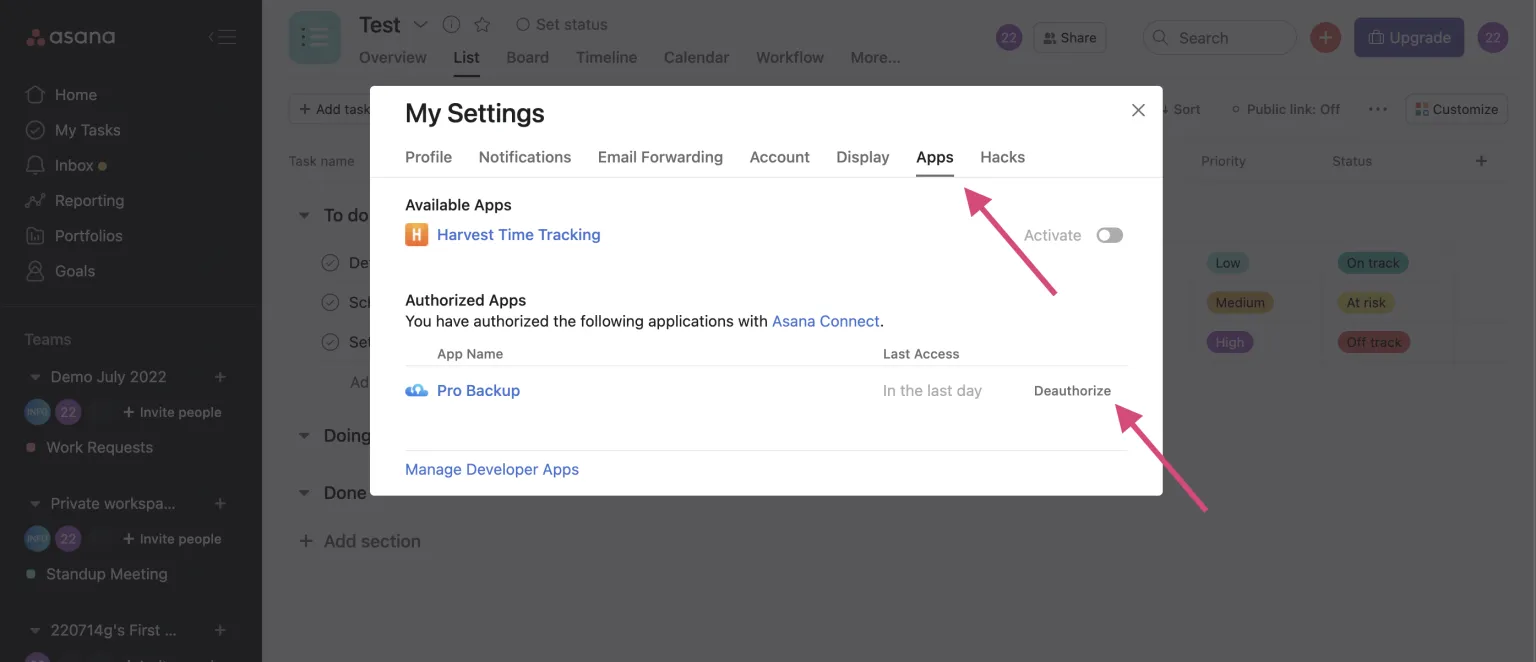
- Go to the Apps tab.
- Click Deauthorize next to ProBackup.
Note: Did you connect ProBackup with an Asana service account? Then ProBackup is not listed in your personal Apps tab. An Asana super admin can deauthorize the service account in the Admin console under Apps > Service accounts.
Note: Uninstalling ProBackup from Asana does not cancel your ProBackup subscription. To stop your subscription, see How to cancel your subscription.
Updated 2 Nov 2026