
This article explains how to revoke ProBackup’s access to your monday.com account.
Note: Uninstalling ProBackup from monday.com stops your monday.com backups, but it doesn’t delete your ProBackup account or cancel a subscription you pay by card. To stop that subscription, see How to cancel your subscription. If you pay for ProBackup through monday.com, manage your plan in monday.com: see monday.com licensing for ProBackup.
How to uninstall
Only monday.com account admins can uninstall apps.
- In monday.com, click your profile picture in the top right corner and select Administration.
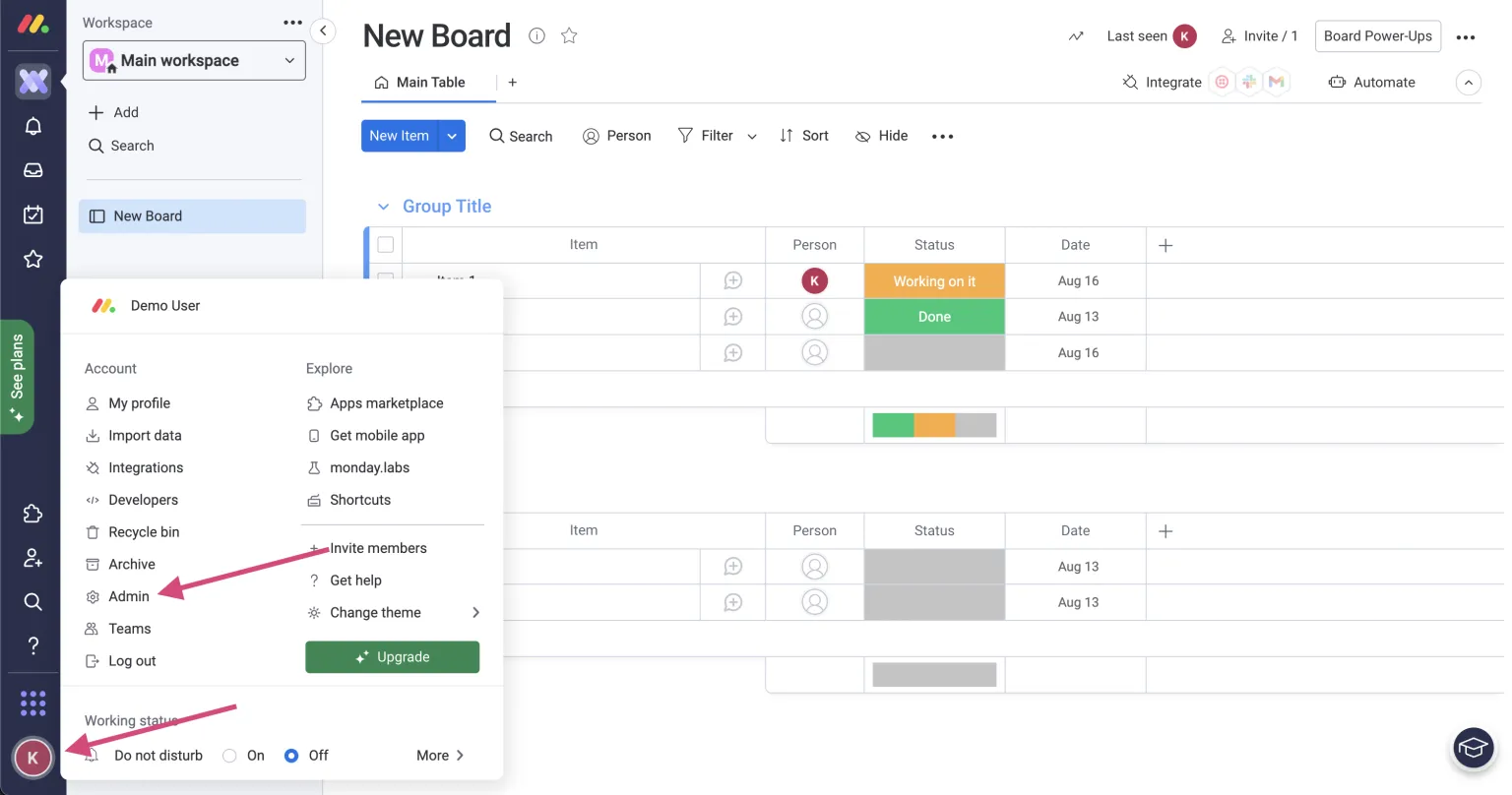
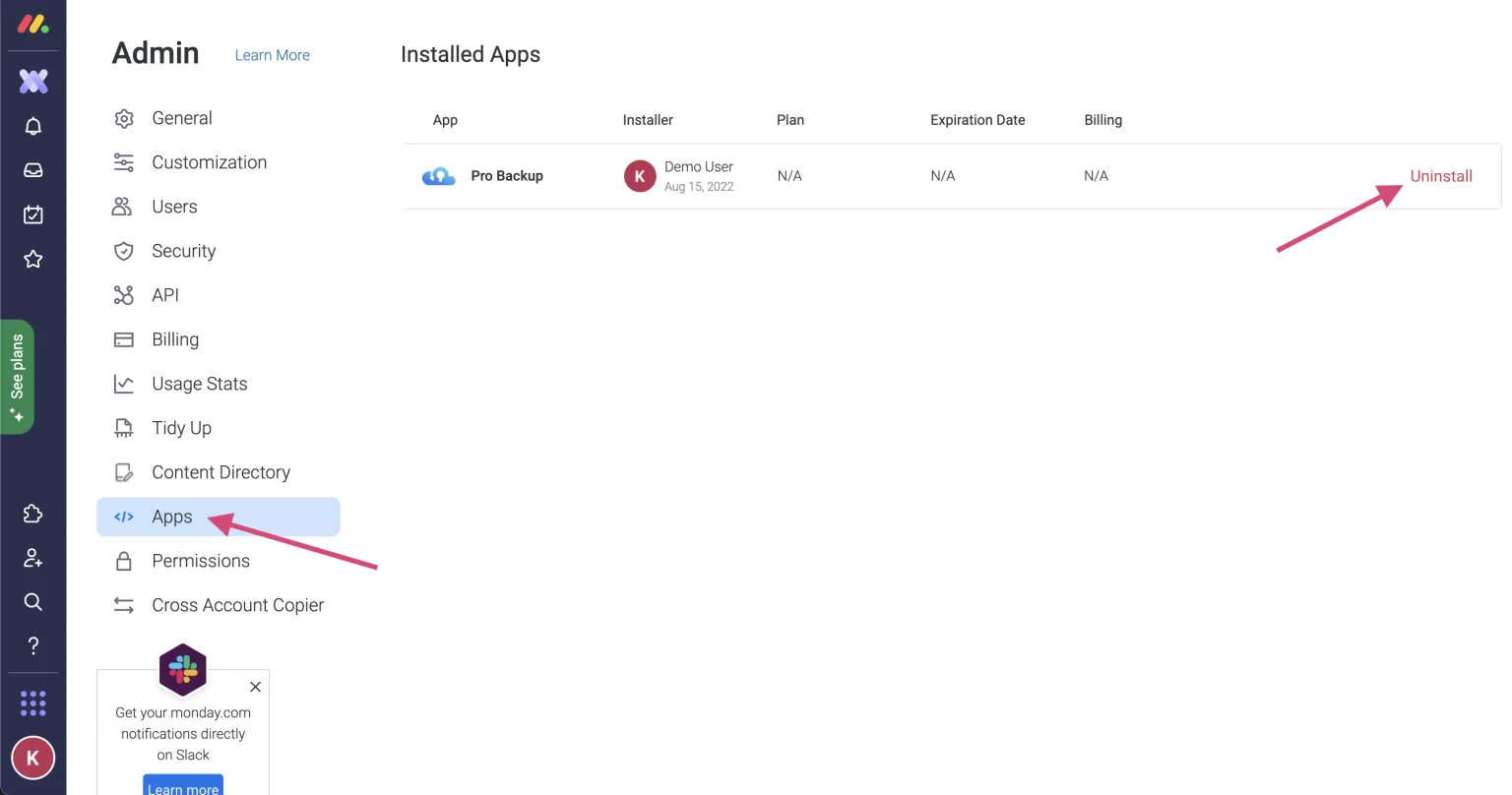
- In the left-side menu, click Apps, then open the Installed apps tab.
- Find ProBackup, click the three dots next to it and click Uninstall. Confirm when monday.com asks you to.
What happens next
- ProBackup no longer has access to your monday.com account, so no new backups are made. You receive a confirmation email.
- Backups made so far are not deleted by uninstalling; they stay in your ProBackup account.
- To start backing up again, install ProBackup from the monday.com marketplace and reconnect your account.
Updated 2 Nov 2026