ProBackup now integrates with Make.com for automated deletion workflows
Since January 2026 ProBackup connects to Make.com, so you can build automated workflows that run when a daily backup detects a record deleted from Asana, ClickUp, monday.com or any other backed-up app.

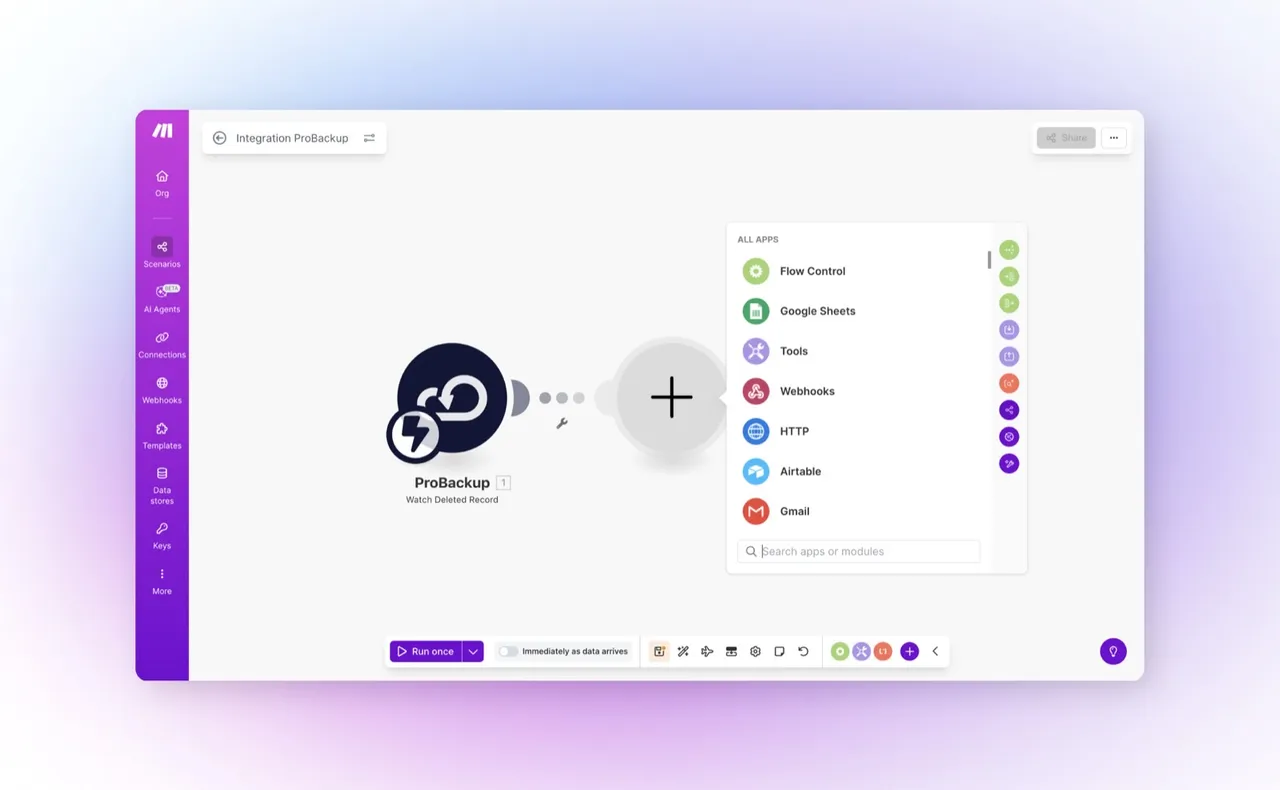
In short: Since January 2026 ProBackup connects to Make.com. A 'Watch Deleted Records' trigger fires a webhook whenever a backup run detects a record deleted from any backed-up app (Asana, ClickUp, monday.com, Trello, HubSpot, Airtable and others), so you can send Slack alerts, log deletions to a sheet or open helpdesk tickets. Setup takes under five minutes with an API key, on every ProBackup plan.
ProBackup connects directly with Make.com, so you can build automated workflows that run when records disappear from your Asana, ClickUp, monday.com, or any other backed-up app.
Why this matters for your team
Data deletions happen. Sometimes intentionally, sometimes by accident, and occasionally with malicious intent. Without automation, you discover missing records when you check your backups or receive a ProBackup alert or weekly deletion report.
With the Make.com integration, your workflow runs as soon as ProBackup notices the deletion. Deletions are detected at the next backup run, and backups run once every 24 hours, so expect the trigger within a day of the deletion, not instantly. No manual checks. It is the automated counterpart to the argument that recycle bins will not save you.
What you can automate
The integration introduces two powerful capabilities.
Deleted record webhooks
When a backup run detects that a record has been removed from any of your connected apps, ProBackup automatically fires a webhook to Make.com with the record's ID, type and app. From there, your automation takes over. This builds on the same signal behind our proactive deletion alerts.
Use cases:
- Sending Slack notifications when critical tasks are deleted
- Logging all deletions to a Google Sheet for audit purposes
- Creating tickets in your helpdesk when client records disappear
- Alerting team leads when project boards lose data unexpectedly
Custom API calls
Make.com can also query ProBackup directly. The /v1/platforms endpoint returns your list of active backups, so you can build conditional logic based on which apps you're currently protecting.
Getting started in minutes
Connecting your accounts takes less than five minutes.
- Create a new scenario in Make.com
- Search for "ProBackup" and add the module
- Select "Watch Deleted Records" as your trigger
- Grab your API key from your ProBackup profile settings
- Paste the key into Make.com and save
From there, add any downstream actions: Slack messages, email alerts, spreadsheet logging, or connections to thousands of other apps in Make.com's library. The Make.com integration is available on every ProBackup plan.
Build your safety net
Daily backups protect your data. Automated workflows protect your peace of mind. Together, they create a safety net that flags problems within a day, especially if you also restrict deletions at the source.
Whether you're safeguarding Trello boards, HubSpot contacts, or Airtable bases, the Make.com integration keeps you informed and in control.
Ready to automate your data protection?