

Read our blog
The dangers of vibe coding a backup tool for your business

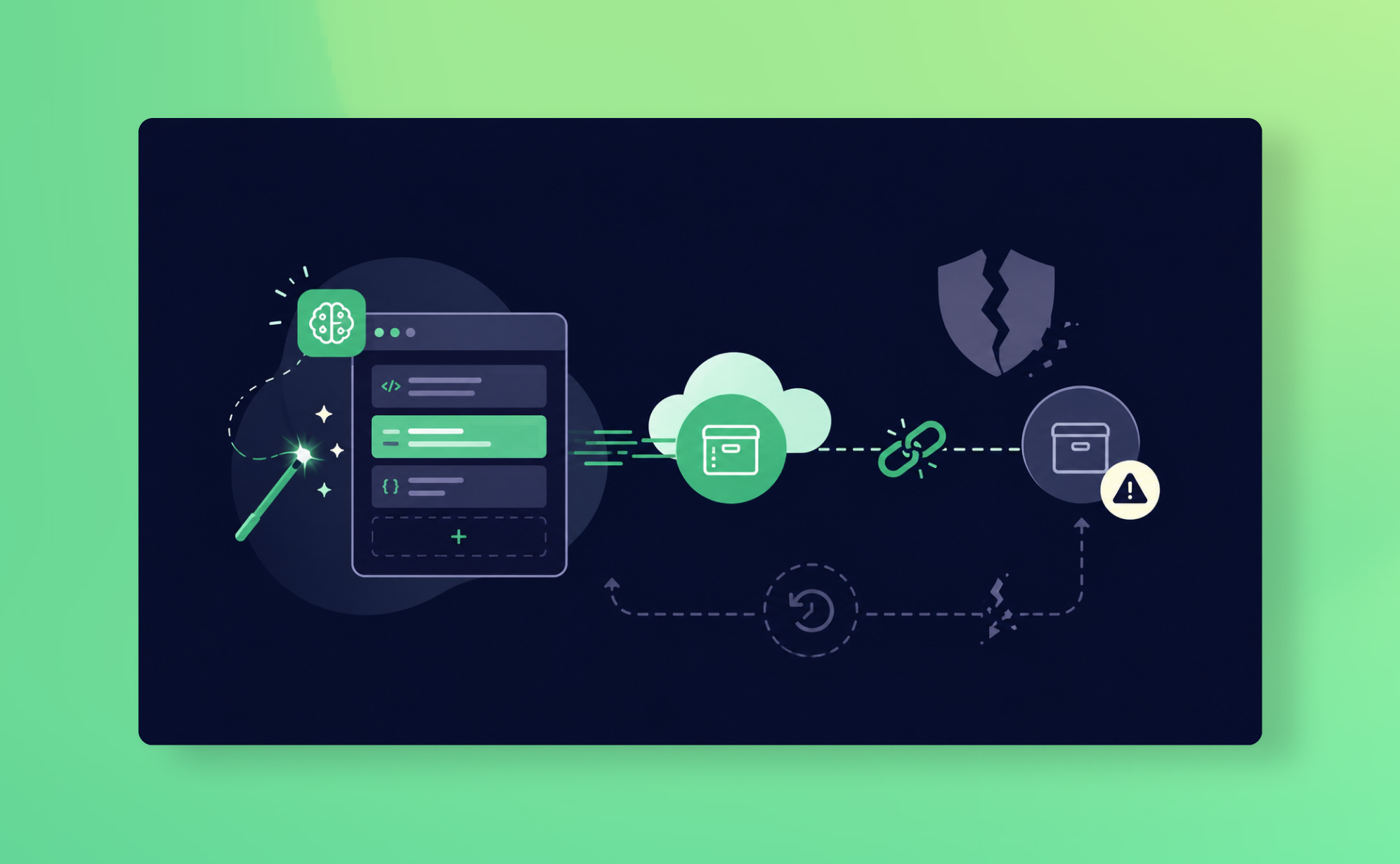
In the last few months, a few customers cancelled their ProBackup subscription with the same reason: "we vibe coded our own backup tool." Recently, one of them came back. Their homegrown tool had been failing silently for weeks, and they only found out when they actually needed it.
We get the appeal, genuinely. Prompt Lovable or Claude to "build a tool that backs up our ClickUp workspace every night" and twenty minutes later it works. The data lands in a bucket, the cron job runs, and the internal Slack message writes itself: we just saved ourselves a SaaS subscription. But a backup tool is the one piece of software in your stack that only matters on its worst day, and a vibe-coded backup has usually never seen a worst day. This post covers what vibe coding platforms do brilliantly, the specific risks of pointing them at business-critical data protection, and an honest cost comparison between building and buying. The short answer to the question in the title: the danger isn't that AI writes bad code. It's that nobody ever tests the restore.
Vibe coding platforms are genuinely impressive
Let's start with credit where it's due, because this isn't a "AI code bad" post.
Vibe coding, the practice of describing what you want in natural language and letting an AI agent write the software, has matured fast. Lovable's Agent can now browse websites, search the web, and update code across multiple files at once, acting more like a developer working alongside you than an autocomplete. In May 2026 Lovable added AI subagents, including a Reviewer, that run in parallel during a build, and the platform now ships native Wiz security scanning, with findings surfacing in every project's Security view. In July 2026 Lovable became the first AI coding platform to achieve AIUC-1, a security and reliability standard built for AI agents.
That's real progress, and the productivity gains are real too. For internal dashboards, prototypes, landing pages, and yes, your personal note-taking app, these tools are hard to beat. The question is not whether vibe coding works. It's whether a backup tool is the right thing to vibe code.
Key takeaway:
Why backup tools are a special case
A backup tool has an unusual property: it can fail silently for months and look completely healthy. The cron job runs. The files appear. Nobody opens them. Then someone deletes a ClickUp space, or an AI agent overwrites two thousand HubSpot records, and you discover that your "backup" has been saving empty API responses since the ClickUp API changed in March.
Under the shared responsibility model (the standard SaaS arrangement where the vendor protects the platform, but you are responsible for your own account data), that gap is yours to own. If your homegrown tool quietly broke, there is no vendor to call.
The known risks of vibe coding, applied to backups
The research on AI-generated code is no longer anecdotal. Here's what it says, and what each finding means when the code in question is guarding your data.
- More vulnerabilities, shipped faster. Veracode's 2025 code security report found AI-assisted pull requests generated 2.74 times more security issues than human-authored code, and a 2026 GitGuardian report found AI-assisted commits exposed secrets, such as API keys, more than twice as often as human-only commits. A backup tool holds admin-level API tokens for your most important systems. A leaked token isn't a bug; it's a master key.
- Hallucinated dependencies. A Cloud Security Alliance research note from April 2026 found that across 2.23 million AI-generated code samples, 19.7% contained at least one hallucinated package name, and 43% of those names reappeared consistently on repeated runs. Attackers register those predictable names, a technique called slopsquatting. Install one, and your backup pipeline is running someone else's code against your production data.
- Incidents are now on the record. Georgia Tech's Vibe Security Radar, which traces CVEs back to AI-generated code, attributed 35 CVEs to AI coding tools in March 2026 alone, up from 6 in January. This has moved from thought experiment to vulnerability database.
- Nobody maintains it. This is the quiet killer. The person who prompted the tool into existence changes roles, and the "codebase" is a chat history nobody else can reason about. Meanwhile the platforms it connects to keep moving.
- The restore is never tested. Copying data out is the easy half. Putting it back, with hierarchy, relationships, comments, custom fields, and permissions intact, is the hard half, and it's the half a weekend build almost never includes. A backup you can't restore from is a storage bill.
- False confidence. The most dangerous property of vibe-coded software is that it looks finished. It demos well. The one scenario that would expose it, a real disaster, is the one scenario you can't rehearse by accident.
What a dedicated backup vendor actually does all day
This is the part that's invisible from outside, so it's worth spelling out what that subscription pays for at ProBackup:
Continuous integration maintenance. We back up nine platforms, and right now every one of them is rolling out features and API changes at the fastest pace we've seen. When ClickUp adds a new field type or HubSpot versions an endpoint, updating the integration is our job that week, not a ticket in your backlog that competes with actual product work.
Security as a discipline, not a feature. AES-256 encryption (a widely used encryption standard), least-privilege API scopes, GDPR compliance (the EU's General Data Protection Regulation), and a choice of storage regions, including Frankfurt for teams with German data residency requirements. No hardcoded tokens in a script someone pasted from a chat window.
A restore that's been through real disasters. Our restore paths cover the scenarios that actually happen: single-record recovery, full-space recovery after a malicious deletion, point-in-time recovery (restoring data exactly as it was on a chosen date) after a bad sync or an agent gone wrong. More importantly, they've been exercised by a wide customer base across thousands of real incidents. Your DIY restore gets its first production test during your emergency.
The cost breakdown: $40 a month vs building it yourself
Assume a realistic DIY scenario: one technically capable team member, a vibe coding platform subscription, and a genuine intent to keep the thing alive.
| Cost item | ProBackup | DIY vibe-coded tool |
|---|---|---|
| Subscription | ~$40/month | $0 |
| Platform and AI credits | Included | $25 to $100+/month (agent runs on complex, multi-file tasks burn credits fast) |
| Initial build | 15 minutes of setup | 2 to 5 days of a skilled person's time |
| Ongoing maintenance | Included | A few hours per month per integration, forever |
| Storage and infrastructure | Included | Cloud storage, monitoring, alerting: $10 to $50+/month |
| Restore engineering and testing | Included, battle-tested | Usually never built |
| Cost when it breaks silently | Our problem, monitored | Unknown until disaster day |
Price out the person's time at even a modest internal rate and the DIY option costs more in month one than ProBackup costs in year one. And that's before valuing the thing you actually bought insurance for: the recovery working.
What good looks like
If you take one section from this post, take this one.
- Vibe code freely for tools where failure is cheap: internal dashboards, prototypes, automations, your own note-taking app.
- For anything that protects business-critical data, buy from a vendor whose entire business depends on the restore working, or commit to building with real engineering rigour: code review, dependency scanning, secret management, and scheduled restore drills.
- Whatever you choose, test a restore this quarter. Not an export. A restore.
- Audit which API tokens your homegrown scripts hold today, and what happens to them when their author leaves.
- Date your assumptions. An integration that worked "as of March" is not an integration that works.
✅ Good for: teams using ClickUp, monday.com, HubSpot, Asana, Notion, Jira, Trello, Airtable, or Slack who want automated daily backups and tested restore without owning the maintenance.
❌ Not recommended for: teams looking to migrate data between platforms (ProBackup restores to the original instance only), or backing up platforms outside our supported list.
Conclusion
The tension we opened with is real: vibe coding platforms are excellent, and getting better monthly, while the case against using them for backup keeps getting stronger. Both things are true because they're about different questions. Lovable answers "can I build this?" with an increasingly confident yes. A backup tool answers "will this work on the worst day of my company's year?", and that question is answered by maintenance, security discipline, and restores tested across thousands of real incidents, none of which fit in a prompt.
Build your next internal tool with AI. We probably will too. Just don't let the tool that guards everything else be the one nobody is maintaining. [Start your free trial] or [see which plan fits your team].
This post is written for IT admins, ops leads, and founders who are responsible for their organisation's data in SaaS tools, and who have at least once been tempted to just build it themselves.
SaaS platform migrations: how to protect your data

A client services manager moved her team from Trello to Asana last quarter. The migration tool worked cleanly: all 2,400 cards transferred, custom fields mapped correctly, due dates preserved. The Trello account was cancelled two weeks after go-live.
Six weeks later, a client asked for the decision trail on a project from eight months ago. The comment threads where the scope changes had been discussed, the back-and-forth over timelines, the approval messages. None of it had migrated. The migration tool had transferred card titles, descriptions, and fields. Comments weren't in scope.
The Trello account was gone. The only CSV export she had was the one she'd taken before the migration, which also didn't include comments. The data existed nowhere.
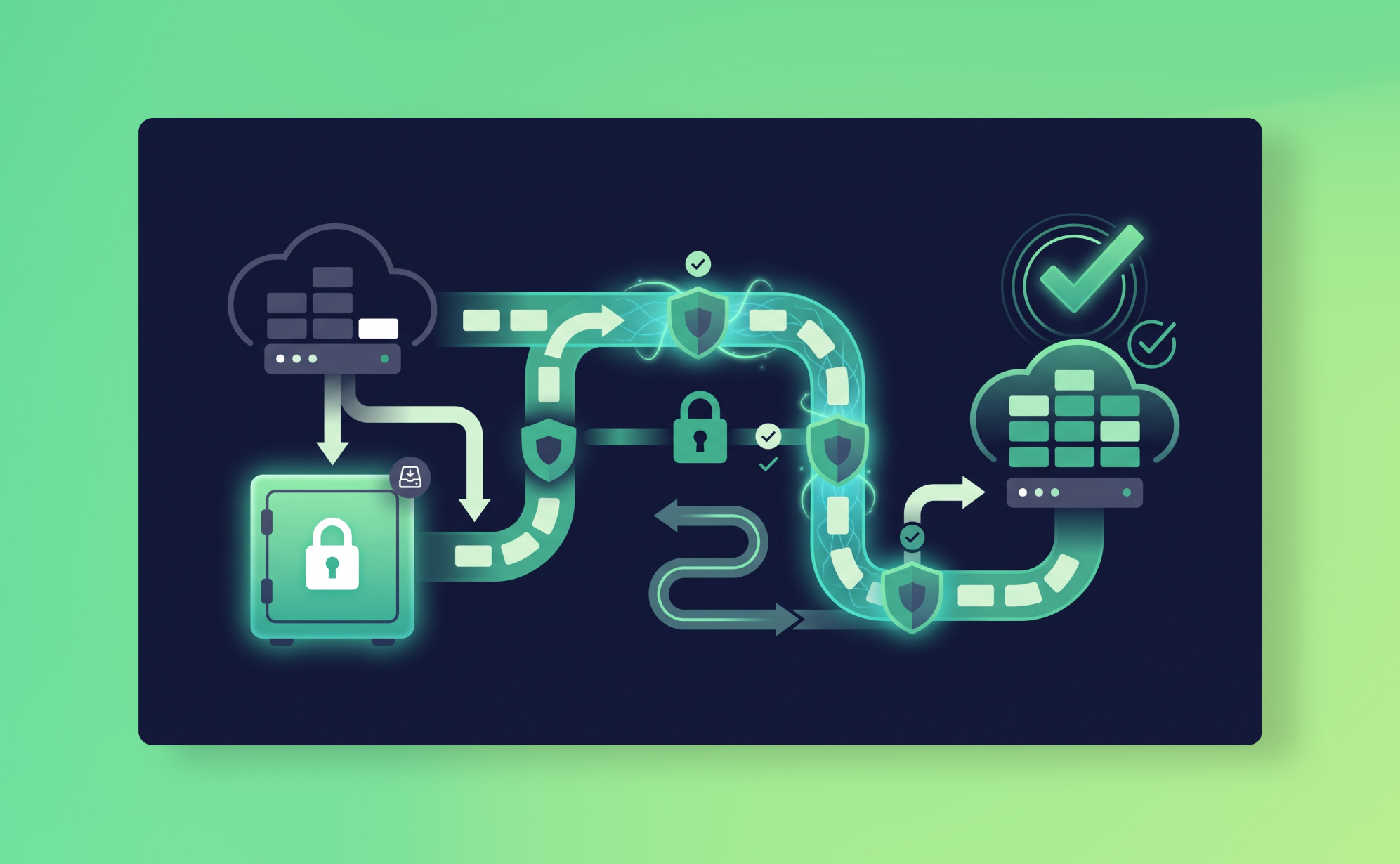
The data protection problem in a migration isn't the migration itself. Most migration tools work fine for structured records. The problem is the window: the period between "we're leaving Platform A" and "we're settled on Platform B" when your data exists in a half-migrated, half-connected state and your usual safety nets don't apply.
This post is about how to protect yourself in that window, and what to do if something goes wrong during or after the move.
✅ Good for: Teams moving between SaaS platforms who want an independent backup of the source platform before they start, and a rollback option if the migration loses or corrupts data.
❌ Not for: Teams looking for a tool to migrate data between platforms. ProBackup restores data to the original platform instance, not to a different app or account. For that, you need a dedicated migration tool.
Why migrations are high-risk for data
A migration is the single moment in your SaaS lifecycle where more things can go wrong with your data than at any other time.
You're exporting from a live platform in active use, often while the team is still working in it. You're running imports into a new platform that behaves differently, has different field types, different required fields, different relationship structures. You may be doing this in stages, or running both platforms in parallel for weeks while the team transitions.
Each of these creates specific risks:
Data that doesn't survive the export. Most SaaS platforms export to CSV or their own proprietary format. Comments, activity history, nested structures, and file attachments rarely survive a CSV export intact. If your migration tool relies on the platform's native export rather than the API, you're already losing data before the move starts.
Data that imports but lands wrong. Field type mismatches silently corrupt data. A single-select field on Platform A becomes a text field on Platform B. Dates parse differently. Custom fields that don't have an equivalent on the new platform get dropped or flattened. The import completes without errors and the data looks fine on the surface, but something is wrong in a field your team uses every day.
Data that exists nowhere during the transition. If you export from Platform A and delete the records before confirming the import to Platform B went cleanly, you have a brief window where that data exists only in an unverified export file. If the import fails, you're restoring from that file, which may itself be incomplete.
The source platform gets decommissioned before problems are found. Someone notices six weeks after migration that a custom field didn't transfer. By then, the source platform account has been cancelled, the trial is expired, and the only copy of the original data is the export file from day one. This is the shared responsibility model in its starkest form: the migration tool did what it was supposed to do. What you lost was your own responsibility to protect.
Step 1: Back up the source platform before you start
This is the single most important thing you can do, and almost nobody does it deliberately.
Before you run a single export, before you install the migration tool, take a complete independent backup of the source platform. Not a CSV export. An independent snapshot stored separately from the platform, with its own authentication, that you can access even after the source account has been cancelled.
This is exactly what ProBackup is designed for. Connect the source platform, wait for the first snapshot to complete, and verify that the data is there. Now you have a clean, point-in-time backup of your data as it existed before the migration started. If the migration goes wrong two weeks from now, you can restore from this snapshot regardless of what's happened to the source account.
This backup has a specific value that no export file can provide: it's a complete, structured, searchable record of your data at a specific date. If you need to find out what a specific task's comments said on the day before the migration, or what a deal's field values were before the import overwrote them, the backup has it. The CSV export doesn't.
Step 2: Don't cancel the source platform until you've verified the migration
The impulse to cancel the source platform the day the migration completes is understandable. You're paying for two platforms, the team has moved, and keeping the old one running feels wasteful.
Resist it for at least 30 days.
Data problems from migrations are rarely found immediately. The team is adapting to the new platform, workflows are being rebuilt, and nobody is systematically checking that every field, every comment, every attachment landed correctly. The problems surface when someone tries to use the data: "Where's the history on this deal?" "The status field only has three options, it should have five." "The files on this project aren't loading."
Keep the source platform accessible for a minimum of 30 days post-migration. If you had ProBackup connected, you also have the backup vault to reference even after the account is cancelled, which covers you beyond 30 days for as long as your retention period runs. On a Plus plan that's six months, on Pro it's two years. That's the window within which you can go back and find what the data looked like before the migration. It's also worth noting that the source platform's native recycle bin won't help here: if the account is cancelled, the recycle bin goes with it.
Step 3: Verify the migration before you decommission anything
Before you cancel the source platform, run a structured verification. Don't just look at record counts. Check the data quality in the new platform against the backup of the old one.
A practical verification checklist:
- Record count: Export the relevant workspace from the ProBackup vault as an Excel file and compare the row count against the equivalent view on the new platform. A discrepancy of even a few records usually indicates dropped items.
- Field values: Pick ten records at random and open them side by side: the vault view on the source platform and the live record on the new platform. Check every field value. Pay particular attention to single-select and multi-select fields, which are most likely to have lost options during the schema mapping.
- Comments and activity history: In the ProBackup vault, navigate to three or four records that had significant comment threads and check the Comments tab. Compare what's there against the new platform. Comments are the most commonly lost data type in migrations because many export formats don't include them.
- File attachments: Open the Attachments tab in the vault for the source platform and compare against the new platform. Try loading ten files on the new platform. If the migration tool linked to the old platform's file storage rather than copying the files, links will break the moment you cancel the source account.
- Custom fields: Export a complete data table from the vault and open it in Excel. Check that every column header corresponds to a field on the new platform, and that none of the expected columns are blank across all rows.
- Relational data: If your source platform had linked records, parent-child relationships, or dependencies, check a sample of these specifically. They're the most likely data type to be silently dropped or flattened during schema transformation.
Document the verification results. If problems are found, you still have the source platform running and the backup vault to restore from. If the verification passes cleanly, you can decommission with confidence.
Step 4: Connect the destination platform immediately
As soon as the migration is complete and you've verified the initial data, connect the destination platform to your backup tool.
Migration day is not the time to start thinking about backup coverage on the new platform. The early days after a migration are actually the highest-risk period for data loss: the team is still adapting, workflows are being rebuilt, and small configuration mistakes are common. Your effective RPO on the new platform is undefined until you have at least one snapshot running. If someone accidentally deletes a project they thought was a test project but was actually a real one, you want that covered from day one.
In ProBackup, connecting the destination platform takes about three minutes. The first backup snapshot will run within 24 hours. From that point, you have continuous coverage on the new platform with the same retention and restore capabilities as your old one.
Using your backup data during a migration
Even if you use a dedicated migration tool (which you should, for the actual data transfer), your ProBackup backup data is useful as a reference during the migration process.
As a verification source. Export your source platform data from the backup vault as Excel files. Use these as your ground truth when checking that migration data landed correctly. The vault export includes field configurations and data types that a raw CSV might not preserve, so it's a more reliable comparison document than a native platform export.
For accessing attachments. If you need to retrieve specific files from the source platform after the migration, ProBackup's attachment download feature lets you download individual files or, on Premium, bulk download all attachments for a project as a ZIP file. This is particularly useful if the migration tool didn't copy attachments and you need to manually upload them to the new platform.
For rollback scenarios. If the migration corrupts data and you need to restore the source platform to a working state, ProBackup can restore data to the original platform instance. This gives you a clean rollback path if the migration has to be aborted and restarted.
As a read-only archive. After the migration is complete and the source account is cancelled, the backup vault remains accessible. Teams who need to reference historical data from the old platform (for client work, compliance, or institutional knowledge) can browse and export it from the vault indefinitely, within their retention period.
What ProBackup doesn't do in a migration
Being clear about this matters, because it's easy to conflate backup with migration and end up with gaps.
ProBackup is not a migration tool. It can't move your data from Trello to Asana, or from Monday.com to ClickUp. It doesn't map fields between platforms, handle schema transformations, or write data to a different platform than the one it backed up. For the actual data transfer, you need a dedicated migration tool (Truvault, Orca, AppVizer, or the native import features on the destination platform, depending on which platforms you're moving between).
What ProBackup provides in a migration context is the safety net: a complete, independent, searchable snapshot of your data before the migration starts, continuous coverage during the transition period, a verification reference during the migration, and a rollback path if something goes wrong.
The migration tool moves your data. ProBackup protects it.
What to do next
A platform migration usually means the team has outgrown something, which means the data you're moving matters more than it did when you first started using the platform. It's worth protecting properly.
If you have a migration coming up, start by connecting your source platform to ProBackup now, before any migration activity begins. Plans start at $25/month (billed yearly) and include all supported platforms under a single licence: Asana, Monday.com, ClickUp, Trello, HubSpot, Notion, Jira, Airtable, Slack, and more.
Once the migration is complete, connect the destination platform to the same account. Your backup history on the source platform stays accessible, and coverage on the new platform starts immediately.
If you want to understand the broader data protection strategy for your SaaS stack, the SaaS data protection audit post walks through how to inventory your apps and identify gaps. The backup policy template includes a scope table that's worth updating to reflect any new platforms after a migration.
See how other teams use ProBackup to protect business-critical data on our success stories page.

How to audit your SaaS stack for data protection gaps
You probably know what SaaS apps your team uses. You probably don't know which of them are actually protected.
That's not a criticism. It's just how SaaS adoption works. Someone signs up for Notion to manage a knowledge base. Another team starts using Airtable for client tracking. HubSpot gets connected to three different integrations. Each tool is evaluated for features and price, and almost never for what happens when data inside it disappears.
The result is a SaaS stack where some apps are backed up, some aren't, and nobody has a complete picture of where the gaps are. The shared responsibility model means your providers aren't filling those gaps for you. They protect the platform. You protect the data.
This post walks through a five-step audit process to find your gaps and fix them. It shouldn't take more than an afternoon, and you'll come out of it with a clear map of what's protected, what isn't, and what to do about it.
Why you need a SaaS data protection audit
Most teams discover their data protection gaps after an incident. Someone deletes a board. An import corrupts 200 records. A former employee's private workspace turns out to have never been included in the backup scope.
The audit prevents that. It forces you to answer, for every app in your stack: what happens if we lose this data tomorrow? And the honest answer, more often than not, is "we don't know."
There are also compliance reasons. If you're pursuing or maintaining SOC 2, ISO 27001, or GDPR compliance, auditors will expect you to demonstrate that you've identified the systems containing critical data and have documented protection measures for each one. An ad hoc backup setup connected to three out of nine apps won't pass that review.
But the simplest reason is this: your SaaS stack has probably grown since anyone last thought about data protection. The average team adds two or three new tools per year. Each one is a potential gap if nobody stops to ask whether it's covered.
Step 1: Inventory every SaaS app your team uses
Start with a full list. Not just the apps you pay for. Every SaaS tool that contains data someone on your team would miss if it vanished.
Check your identity provider (Okta, Google Workspace, Azure AD) for a list of connected applications. Check expense reports and credit card statements for SaaS subscriptions. Check browser extensions and OAuth permissions. Ask department leads what tools their teams use day-to-day.
You'll find apps you forgot about. You'll find apps you didn't know the team was using. That's normal. The average mid-size company uses somewhere between 50 and 100 SaaS apps, and IT typically knows about 60-70% of them.
For each app, record:
- The app name and what it's used for
- Which team or department owns it
- How many users have access
- Whether it's paid or on a free tier (free tiers often have weaker retention and recovery)
- Whether it's connected to other apps via integrations or APIs
Don't filter at this stage. The goal is a complete inventory. You'll prioritise in the next step.
Step 2: Map which apps hold business-critical data
Not every SaaS app needs the same level of protection. The tool your design team uses to brainstorm mood boards is different from the CRM that holds every client interaction for the past three years.
Go through your inventory and categorise each app by data criticality:
Tier 1: Business-critical. Losing this data would directly impact revenue, client relationships, compliance, or operations. Think CRM data (HubSpot, Salesforce), project management (Asana, Monday.com, ClickUp, Jira), client-facing knowledge bases, financial records, and any app where data loss means work has to be reconstructed from scratch.
Tier 2: Important but recoverable. Losing this data would be painful and time-consuming, but the business could reconstruct it within a reasonable timeframe. Internal wikis, communication archives (Slack), design assets, and secondary project tools often fall here.
Tier 3: Low impact. Losing this data would be an inconvenience, not a crisis. Tools used for brainstorming, non-critical scheduling, or internal experimentation.
Your Tier 1 apps are the priority. Everything else can follow, but if your CRM and project management tools aren't protected, you have a problem regardless of what's happening with the rest.
Step 3: Check native backup and recovery options
For each Tier 1 and Tier 2 app, document what the platform itself offers for data recovery. This is where most teams discover their assumptions don't match reality.
Look up three things:
Recycle bin / trash retention. How long do deleted items stay recoverable? Most platforms cap at 30 days. Trello has no recycle bin for cards at all. HubSpot gives you 90 days for records but only 30 for files.
Version history. Can you roll back individual records to a previous state? Notion offers version history but it's limited to 7 days on the Free plan and 30 on Plus. Most project management tools don't version-control field configurations or custom field values at all.
Export options. Can you export your data manually? In what format? How complete is the export? Many platforms offer CSV exports that miss comments, file attachments, field history, and relational data. An export that gives you task names without their comments, assignees, and custom fields isn't really a backup.
For each app, record the answers in a simple table. You'll quickly see a pattern: most native recovery features are designed for "I accidentally deleted this five minutes ago," not for "something went wrong three weeks ago and we just noticed."
Step 4: Identify gaps in retention and restore
Now compare what each app offers against what you actually need. This is where the audit gets useful.
For each Tier 1 app, ask:
Is 30 days of recycle bin retention enough? If your team wouldn't notice a data problem within 30 days (and for slow-burn issues like integration corruption or field-level overwrites, they often wouldn't), then the native retention window is too short.
Does the recycle bin cover the right data types? Most recycle bins only cover top-level items like tasks and projects. Changes to field configurations, custom field values, automations, and views are typically not recoverable from trash.
What about bulk overwrites and integration errors? A bad CSV import that changes 500 field values doesn't trigger a trash event. Neither does a misbehaving integration. These are among the most common data loss scenarios, and no native recycle bin catches them.
What's your actual RTO and RPO? If you've already defined your Recovery Time Objective and Recovery Point Objective, check whether your current protection can meet them. If your RPO is 24 hours but your only recovery option is a manual CSV export from last quarter, you're not meeting it.
Are access controls adequate? Can a single user permanently delete data from the recycle bin? Is MFA enforced? Who has admin access that doesn't need it? These aren't backup questions per se, but they're data protection gaps the audit should surface.
Document each gap. Be specific: "Monday.com: 30-day recycle bin doesn't cover field configuration changes. No protection against bulk import errors. RPO effectively undefined."
Step 5: Build a protection plan for each app
For every gap you've identified, decide how to close it. There are really only three options:
Accept the risk. For Tier 3 apps, this might be fine. If losing the data would be a minor inconvenience and the cost of protecting it isn't justified, document the decision and move on. The key is making it a conscious choice, not an oversight.
Implement manual workarounds. Scheduled CSV exports, manual screenshots of dashboards, periodic data exports to Google Drive. These work for low-volume apps with simple data structures. They don't scale, they're error-prone, and they depend on someone remembering to do them. But for an app with five users and limited data, they might be enough.
Set up automated independent backups. For Tier 1 and most Tier 2 apps, this is the answer. You need a backup tool that runs automatically, stores data independently from the source platform, and lets you restore to a specific point in time.
ProBackup covers 19 platforms under a single licence, including Asana, Monday.com, ClickUp, Trello, Notion, HubSpot, Jira, Airtable, Slack, and more. Daily automated snapshots stored in AWS Dublin with AES-256 encryption. Granular restore down to individual records, comments, and files. Configurable retention from 3 months to 4+ years. Plans start at $25/month (billed yearly).
If you're also building or updating a formal backup policy as part of this audit, our post on how to build a SaaS backup policy includes a downloadable template.
Free template: SaaS data protection audit worksheet
We've created a spreadsheet template to make this audit easier. It includes:
- An app inventory tab with columns for name, department, user count, tier, and integration dependencies
- A native recovery tab to document each app's recycle bin retention, version history, and export options
- A gap analysis tab that maps each gap to a remediation action (accept, manual workaround, or automated backup)
- A protection plan summary with backup tool, frequency, retention, and owner per app
Download the audit worksheet →
The worksheet follows the same five-step process described in this post. Fill it in with your team, and you'll have a complete picture of your SaaS data protection posture in an afternoon.
What to do next
Run the audit. It doesn't need to be perfect on the first pass. Start with your Tier 1 apps, document what you find, and address the gaps. You can expand to Tier 2 and Tier 3 apps over the following weeks.
If the audit reveals that most of your critical SaaS data isn't independently backed up (and for most teams, it will), start a free trial of ProBackup. Setup takes about three minutes per app. Your first snapshot runs within 24 hours. See how other teams have used ProBackup to close their data protection gaps on our success stories page.
SaaS recycle bins: why they won't save you (and what will)
Your SaaS app has a recycle bin. You've seen it. Maybe you've even used it once or twice to fish out a task someone deleted by accident. It worked, and you moved on with your day.
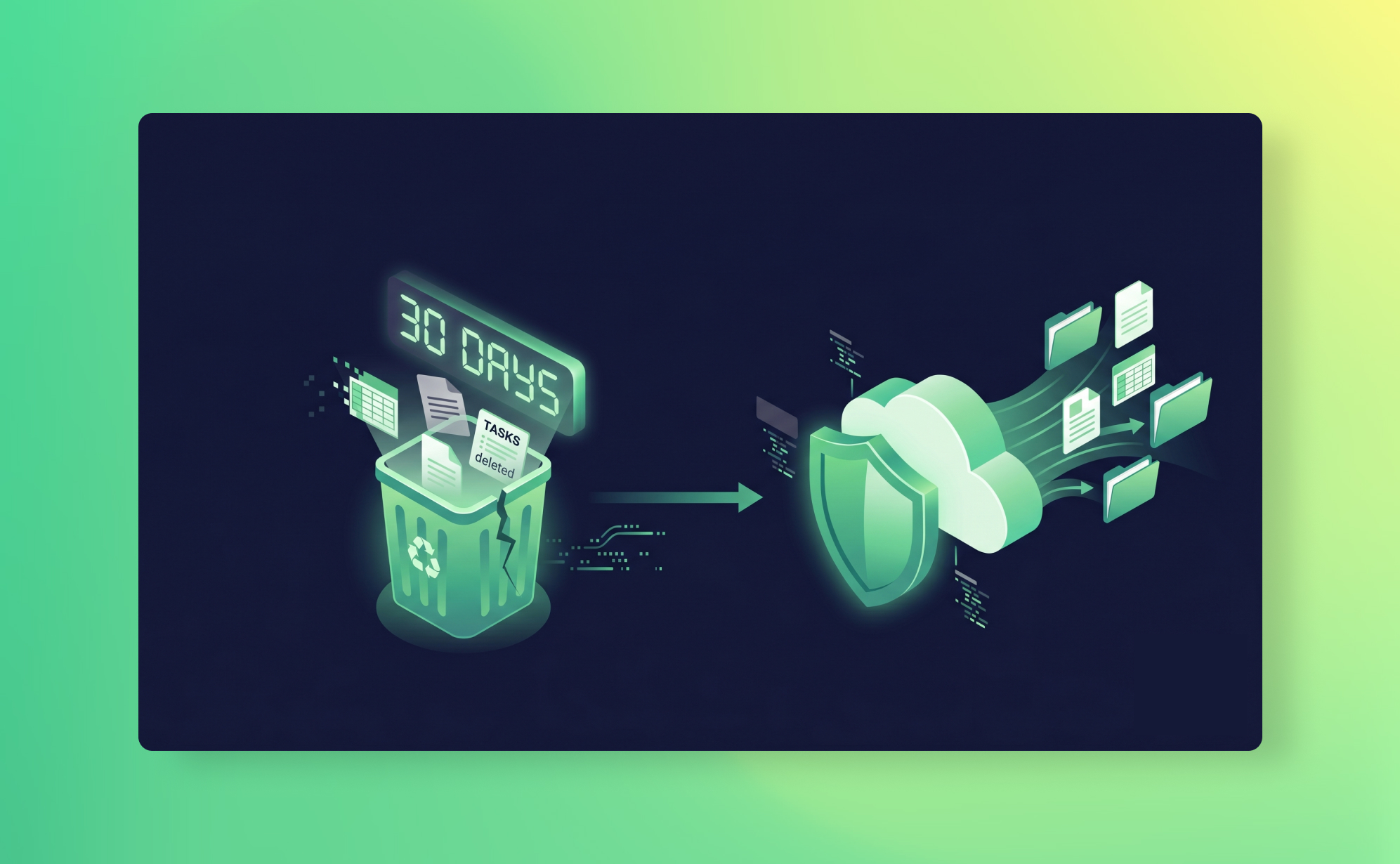
That experience is exactly what makes recycle bins dangerous. They work just often enough that you start to trust them as a safety net. They're not. They're a convenience feature with a countdown timer, and when you actually need them, in a real data loss scenario, they will let you down in ways you didn't expect.
The story usually goes something like: "I assumed the recycle bin would have it." It didn't. The item had expired, or it was the wrong data type, or someone had emptied the bin, or the deletion happened through an integration that bypassed the bin entirely. The shared responsibility model means your SaaS provider keeps the platform running. Protecting your data is on you.
This post breaks down what recycle bins actually do, where they fall short, and what you need instead.
What SaaS recycle bins actually do
Before we get into the problems, it's worth understanding what these features are designed for. Most SaaS apps handle deletion in two or three stages, and the terminology isn't consistent across platforms.
Archive/close is a soft delete. The item is hidden from active views but still exists in your workspace. You can usually bring it back at any time. Trello calls this "Archive." ClickUp calls it "Close." The item is still there, just tucked away.
Recycle bin/trash is a time-limited holding area. Deleted items sit here for a fixed number of days before they're permanently removed. This is what most people think of as "undo." Asana, Monday.com, ClickUp, Notion, and HubSpot all have some version of this.
Permanent delete is exactly what it sounds like. Gone. No recovery path through the platform, no support ticket that will bring it back. Some platforms let users jump straight to this step. Trello, notably, sends deleted cards straight to permanent deletion with no recycle bin in between.
The recycle bin stage is the one teams rely on. And for simple, recent, single-item deletions? It genuinely works. The problem is that data loss rarely looks like that.
How retention works across popular platforms
The details matter here, because each platform handles recovery differently. Here's what the retention policies actually look like in practice.
Asana: Deleted items are searchable for 30 days via Advanced Search with the "Deleted" filter. There's no visual recycle bin in the interface. After 30 days, items are permanently removed. Projects, tasks, and subtasks are all covered, but once deleted, attachments and comments on those items are harder to recover separately.
Monday.com: The Recycle Bin retains deleted items for 30 days. Workspace owners and admins can view and restore items deleted by any user. After 30 days, data is permanently purged. Subitems are included in board-level deletions, but restoring a board doesn't always restore its subitems cleanly.
ClickUp: Trash retains deleted items for 30 days. Members and guests can only see items they personally deleted, while admins and owners see everything. Comments and certain views cannot be restored from Trash, even within the 30-day window. Also: if a Folder or List is deleted, individual tasks within it don't appear separately in the Trash. You have to restore the whole container to get them back.
Notion: Trash retains deleted pages for 30 days by default. Enterprise plans can customise this to up to 10 years. Version history is available for 7 days on the Free plan, 30 days on Plus, and 90 days on Business. So even if a page is in your Trash, the version you actually need might already be gone from history.
HubSpot: The most generous of the group. Records (contacts, deals, companies, tickets) stay in the recycle bin for 90 days. Files, however, only stay for 30 days. And GDPR-related permanent deletions bypass the recycle bin entirely. Records permanently deleted for compliance reasons are immediately and irreversibly gone.
Trello: The outlier. Trello has no recycle bin at all for cards. If you hit "Delete" on a card (rather than "Archive"), it is permanently removed. Trello support cannot recover deleted cards. This catches a lot of teams off guard, especially those coming from platforms with a proper trash folder.
Five ways recycle bins fail you
The 30-day window (or 90 for HubSpot) sounds reasonable in theory. In practice, these are the scenarios where it breaks down.
1. The slow discovery problem
Not all data loss is obvious. Someone deletes a project or modifies a field, and nobody notices for six weeks. By the time someone asks "where did that go?", the recycle bin expired five weeks ago. This is especially common with data that's referenced infrequently, like archived client records, completed project boards, or historical reporting data. The longer it takes to notice, the less likely your recycle bin will help.
2. Selective coverage
Recycle bins don't protect everything. Across most platforms, automations, views, forms, and field configurations are not recoverable from trash. In ClickUp, comments deleted from a task are permanently gone, no Trash entry. In Trello, Power-Ups and automations aren't backed up via the API at all, and they're not covered by the archive system either. The gaps vary by platform, but every platform has them.
3. Bulk operations can bypass them
A bad CSV import that overwrites 2,000 records doesn't delete anything. It updates existing records with wrong values. No recycle bin in any SaaS app will catch that, because from the platform's perspective, no deletion occurred. Similarly, a misbehaving third-party integration that clears field values or reassigns tasks in bulk won't trigger a trash event. These are among the most common data loss scenarios we encounter, and the recycle bin is completely blind to them.
4. Malicious deletion can empty them
In most SaaS apps, anyone with admin access (or even regular member access in some cases) can permanently delete items from the Trash before the retention period expires. A disgruntled employee who wants to cause damage won't just delete your project, they'll empty the trash too. ClickUp and Monday.com both allow admins to permanently delete items from Trash. HubSpot allows GDPR-style permanent deletion that bypasses the recycle bin entirely. If someone has the intent and the access, the recycle bin won't stop them.
5. No compliance trail
Recycle bins don't give you point-in-time recovery. They can't show you what your data looked like on a specific date three months ago. They don't provide audit trails of who deleted what and when (beyond basic activity logs). If you're subject to GDPR data retention requirements, SOC 2 controls, or just need to prove the state of a project at a specific point in time for a client dispute, recycle bins give you nothing to work with.
The gap between "undo" and "backup"
There's a useful way to think about this. A recycle bin is an undo button. A backup is an insurance policy.
An undo button is great for "I just deleted that by accident, let me grab it back." It's immediate, it's simple, and it works for recent, obvious mistakes.
An insurance policy covers you when things go genuinely wrong. When the damage isn't obvious for weeks. When the problem is data corruption, not deletion. When someone acts maliciously. When you need to prove what your data looked like at a specific point in time.
These are different tools for different problems. The mistake most teams make is treating the undo button as if it were an insurance policy. It isn't. And the shared responsibility model your SaaS provider operates under makes it clear that actual data protection is your job.
What a real backup gives you that recycle bins don't
We're obviously biased here, but we'll be specific about what we do and what we don't do.
ProBackup runs daily automated snapshots of your SaaS data. Every 24 hours, we capture a complete copy of your workspace, including tasks, items, records, comments, attachments, custom field values, and field configurations. That snapshot is stored in our own AWS infrastructure in Dublin, encrypted with AES-256, using authentication tokens that are completely separate from your SaaS accounts.
That separation is the critical difference. If your SaaS account is compromised, your backups are untouched. If someone empties the recycle bin, your snapshots are still there. If an import corrupts 500 records and nobody notices for two months, you can go back to the snapshot from the day before the import and restore exactly what you need.
What we can restore: individual tasks, records, cards, comments, files, custom field values, and entire projects or boards. You pick the date, select the items, and click restore. The platform creates a new copy, so nothing gets overwritten.
What we can't back up (because the APIs don't expose them): automations, forms, and dashboard configurations on most platforms. Trello Power-Ups and views. Files uploaded directly to items in Monday.com (as opposed to via custom fields). We're transparent about these limits because they're real, and we don't want anyone surprised. The full list for each platform is in our Help Centre.
On the Pro and Premium plans, we also run smart alerts that notify you when unusual deletion activity is detected. So if someone deletes 50 tasks in a single hour, you'll know before the recycle bin even becomes relevant.
We support 18+ platforms under a single licence, including Asana, Monday.com, ClickUp, Trello, Notion, HubSpot, Jira, Airtable, and Slack. Plans start at $25/month (billed yearly). See how other teams have recovered from data loss on our success stories page.
What to do next
Check your SaaS apps' recycle bin policies. Look up the retention period, what data types are covered, and who can permanently delete from Trash. If your answer to "what happens when the recycle bin isn't enough?" is "I don't know," you have a gap.
The ultimate SaaS backup and recovery guide walks through how to build a proper backup strategy. Or if you'd rather just see it working, start a free trial. Setup takes about three minutes, and your first snapshot runs within 24 hours.
.jpg)
Agentic AI vs. the Importance of SaaS Backup
Artificial intelligence is no longer just suggesting your next email subject line. Today's agentic AI systems can create tasks, reassign work, trigger automations, update entire project boards, and send communications , all without a human pressing a single button. That is a remarkable productivity leap. It is also a significant new risk to your business data.
This article explores what agentic AI looks like inside today's leading productivity platforms, the very real risks it introduces, and why a robust SaaS backup strategy is no longer optional , it is the safety net your organisation cannot afford to go without.
What Is Agentic AI?
Traditional AI assists: it drafts, suggests, summarises. Agentic AI acts. An AI agent is a system that can perceive its environment, make decisions, and execute multi-step tasks autonomously , often running silently in the background, on your behalf, at machine speed.
Where a human might spend 20 minutes reassigning tasks after a project scope change, an AI agent can do it in seconds , updating hundreds of records across multiple workspaces simultaneously. The efficiency gains are real. So are the consequences when something goes wrong.
Agentic AI in Productivity Platforms: What's Available Today
Agentic AI has moved from research labs into the tools your teams use every day. Here is a brief overview of what two major productivity platforms are now offering:
monday.com: AI Agents as First-Class Platform Members
In March 2026, monday.com announced new infrastructure that allows external AI agents to sign up, authenticate, and operate directly within the platform , alongside human users, under the same permissions model. This is a meaningful architectural shift: AI is no longer bolted on as an automation layer; it operates as a peer.
Once inside, agents can organise projects, update workflows, trigger automations, generate reports, and coordinate work across teams. The platform supports broad agent compatibility, including Claude (Anthropic), ChatGPT (OpenAI), Microsoft Copilot, Google Gemini, and others. Key technical features include:
- Instant API key provisioning with full GraphQL access to boards, items, automations, dashboards, and docs
- Model Context Protocol (MCP) support for standardised agent interaction across AI frameworks
- Real-time webhooks enabling agents to respond to workflow changes the moment they occur
- Enterprise-grade governance: agents operate under the same security and permissions standards as human users.
monday.com also offers its own 'monday Sidekick' - an embedded AI agent - and an Agent Builder tool, currently in beta, that lets teams design custom agents for specific workflows.
ClickUp: Super Agents with Human-Level Skills
ClickUp's Super Agents take a different approach, positioning AI teammates as entities that can be assigned tasks, messaged directly, and @mentioned within workflows , just like a human colleague. ClickUp describes over 500 'human skills' available to these agents, including sending emails, scheduling calendar events, assigning tasks, and updating databases.
Designed to run around the clock, ClickUp's agents work autonomously in the background , monitoring systems, anticipating needs, and taking action proactively. Key capabilities include:
- Ambient awareness: agents monitor context continuously and act before being asked
- Self-learning: agents improve with every interaction and piece of human feedback
- Infinite memory: short-term, long-term, and episodic memory stored and recalled automatically
- Multi-agent orchestration: a single prompt can spin up and coordinate an entire team of sub-agents
⚠️ Both platforms are racing to make AI agents first-class participants in your workflows. The ambition is productivity at machine speed. The risk is that errors , or misconfigurations , now also propagate at machine speed.
The Real Risks of Agentic AI in Your SaaS Environment
Agentic AI introduces a category of risk that is qualitatively different from traditional automation. Here are the most significant concerns:
1. Mass Updates with No Human Review
An AI agent operating on your project management platform can, in a single action, reassign every open task in a board, change all statuses, or close out items still in progress. With language-model-driven agents acting on contextual judgement, the scope of what gets changed is far broader , and far less predictable , than legacy automation rules.
A poorly worded instruction, a misunderstood context, or an agent drawing on stale knowledge can trigger changes affecting hundreds of records in seconds. Your team may not notice until significant downstream damage has already occurred.
2. Opaque, Untransparent Actions
Agents running in 'ambient' or 'background' mode , a feature both ClickUp and monday.com highlight , are by design not visible to the human team in real time. An agent working overnight might reorganise a board, archive old items, send emails, or reassign owners without anyone watching.
Unlike a human colleague whose decisions can be traced through conversation history or email threads, an agent's reasoning is embedded in the model , not documented in your SaaS platform. Even with audit logs, reconstructing the logic behind a series of AI-driven changes is often difficult or impossible.
3. Automated Actions with No Change History
Many SaaS platforms maintain a version history of manual edits. But automated actions , particularly those triggered through APIs or webhook-driven agents , often bypass or minimally populate these logs. The data changes; the audit trail is thin. When something goes wrong, you may know that records were altered but have no reliable way to know what they looked like beforehand.
4. Cascading Errors Across Integrated Systems
Modern agents don't operate in a single tool. ClickUp's Super Agents connect to Gmail, Google Drive, Confluence, Salesforce, Slack, GitHub, and dozens of other platforms simultaneously. An erroneous action in your project management tool can trigger downstream errors in your CRM, fire off incorrect emails to clients, or corrupt data in your document management system , all before anyone notices the source mistake.
5. Privilege Escalation and Misuse of Permissions
AI agents operating with broad permissions , often inherited from the human accounts they serve , can inadvertently access, modify, or delete data far outside the intended scope of a task. If an agent is granted admin-level access to help with one workflow, nothing inherently prevents it from acting at that level everywhere it can reach.
6. Irreversible Deletions
Some agent actions , deleting items, archiving records, removing users, cancelling automations , are not easily undone through native platform tools. If your SaaS platform does not maintain a complete, independent backup, those records may simply be gone.
| ✅ Do | ❌ Avoid |
|---|---|
| ✔ Audit agent permissions before go-live and quarterly thereafter | ✖ Grant agents the same permissions as your admin account by default |
| ✔ Run agents in read-only or sandbox mode first | ✖ Deploy write-capable agents to production without a test phase |
| ✔ Set up alerts for high-volume agent actions (e.g. >50 changes/hour) | ✖ Assume the audit log will tell you everything you need to know |
| ✔ Back up your SaaS data independently before enabling any agent | ✖ Rely on the SaaS vendor's native protection as a recovery safety net |
| ✔ Document the agent's intended scope and review it regularly | ✖ Let agent permissions drift as team structures and workflows change |
Why SaaS Backup Is the Essential Safeguard
There is a widespread misconception that SaaS platforms protect your data. They do , against infrastructure failures, data centre outages, and platform-level disasters. They do not protect your data against what happens inside the application: user error, automated misconfiguration, or agent-driven mass changes. That is your responsibility.
Granular Point-in-Time Recovery
The most important capability a backup solution provides in an agentic AI world is the ability to restore data to a specific point before a bad action occurred. Not a full platform rollback — a targeted, record-level or workspace-level restoration. This means you can undo what the agent did without losing everything that happened legitimately before or after.
Independent, Immutable Change History
Where your SaaS platform's audit logs may be incomplete or hard to interpret, a good backup solution maintains its own independent history of your data states. This gives you a reliable 'before and after' comparison — essential for understanding what changed and for supporting any internal or external investigation.
Coverage for Cascading Failures
Because agentic AI can affect multiple connected platforms simultaneously, your backup strategy needs to span all the SaaS tools in your stack — not just one. Solutions that back up your project management, CRM, email, and document storage independently give you the ability to restore each system to a pre-incident state without the errors in one polluting the restore in another.
Protection Against Accidental and Malicious Deletion
Native recycle bins and soft-delete features typically have short retention windows - often 30 to 90 days. A dedicated backup solution can retain your data for months or years, ensuring that even late-discovered data loss events can be addressed.
Compliance and Audit Readiness
As organisations use AI agents to process more operational data, the compliance stakes rise. GDPR, ISO 27001, SOC 2, and sector-specific regulations increasingly expect organisations to demonstrate control over their data , including the ability to recover it. A backup solution that provides complete, exportable data snapshots is a fundamental requirement for maintaining that posture.
What Good Looks Like: Recommendations for Organisations
If your team is already using , or planning to adopt , agentic AI capabilities in platforms like monday.com or ClickUp, here is what a responsible data protection posture looks like:
| ✅ Do | ❌ Avoid |
|---|---|
| ✔ Back up all connected SaaS platforms, not just your core tool | ✖ Assume your most important app is the only one that needs protection |
| ✔ Choose backup with granular item-level restore, not just full rollback | ✖ Accept 'restore everything or restore nothing' as your only recovery option |
| ✔ Set backup intervals to match agent activity , hourly if agents run continuously | ✖ Rely on daily backups when an agent can make 10,000 changes in an hour |
| ✔ Test your recovery process quarterly with real restore scenarios | ✖ Assume a backup you've never tested will work when you need it most |
| ✔ Establish a clear incident response process for agent-driven data issues | ✖ Wait until an incident occurs to figure out who owns the recovery decision |
| ✔ Retain backup data for at least 12 months | ✖ Rely on your SaaS vendor's 30- to 90-day recycle bin as your recovery window |
Conclusion
your teams use today. monday.com has opened its doors to AI agents operating as full platform members. ClickUp is training its Super Agents to work autonomously around the clock. The productivity potential is significant.
But every gain in automation speed is also a gain in the speed at which things can go wrong. Without a robust SaaS backup strategy, your organisation is one misconfigured agent , or one ambiguous instruction , away from a data recovery problem that your SaaS vendor cannot solve for you.
The solution is not to resist agentic AI. It is to embrace it with the right safety infrastructure in place. Backup is not the boring part of your cloud strategy. In an agentic world, it is the most important part.
This article is intended for IT decision-makers, operations leads, and anyone responsible for business data governance in organisations using modern SaaS productivity platforms.
.jpg)
4 Reasons why you should sync your data backups to Google Drive

At ProBackup, our primary mission is to provide you with peace of mind. When we back up your SaaS apps. whether it’s Asana, Monday, or ClickUp, we utilize heavy encryption to store that data securely on our own servers . This automated, daily process is the foundation we rely on when you need to restore a specific record or an entire project back to your account.
However, we believe in robust data resilience. That is why we offer our users the option to sync a copy of their data backups directly to their own Google Drive. While this feature is optional (available on our Pro and Premium plans ), we strongly recommend it.
Why add this extra step? Here are four reasons why syncing to Google Drive elevates your data security strategy.
1. An extra layer of redundancy
In the world of data protection, redundancy is key. While ProBackup maintains a rigorous uptime schedule to protect you against glitches, human error, or malicious intent, true "cloud resilience" means never relying on a single point of failure.
By syncing to Google Drive, you create an independent fallback. In the unlikely event that our service is temporarily unavailable, you retain immediate access to your data through your own Google infrastructure. This ensures that you are never cut off from your vital business information, regardless of the status of your SaaS provider or your backup service.
2. Instant accessibility in a familiar format
While the ProBackup app provides an easy way to navigate and search your data backups, you might prefer a more familiar workflow.
Syncing your data to Google Drive converts your records into Google Sheets. This provides a major advantage: familiarity. Unlike obscure file formats like CSV or JSON, Google Sheets are easy to read, share, and analyze. This allows stakeholders who may not have access to the ProBackup dashboard to review archived data in a format they already use every day .
3. Bulk downloading made easy
Need to get your data out of the cloud entirely? Within the ProBackup app interface, downloading every single data table across your account simultaneously isn't always feasible. Google Drive solves this.
When your data is synced to Google Drive, your entire backup history is organized into folders. With just a few clicks, you can select the parent folder and download it as a Zip file.
- Pro Tip: If you enable the sync of files and attachments , this method allows you to bulk download every document and image attached to your tasks in one go—saving you hours of manual clicking.
4. Automated local backups via Drive for Desktop
The "3-2-1 backup rule" suggests keeping at least one copy of your data off-site/locally. You can automate this workflow by combining ProBackup with the "Google Drive for Desktop" application.
Once installed, Drive for Desktop syncs your cloud folders to your local hard drive. This creates a seamless chain of data flow:
- ProBackup captures data from your SaaS app.
- ProBackup syncs that data to your Google Cloud.
- Drive for Desktop pulls that data down to your local computer.
This setup ensures that even if you lose internet access entirely, you have a local, searchable copy of your business data waiting for you.
5 Common SaaS Data Loss Scenarios (and How to Prevent Them)
.png)
While most SaaS (Software as a Service) providers have robust disaster recovery plans for their platforms, they don't typically take responsibility for data loss within your individual account. This means that if critical information is lost due to an issue on your end, you are ultimately responsible for its recovery.
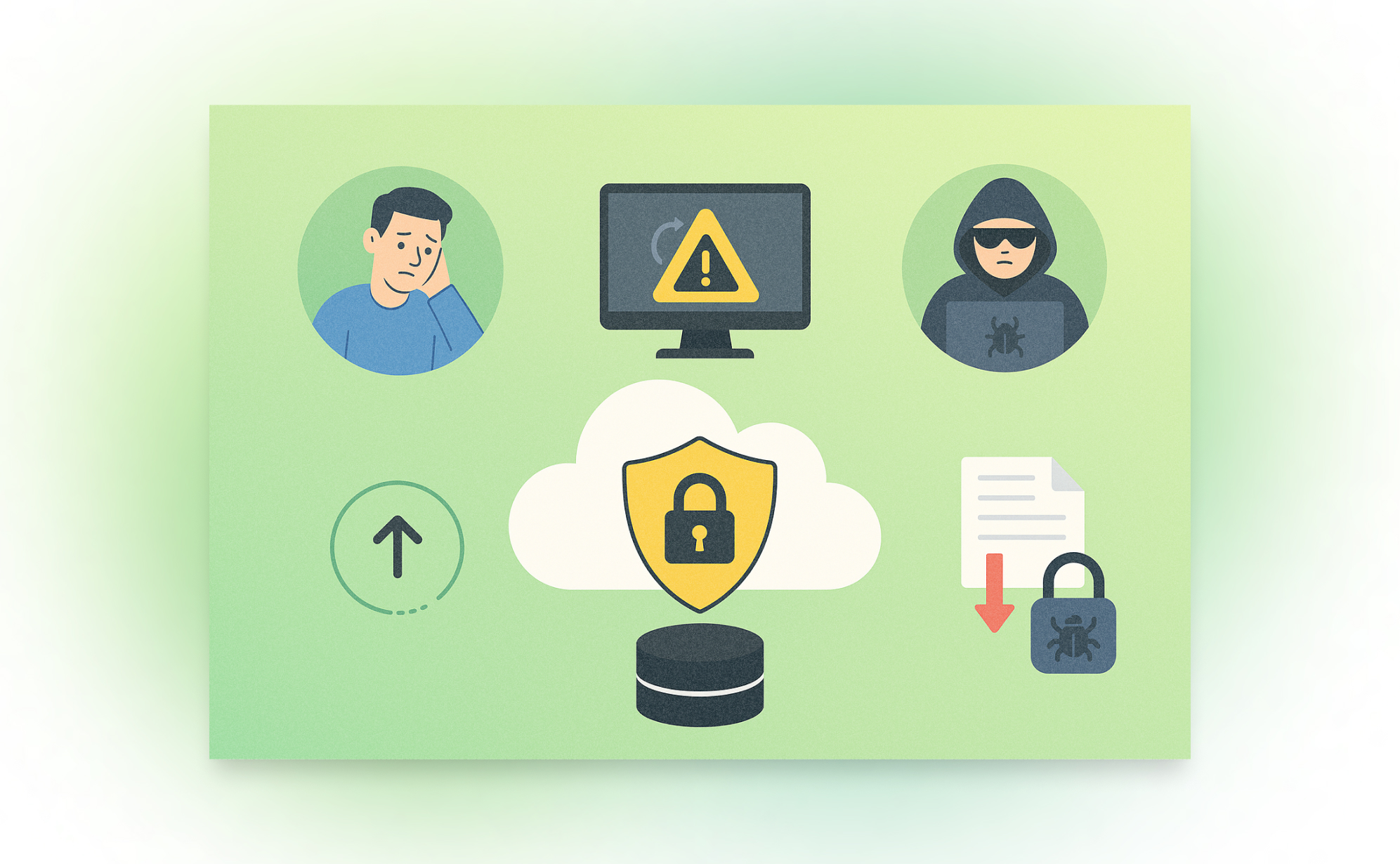
Using SaaS applications to manage your work introduces certain risks, and losing key data can happen in several ways. Here are four major threats you should protect your team against.
1. Human Error
This is the number one reason for data loss. It's surprisingly easy for a team member to make a mistake that can set you back hours or even days. In many productivity apps, it only takes a few clicks to delete an entire project or board. A user might intend to delete a single task but accidentally have the whole table selected, or they might choose the "delete" option instead of "archive."
It's also common to need to roll back smaller mistakes, like accidentally changing a field configuration, removing a value from a selection field, or overwriting the wrong column with a data import. While some of these minor issues can be undone within the app itself, others require a dedicated backup and restore tool to revert the changes.
2. Malicious Users
Internal threats can be just as damaging as external ones. In many companies, authorization controls can be relaxed, allowing most team members to make significant updates or even delete crucial data. A disgruntled employee could intentionally delete entire projects or boards to harm the company.
There are also less severe but still problematic cases where lazy team members might delete data to lighten their workload, such as removing sales leads to avoid follow-ups or deleting tasks to hide a missed deadline. When work is managed in a shared online space, an independent backup ensures you have a true record of all activity.
3. Glitches & Down-time
Most major SaaS apps have a strong record for uptime, but no service is perfect. Even minor glitches, bugs from third-party integrations, or temporary down-time can significantly impact your business operations.
Imagine not being able to access prep work right before a client meeting or look up contract details during a call. An independent, third-party backup of your data ensures you have 24/7 access to your essential business information, even when the primary service is unavailable.
4. Faulty Data Imports & Third-Party Integrations
Integrating other applications or importing data from spreadsheets is a common way to streamline workflows, but these operations can be deceptively risky. A simple misstep, like a bad field mapping or importing a file with the wrong format, can instantly compromise your data's integrity.
5. Ransomware
Many people assume ransomware only targets large corporations, but in reality, hackers often go after smaller businesses, which may lack stringent security controls. By gaining access through a single employee's credentials, attackers can hold your data hostage and demand a hefty ransom. An effective backup strategy is your best defense, allowing you to restore your data and continue operations without paying the attackers.
.jpg)
Evaluating SaaS App Security for Business-Critical Data
Choosing the right SaaS app to store your business data is a big decision. If an app isn’t secure, your data could be stolen, lost, or accidentally deleted. A security breach could cost your business money, time, and trust. So, how can you tell if a SaaS app is safe to use? Here’s a checklist to help you decide before you commit to a new app.
Can the Admin Make Everyone Use Two-Factor Authentication (2FA)?
Two-Factor Authentication (2FA) adds an extra layer of protection, making it much harder for hackers to access accounts. A good SaaS app should allow admins to enforce 2FA for all users. If it’s optional, some users might skip it, leaving your business at risk.
With 2FA, even if a password gets stolen, hackers still need a second factor, like a mobile code or biometric confirmation to access an account. Apps that offer 2FA but don’t enforce it leave a major security hole. Always check if admin enforcement is available and ensure your team follows the policy.
Has the App Had Security Problems in the Past?
Before trusting an app, check if it has had any security breaches. Search online for reports of past hacks or data leaks. You can also check the company’s security page or transparency reports. If the app has had issues but handled them well and improved its security, that’s a good sign. However, if it has a history of repeated problems, you might want to look for a more secure alternative.
Look at how the company responds to incidents. Do they have a history of taking quick action, notifying users, and strengthening security? A provider that learns from past breaches and actively invests in security improvements is far better than one that tries to cover up issues or ignores them.
Does the App Have a Good Uptime Record?
Uptime refers to how often the app is working without outages. Frequent downtime can indicate security issues or poor infrastructure. Many SaaS apps have a status page where you can check their uptime history. If an app goes down often, it might not be reliable enough for business-critical data.
Downtime doesn’t just mean inconvenience. It could indicate underlying security issues, such as DDoS attacks or poor server management. Check the provider’s history of downtime incidents, read user reviews, and ensure they offer a service level agreement (SLA) with uptime guarantees.
Does the App Have a Trash Bin or Archive System?
People make mistakes, and sometimes important files get deleted by accident. A secure SaaS app should have a trash bin or archive feature that lets you restore deleted data. Make sure to check how long deleted data is stored before it’s permanently erased.
Some apps keep deleted data for only a few days, while others offer extended retention periods. Ideally, the app should have flexible options where admins can set retention policies to match business needs. If an app permanently deletes data with no way to recover it, you could be at risk of losing crucial information.
Does the Admin Get Alerts When Data is Deleted?
Admins should be notified when important data is deleted. A good SaaS app will send alerts when someone removes files or records, allowing you to catch accidental or unauthorized deletions before they cause problems.
These alerts should include details like who deleted the data, when it happened, and whether it can be recovered. Some apps even allow admins to review and approve deletions before they take effect. If an app lacks these features, it may be harder to track and prevent data loss.
Can You Control Who Can Delete Data?
Not every team member should have permission to delete data. A strong SaaS app will let you assign different roles and permissions so that only certain users can make changes. This prevents accidental deletions and limits the risk of internal security threats.
Role-based access control (RBAC) is essential for managing user permissions. The best apps allow detailed customization so that sensitive data is only accessible to those who need it. If an app doesn’t offer this, consider whether it’s secure enough for your business.
Does the App Have Backups, Snapshots, or Export Options?
Even the best systems fail sometimes. A secure SaaS app should have automatic backups, snapshots, or export features that let you recover old versions of your data. If an app doesn’t offer these options, losing data could be permanent.
Find out how often backups are made, where they are stored, and how easy it is to restore them. Some apps only back up data once a day, while others offer continuous backup. The more frequent and accessible the backups, the safer your data will be.
Can the App Work with Backup Services Like ProBackup or SysCloud?
Relying solely on the app’s internal backup system can be risky. Third-party backup services like ProBackup offer extra protection by automatically saving copies of your data. This ensures that even if the app itself fails, you still have a backup to restore your information.
Using an external backup service adds an extra layer of protection. It prevents data loss due to software errors, cyberattacks, or human mistakes. If a SaaS app doesn’t integrate with third-party backup providers, you may need to rely on manual exports, which are time-consuming and less reliable.
Does the App Connect with Automation Tools Like Zapier and Make.com?
Integration with automation tools like Zapier and Make.com can help improve security. These tools allow you to set up automated backups, data transfers, and alerts that keep your information safe and accessible.
For example, you could create an automated workflow that saves a copy of your records every week to a separate cloud storage provider. These integrations also help you streamline processes, reducing human error and ensuring your data is always backed up properly.
Conclusion
Security should be a top priority when choosing a SaaS app. By looking for these key features, you can make sure your data stays protected, backed up, and easy to recover if something goes wrong. Taking the time to evaluate security now can prevent costly problems in the future.
Before committing to any SaaS app, run through this checklist. The right app should not only meet your business needs but also provide peace of mind that your data is secure. A little research now can save you from big headaches later.
Why Backups Matter for SOC 2 and ISO 27001 Compliance
Imagine losing all your business data in an instant - customer records, project files, and important documents gone forever. It sounds like a nightmare, right? That’s why security standards like SOC 2 and ISO 27001 require businesses to have reliable backup systems in place. These rules help protect data from getting lost, stolen, or damaged. In this article, we’ll break down what these standards say about backups and how you can follow them easily.
What are SOC2 and ISO 27001?
SOC 2 and ISO 27001 are two widely recognized frameworks for information security and data protection. SOC 2 (Service Organization Control 2), created by the American Institute of Certified Public Accountants (AICPA), is a framework specifically designed for technology and cloud-based service providers. It evaluates a company’s controls around security, availability, processing integrity, confidentiality, and privacy.
ISO 27001 on the other hand is developed by the International Organization for Standardization (ISO) and is a globally accepted standard for establishing, implementing, maintaining, and continuously improving an Information Security Management System (ISMS). It focuses on risk management and best practices to protect sensitive data. Both frameworks aim to ensure that businesses safeguard customer data, mitigate security risks, and build trust with their clients and stakeholders. In general SOC 2 is more prevalent in the US while ISO 27001 is more popular in Europe.
What does SOC 2 say about backups?
SOC 2 is a security framework that helps businesses keep customer data safe. It focuses on five key areas: security, availability, processing integrity, confidentiality, and privacy. Here’s what it says about backups:
- Keep data available: You must have a backup system in place so you can restore your data if something goes wrong.
- Keep data safe: Backups should be encrypted to prevent hackers from accessing them.
- Control who Sees it: Only authorized people should have access to backup files.
- Check your backups: Regularly test your backups to make sure they work when needed.
- Plan for disasters: If an emergency happens, you need a strategy to recover your data quickly.
What does ISO 27001 say about backups?
ISO 27001 is an international standard for keeping business data secure. It is widely adopted because it provides a structured approach to managing security risks and is recognized globally as a benchmark for information security. Unlike SOC 2, which is primarily used in the U.S. and focuses on customer data protection, ISO 27001 takes a broader approach to managing security across an entire organization. It outlines key requirements for backup management:
- Have a aackup plan: Businesses must create, document, and test backup processes regularly.
- Keep backups secure: Backup data should be stored safely to prevent unauthorized access.
- Be ready for problems: If a cyberattack or system failure occurs, backups should help restore normal operations.
- Follow retention policies: Businesses should define how long they keep backups based on legal and operational needs.
How Can You Follow These Backup Rules?
There are different ways to back up your data, and the best method depends on your business needs. Here are three common approaches:
Manual Backups (Do-It-Yourself)
- Download data: Manually export important files and save them to your computer or an external hard drive.
- Use cloud storage: Store copies of your data in cloud services like Google Drive or Dropbox.
On-Premises Backup
- Use external hard drives: Copy files to an external hard drive or USB stick.
- Set up a local server: Store backup data on a secure, private network.
Cloud-Based Backup Solutions
- Automated backup services: Use tools like ProBackup to schedule automatic backups with encryption and easy restoration.
- Extra protection: Cloud-based backups are stored in multiple locations, ensuring data is safe even if one system fails.
Final Thoughts
Backups aren’t just a smart business practice - they’re required by security standards like SOC 2 and ISO 27001. Whether you choose manual exports, external hard drives, or a cloud-based service like ProBackup, having a solid backup plan keeps your business secure and compliant. Take action today to ensure your data is always protected.

Why Cloud Backups Are Critical for SaaS Data Protection
With an increase in the number of online businesses, it has become customary for them to depend largely on Software as a Service (SaaS) platforms. These cloud-based tools are extremely useful in the optimization of processes and improving communication between employees. But with that great ease arises an important concern as well: what if you lose your data?
Many make the same mistake. They think everything is taken care of and their data is safely hosted – SaaS provides that peace of mind, but that is not entirely true. Indeed, they manage uptime and security. However, they do not protect you from accidental deletions or target attacks. This is where cloud backups protect consumers as well as many companies. Let's analyse why having cloud backups in place is essential for any business using SaaS tools,, and why such measures will save you from all headaches.
1. The Risk of Data Loss Is Real
It is very common to think that data loss will not happen to your business until it does. And the truth is that if you depend on your SaaS provider’s protection solely, that may leave you exposed more than you think. Here’s why:
- Human error: Mistakes happen. An employee leaves their hard drive plugged into a conference call system and a criminal comes in and deletes as much as possible from the poor man's hard drive.
- System glitches: Even the most reliable SaaS providers are oftentimes only 95% reliable. Programming or operator errors, hardware malfunction, power outages, and internet downtime are all common nuisance problems that waste people’s time as well as opportunities to create value in an organization.
In the absence of a substantially good backup strategy, making good the lost data may be so hard if not impossible. This is the reason why having an efficient cloud backup system is so vital.
2. Why Cloud Backups Are More Than Just a Safety Net
Cloud backup can be likened to an insurance policy – one you pray that you’ll never have to use but will be immensely grateful for how useful it is when the worst comes to the worst. This is exactly the reason they are so popular
- Backup fatigue: Because these are cloud backups, these plans will keep a copy of the data and that copy is going to be kept in other places away from where the SaaS provider’s office is located. Therefore, even if there are any inconsistencies with your SaaS data, you don’t have to fret as there’s a backup already in place B and ready to be utilized instead.
- Automatic updates: The most important feature? The majority of cloud storage backup solutions are automatic. So, once you decide how often to back up your information, you will never have to disturb yourself to back up the information regularly – your information will be backed up automatically.
Eventually, however, we can expect and appreciate cloud storage for backup and recovery of valuable information because in case the worst case scenario occurs, one does not lose information for good.
3. Cyberattacks and Ransomware: How Cloud Backups Can Save You
This age, especially after the growth of ransomware, brought the danger of cyber threats higher than ever. They take hold of the resources you have at this moment as well as your data and agree to unlock the data only for a huge fee. The damage in terms of business and processes might be preventive.
Luckily for our business, against ransomware attacks one of the most efficient measures would be the taking of online cloud backups. There is no point in stealing ANY of your SaaS data because you will always have a backup, which attackers will not be able to access.
To get more security, businesses mostly use services such as the Cheapest monthly VPN which keeps the internet traffic secure while the data is being backed up or changed. It is a clever, multi-level method to secure your information.
4. Best Practices for Cloud Backups in SaaS
If you wish to optimize the effectiveness of your cloud backups, there are several practices you should observe regarding your data.
- Backup frequently: Regularly, data loss is less likely when frequent backups are made.
- Use encryption: Encryption needs to be applied whenever and wherever your backups are being sent or kept.
- Test your backups: Make it a point to carry out some recovery testing regularly. The chances of accomplishing this in an actual crisis are quite slim so it is advisable to carry out this during a drill.
Conclusion
Cloud backups should not be considered as an additional feature: they are a must include in every strategy for SaaS data protection. They help prevent human errors, protect against hackers and assist in meeting legal requirements which is quite a valuable asset for your company. In the era we are living in, no one is too cautious about how they go about keeping the most important item in business – the data.
Guest post: Interview With SafetyDetectives
In the world of digital transformation, data is the lifeblood of businesses. Whether it’s customer information, project details, or vital internal communications, the importance of safeguarding this data cannot be overstated. However, many companies mistakenly assume their cloud apps provide adequate protection, only to find themselves scrambling when critical information is lost. Enter ProBackup, a company dedicated to filling this gap with a straightforward yet powerful solution for backing up and restoring data from popular project management and CRM apps.
SafetyDetectives recently had the opportunity to sit down with Willem Dewulf, CEO of ProBackup, to discuss the inspiration behind founding the company, what sets them apart in a crowded market, and the common misconceptions businesses have about data backups. Willem’s journey from experiencing a data loss firsthand to building a specialized backup service provides invaluable insights into why robust data protection is crucial for businesses of all sizes. Read on to learn more about ProBackup’s unique approach, their commitment to data security, and advice for companies just beginning to think about their backup strategies.
| Can you share the story behind the founding of ProBackup? What inspired you to create this service?
The idea for ProBackup came from a personal experience. Years ago, we ran a SaaS company and used Podio for our internal project management. One day, one of our clients accidentally deleted a significant amount of data, including apps and accounts. When we tried to recover it, we discovered that Podio’s backup solution was inadequate. They could only provide a raw file with basic records, but none of the metadata, comments, or files were recoverable. That was a huge problem.
This experience made us realize the need for a robust backup solution. As a tech company, we decided to build one ourselves. That was about eight years ago. Over the years, we went through several iterations of our backup app for Podio, and around four years ago, we launched Pro Backup as a dedicated service focused on providing quick and easy backup and restore solutions for popular SaaS apps. Our goal was to keep it simple, avoiding unnecessary functionalities and focusing on what really matters—backing up data and making it easily restorable.
| What sets ProBackup apart from other data backup solutions on the market?
There are a few key differences. Firstly, most cloud backup solutions target major suites like Office 365, Google Workspace, Salesforce, or HubSpot. We, on the other hand, focus on popular project and CRM apps like Trello, Asana, and ClickUp. We aim to be the best in this niche rather than competing in the crowded Office 365 space.
Secondly, our app is incredibly easy to use. You can start backing up your cloud apps in just a few minutes. We design our onboarding process to be as straightforward as using the apps we’re backing up, like Trello or Asana. Once connected, everything happens automatically—backups run every 24 hours without the need for manual scheduling.
Finally, our pricing model is a significant differentiator. We offer a simple, transparent pricing structure with three plans: Plus, Pro, and Premium. Unlike our competitors, who often charge separately for each app integration, we allow you to back up multiple apps with a single subscription. This makes it easier for customers to understand what they’re paying for and offers great value without the complexity of managing multiple subscriptions.
| What are some common misconceptions businesses have about data backups?
Two big misconceptions come to mind. First, many businesses assume that their cloud apps have built-in, foolproof backup solutions. They think, “If we delete something, the provider can recover it.” But that’s not always true. It’s surprisingly easy to permanently delete data in many apps. Additionally, some apps, like Trello, lack the necessary controls to limit actions by certain employees. For example: Anyone with access can delete a whole Trello board and empty the trash bin with just a few clicks, making the data irretrievably lost.
The second misconception involves the limitations of backing up through public APIs. We can only back up what the app’s public API allows us to access. This means certain data types, like automations or specific metadata, might not be backed up because they’re not available through the API. We strive to be transparent about these limitations with our customers, but it can still lead to disappointment when users expect a full, 100% backup.
| How does ProBackup ensure data security, especially when dealing with sensitive company information?
Security is our top priority. From the start, we’ve made it a core part of our company culture. We use the latest encryption technologies and leverage the security features provided by AWS, as we store our data on S3. Internally, we follow strict security protocols. Access is tightly controlled, and all team members undergo regular training on data security. Even our admin access is restricted; we limit the number of accounts any admin can access daily, and we have alerts in place for any unusual activity. Most importantly, the majority of the data isn’t accessible to our team by default. We’ve designed our processes to minimize risk at every level.
| How do you see AI and machine learning impacting the future of cloud backups?
For us, AI is mostly a tool to enhance productivity and speed up certain processes. We use AI to assist with coding and other tasks, but when it comes to data backups, we don’t see an immediate impact. Our data backups are highly secure, and we don’t view them as a data source for machine learning. The complexity involved in developing backup integrations for new SaaS apps still requires a lot of human input and understanding. We’re not at a point where AI can fully automate this process. So, while AI is valuable, we don’t currently see it revolutionizing our core backup functions.
| What advice would you give to small businesses just starting to think about their data backup strategy?
It depends on the size of your business, but as soon as you start relying on any cloud app to manage your business, you should consider securing that data. Start by thinking about worst-case scenarios. In the beginning, manual exports on a weekly basis might suffice. But as you grow, switching to a daily automatic backup solution makes more sense. We’ve seen many small businesses come to us in panic after losing critical data, only realizing the importance of backups after the fact. Just like you wouldn’t wait to get car insurance after a crash, don’t wait to set up a backup after losing data. It’s crucial to have a plan in place from the start to avoid potential disasters.
The Top 3 Latest Trends in Data Security
Most modern businesses digitally store and transmit the sensitive information of their customers, employees, and other stakeholders. Digital data technology increases the productivity of companies and allows them to serve their customers faster and better.
Unfortunately, digital information is under constant threat from hackers and cybercriminals worldwide. No matter where your company stores and transmits information, a hacker could steal the data or damage the cloud server storing it if you don’t have the proper safeguards to prevent such attacks.
The Importance of Data Security
Data security refers to the procedures, processes, and technologies designed to protect digital information wherever it is transmitted, such as a client’s computer, the organizational network, and the cloud servers and storage devices.
The best data security measures will protect sensitive digital information from disclosure, theft, damage, corruption, or unauthorized access. These security measures must consider the vulnerabilities of physical hardware, software applications, user data accessibility, and organizational policy standards (CFI).
New threats to digital information exist every day. For this reason, companies must frequently update their database security technologies and protocols to better protect data from the latest malware, ransomware, and other security threats circulating on the internet.
If a company fails to protect its data from cybercriminals and their attacks, it could jeopardize the privacy of its customers, reduce productivity, and damage the overall reputation of the business. That is why you must take data security seriously if you want to protect the productivity and integrity of your business.
Watch for Data Breaches
A data breach is when an unauthorized person or third party may have accessed, stolen, copied, modified, or retrieved sensitive information from a company’s cloud server, network, or client’s computer (Wikipedia). Some people may also refer to it as a data leak or security breach, but they are the same thing.
Data breaches can happen to even the most protected and updated security systems. Here are some examples of common data security breaches (Sutcliffe Insurance):
- Weak security credentials are easily susceptible to hackers
- Software application vulnerabilities (e.g., poor configurations, back doors, etc.)
- Malware unintentionally downloaded into the security system
- Too many access permissions granted (increases the risk of hackers gaining unauthorized access to user accounts)
- Stolen login credentials of authorized users
- Failure to update security protocols and configurations
- Physical attacks on security systems (insider threats)
- Lack of data encryption technologies
Major corporations spend millions of dollars on data loss prevention each year but still suffer data security breaches periodically. Here are a few notable examples of famous data security breaches from recent years (Drapkin & Farrelly):
1) T-Mobile Security Breach – May 2023
The famous cellphone service provider, T-Mobile, suffered a cyber attack affecting roughly 800 customers. Based on reporting, unauthorized parties accessed sensitive customer data, including ID cards, PINs, social security numbers, and contact information. It was T-Mobile’s second security breach within one year.
2) Chick-fil-A Security Breach – January 2023
Suspicious activity was suspected on several customer accounts of the popular fast-food chain restaurant Chick-fil-A. The company urged customers to report all suspicious or unusual activity on their accounts, such as strange login activity. Unauthorized third parties may have accessed some customers’ names, phone numbers, email addresses, physical addresses, and stored payment information.
3) MGM Resorts International – September 2023
A ransomware cyber attack was inflicted upon MGM Resorts International, reducing its operational productivity and costing the company around $80 million in lost revenue in under one week. The hacker may have used the “social engineering” technique to break through the company’s cybersecurity defenses. Combating social engineering requires better employee training and the ability to spot phishing and baiting attempts online.
The Newest Trends in Data Security
Companies of all industries are eager to search for effective ways to protect their computer systems and cloud data storage servers from the most common types of modern cyberattacks, such as phishing and ransomware. Because of this, new data security methods and protections are trending almost every month.
Here are the top five newest trends in data security methodology and technology (DeVry University):
1) Machine Learning & Artificial Intelligence
Machine learning is a data security practice utilizing the power of artificial intelligence to locate cyber threats and vulnerabilities in a security system. It is a faster, cheaper, and effective way for companies to safeguard their data without relying entirely on humans. After all, humans are more prone to making mistakes than AI.
Machine learning is the future of cloud security and data leakage prevention. AI is a more sophisticated form of data security in cloud computing. Although not many companies use machine learning for data loss protection right now, it is only a matter of time before it becomes the new norm in clou data security.
Of course, there are plenty of data protection services available to assist companies who are ready to implement machine learning protections into their data security systems. We recommend you act sooner rather than later to stay ahead of the attacks before they occur.
2) Multi-Factor Authentication
Have you noticed how most companies now require their customers and clients to submit at least two or more user credentials to verify their identities before logging into their accounts? This multi-layered login security method is called multi-factor authentication.
Multi-factor authentication usually applies to personal accounts. Some companies require users to submit multiple credentials to log into their accounts, while others only make it optional.
For instance, a user may have to submit a username and password as one credential. Then, on the next screen, they may have to submit a temporary six-digit code sent to their cell phone number. This double-layer authentication method helps ensure the account’s true owner is the one logging in.
3) Firewall as a Service
Firewall as a Service (FWaaS) is a new cloud firewall security service that blocks potential malware and other malicious attacks on a network before they reach a cloud server or computer hardware that stores sensitive information.
FWaaS is a vast improvement from traditional firewall software because a single computer console can manage the entire network’s security protection. In other words, you can manage the firewall protection of an entire network of computers from one console without having to update the computers separately.
Why You Need Cloud Backups for Your Business
Do you have cloud backups to protect your business data in case of a malware attack, hardware failure, or other incident that could result in the loss or theft of your data? Without a cloud backup, you will not be able to retrieve lost or stolen data resulting from these incidents.
ProBackup offers professional cloud data security and backup services to businesses of all industries. We can safeguard your company’s sensitive data by saving backup copies of encrypted cloud storage regularly. Then, if a cybercriminal ever attacks your cloud data servers, you can restore the lost data through the backup data copies generated previously. You will never have to worry about losing data to cyberattacks ever again.
References
- DeVry University - 15 cyber security trends expected in 2023. devry.edu. (n.d.). https://www.devry.edu/blog/cyber-security-trends.html
- Corporate Finance Institute (CFI). Data Security. (2023, November 21). https://corporatefinanceinstitute.com/resources/data-science/data-security/
- Kaspersky. (2023, April 19). Top ten cybersecurity trends. usa.kaspersky.com. https://usa.kaspersky.com/resource-center/preemptive-safety/cyber-security-trends
- Sutcliffe Insurance. (2018, October 8). 8 most common causes of Data Breach. Sutcliffe Insurance. https://www.sutcliffeinsurance.co.uk/news/8-most-common-causes-of-data-breach/
- Wikimedia Foundation. (2023, December 11). Data breach. Wikipedia. https://en.wikipedia.org/wiki/Data_breach
- Drapkin, Aaron. (2023, December 12). Data breaches that have happened in 2023 so far - updated list. Tech.co. https://tech.co/news/data-breaches-updated-list
How Do B2B SaaS Apps Protect Your Data?
Many businesses depend on Software as a Service (SaaS) apps to help operate and manage their organizations. SaaS apps are used to manage internal projects, development cycles, ticketing & customer relationships. Some examples of the most popular SaaS apps for businesses are DocuSign, HubSpot, Jira, monday.com, Slack and Trello.
Do you know what all these apps have in common? Each transmits and stores sensitive data on cloud servers to provide fast and easy access to commercial users. Because of this, the app companies have an obligation to secure and protect all their stored and transmitted data. Not only is it a moral obligation for app companies to protect their users’ data, but it is also a legal obligation.
In this blog post we are taking a deeper look on how these SaaS providers project your data, what the main security risks are and how you can mitigate against them.
How do SaaS apps transmit your data?
SaaS backup and data security are essential for protecting user privacy when businesses send information through a subscription-based software platform. But to understand the potential data security risks of such a platform, you have to understand how SaaS data transmits in the first place.
Data is transmitted through the following three locations:
- The Cloud Server
- The Network / Internet
- The Client’s Computer
The cloud server (1) hosts the framework of the software application and stores the data of all the application clients. A client will download the software application onto their computer (2) or mobile device to access it. The network (3) is the cyber pathway responsible for transmitting information between the cloud server and the downloaded software application on the client’s computer.
When the client performs actions and saves content on the application, the updated data gets transmitted through the network and stored on the cloud server. As a result, the client can access their data from any computer or mobile device with the application downloaded on it. All they have to do is log into their SaaS account using their username and password credentials to retrieve the stored data from the cloud.
The Top 3 Data Security Risks to SaaS Apps
Several potential data security risks can occur in any of the three locations of data transmission: the cloud server, the network, and the client’s computer. The risk level depends on how much time and effort a SaaS company has invested in securing its cloud storage system, network, and user application.
Some SaaS apps are more secure than others. Therefore, you should be aware of the potential SaaS data risks involved so you can look for alternative ways to boost your SaaS data security.
Here are the top three SaaS data risks below:
1) System Hijacking
Cybercriminals usually target SaaS network computers because they are the least secure and most vulnerable. Since network computers actively transmit sensitive data, it opens up more pathways for cybercriminals to gain entry to the systems. Once that happens, the cybercriminals could hijack user accounts, access sensitive data, and upload viruses, malware, or ransomware to destroy the computer systems.
2) Poorly Configured SaaS Application
SaaS companies must adequately configure their app and its architecture with the latest security protocols to prevent data security breaches and cyberattacks. Unfortunately, SaaS companies sometimes misconfigured their apps or fail to update the security protocols. This failure leaves SaaS apps extremely susceptible to cyberattacks and unauthorized access to sensitive user information.
3) Failure to Track and Monitor Unusual Data Access Attempts
Cybercriminals will often prey upon poorly monitored SaaS apps. They may perform several login attempts using various hacking methods to gain unauthorized access to user accounts. If the SaaS app software operators are not actively monitoring for unusual login activity, they will not catch a pending cyberattack before it strikes.
The Top 4 Data Protection Methods for SaaS Apps
The best SaaS app companies use highly effective data protection methods to secure user data and prevent unauthorized access. But if you are not happy with the data protection features of a particular SaaS app, look for third-party data security integrations to improve your company’s data protection when using the app. You will learn about one example as you continue reading.
Here are the top four data protection methods below:
1) Cloud Backup Data Protection
Some SaaS companies can back up your cloud-stored data in case it gets deleted accidentally or maliciously. A cloud backup creates a saved copy of the currently stored information and puts it in a secure location where it can never be overwritten or altered. It will ensure you can retrieve your data under any circumstances, such as after a ransomware attack, virus, or data-overriding mistake.
However, not all SaaS apps have cloud backup features for restoring lost data. That is why you may need to use a backup-as-a-service (BaaS) app to safeguard the sensitive data on your SaaS apps to ensure you never lose your data. All you need to do is find a reliable BaaS app that can easily integrate into your SaaS apps.
Of course we recommend using Pro Backup as your designated backup-as-a-service app. Pro Backup is trusted by many businesses world-wide and allows you to back up data on many popular cloud-based SaaS apps, such as Airtable, Jira, and Trello. It has several easy integration options to back up your precious data flawlessly.
Pro Backup also features advanced encryption protection (256-bit) to safeguard your backups and make the data retrievable whenever the original data is lost or destroyed. The best part is that all the team members on your SaaS user account can operate Pro Backup under one license.
2) Data Encryption
Encrypting your backup data is essential, but you must also encrypt the transmitted and stored data. Security breaches usually occur within the network, allowing cybercriminals to view unencrypted or poorly encrypted sensitive information. But if you use a 256-bit encryption key to shield your data from unauthorized access in the network, you can prevent cybercriminals from gaining access to your data.
Professional SaaS companies will not allow data transmission through FTP or HTTP because they are easily compromised. Instead, they will use more secure data encryption methods like transport data encryption (TDE) or Transport Layer Security (TLS).
3) User Authentication
Secure data systems use digital key certificates to verify user identities and prevent unauthorized access to their data. Virtually all SaaS companies use key certificates or key vault services to boost user login security and ensure that only authorized people can successfully access their data. These keys may contain a series of encrypted numbers which act as digital signatures for the users. A new encrypted digital key is created each time a user logs into their account.
4) Monitor All Login Attempts
Backend cloud system monitoring is another critical security task of SaaS companies. They must monitor and record all login attempts to track suspicious activity and potential cyber-criminal wrongdoing. When a SaaS company constantly monitors attempted logins and access to the cloud, they have a better chance of stopping data breaches and implementing more robust data security techniques in the future.
Conclusion
Are you ready to begin protecting your SaaS user data? If so, you should start with probackup.io because it offers professional and reliable cloud backup services at affordable prices. It is the perfect BaaS app for saving, recovering, and retrieving data files without any risk of deleting them.
.jpg)
Cybernews: What Is Data Loss Prevention & Why Is It Important?
Data is arguably one of the most valuable assets in the modern marketplace. But it’s usually sensitive, and organizations do their best to prevent unauthorized disclosure of confidential data.
However, data loss still remains a huge concern for businesses because they can spend a fortune on data recovery in case something happens. Not only that, but the consequences of data loss can be damaging to businesses as it can ruin their reputation, affect productivity and stop organizational processes.
That’s where data loss prevention comes in.
Organizations have increased their spending on data loss prevention practices and software tools. The global market is expected to grow to $6.4 billion by 2028, and rightly so. Research has shown that you might end up paying more for data recovery solutions than you typically would for data protection measures.
This is why data loss prevention is important. We’ve prepared the following post to serve as a brief guide to everything you need to know about data loss prevention and why it is necessary.
What Is Data Loss Prevention?
Data Loss Prevention (DLP) refers to the process of preventing sensitive data from being disclosed or stolen. It is a crucial way to protect your company’s assets and information. This data could include intellectual property, corporate data, and consumer data.
The thing is, data resides in various devices, including physical servers, databases, personal computers, file servers, flash drives, and mobile phones. Not only that, it moves through many network access points, including VPNs, wire lines, and wireless connections.
There are many ways that data loss can happen. This includes human error, system failure, data corruption, theft, software corruption, natural disasters, and perhaps the most notorious one of them all, hacking.
Data loss prevention aims to provide solutions to these problems. Think of it as a combination of practices and software tools designed to prevent unauthorized access to data.
Why is Data Loss Prevention (DLP) important?
Data loss prevention is crucial because it helps minimize the risks of data being stolen, lost, or compromised. These practices and software solutions prevent data from being lost by identifying and monitoring all the different sources of data leakage.
The implications of data loss can be detrimental to organizations. For instance, business operations can come to a halt, reputations can be ruined, and money can be lost, not to mention legal actions and lawsuits.
Data loss prevention can’t be overlooked because the consequences can be devastating if an organization’s data is breached. For example, if a company has a breach of its payroll system, it might not have any money to pay its employees or make payroll deposits. This could lead to bankruptcy or, even worse – shutting down completely.
Another example would be if a healthcare provider had a breach of their records system. If private patient information leaks, it could lead to a ton of identity theft cases with patients. Not only that, but the healthcare provider would be subject to harsh legal ramifications.
5 Data Loss Prevention (DLP) best practices
1) Back up your data
Backing up your data is an essential practice in data loss prevention because it ensures that you have a copy of your data in case anything happens to the original. This way, you can restore all your files and programs.
2) Consider using a VPN
A VPN is a Virtual Private Network that provides an encrypted connection between two endpoints. This encryption means that all data sent over the network is scrambled and can’t be read by anyone else.
A VPN is essential for data loss prevention because it prevents people from intercepting, accessing, and tampering with sensitive information. And in the process, it also helps in protection against malware attacks. It would be in your best interest to carefully compare some of the best VPNs out there and choose the right solution if you want to ensure data moves securely within your organization.
3) Improve your network security
DLP focuses on protecting information as it moves across different media, such as email, cloud storage, social media, and other platforms. Network security can be improved to prevent data breaches by implementing DLP.
This can be achieved by using tools that monitor network activity to identify potential threats that could lead to unauthorized access or leakage of sensitive information.
4) Educate employees on data loss prevention practices
Employees are one of the first lines of defense against data breaches in an organization. So, investing in their education, training and raising cybersecurity awareness would be in your best interest.
Education should cover areas including using strong passwords, identifying and dealing with phishing attacks, using encryption software, deleting confidential material, and using encrypted USB drives, just to mention a few.
5) Implement a DLP policy
Data loss prevention practices outline how your organization protects and shares its data. They include written rules and procedures to ensure protection against data loss or lawsuits.
Bottom Line
Data is an essential yet sensitive asset for many businesses. Data loss often results in damaging outcomes, including tarnished reputations, loss of revenue, and interrupted business processes. To stop this from happening, organizations turn to data loss prevention.
Data loss prevention is essential as it helps businesses avoid potential data leaks, cybersecurity attacks, and lawsuits. There are many data loss prevention techniques, including backing up data, using VPNs, educating employees on DLP practices, improving network security, and introducing DLP policies.
About Cybernews
The team at Cybernews works diligently to bring breaking reports of online privacy and security issues, backed by in-depth technical analysis and investigative reporting. You can find more of their articles on Cybernews.com and reach them on Twitter (@CyberNews) anytime.
.jpg)
GDPR and Backups: How to Handle Deletion Requests in 2026
When we first published this guide in 2020, the intersection of GDPR and backups was a grey area — one that regulators were only beginning to address. Four years later, it is no longer grey. In February 2026, the European Data Protection Board (EDPB) published its landmark Coordinated Enforcement Framework (CEF) report on the right to erasure, drawing on investigations by 32 Data Protection Authorities (DPAs) across the EEA. The findings are clear: erasure compliance is now firmly in regulators' crosshairs — and backup systems are explicitly on the list of concerns.
This updated guide incorporates the latest regulatory guidance, real-world enforcement findings, and practical operational advice for any organisation running backups of personal data. Whether you use ProBackup to protect your SaaS workspace data, or manage backups in-house, this article will help you build a defensible, GDPR-compliant approach.
Why GDPR and backups are a difficult combination
Backups exist precisely because data must not be lost. GDPR's right to erasure exists precisely because data must, in some circumstances, be deleted. These two requirements are structurally in tension, and that tension is not fully resolved by any single piece of guidance — including this one.
The practical difficulty is this: a backup tape or snapshot is designed to be a complete, point-in-time copy of a system's data. Surgically removing one individual's records from that snapshot is often technically impossible without restoring the entire backup, making the deletion, and then re-backing up. That is expensive, slow, and disruptive to the very purpose the backup serves.
GDPR regulators understand this. Their guidance consistently acknowledges the technical constraints. But understanding a constraint is not the same as exempting an organisation from the underlying obligation. The EDPB's February 2026 CEF report noted that difficulties with backup deletion were among the most common compliance failures observed across 764 controllers surveyed — ranging from no procedures at all to reliance on simple overwrite cycles with no documented rationale.
The Legal Framework: What the GDPR actually requires
Article 17: The Right to Erasure ('Right to be Forgotten')
Article 17 GDPR gives individuals the right to request deletion of their personal data when any of the following conditions apply:
- The data is no longer necessary for the purpose for which it was collected
- The individual withdraws consent (where consent was the lawful basis) and there is no other legal ground
- The individual objects to processing and there are no overriding legitimate grounds
- The data was processed unlawfully
- Deletion is required to comply with a legal obligation
- The data was collected in relation to an offer of information society services to a child
Article 5(1)(e): Storage Limitation
Personal data must be kept in a form which permits identification of data subjects for no longer than is necessary for the purposes for which it is processed. Once the purpose is fulfilled — or where no purpose remains — the data must be deleted or anonymised. This applies equally to live systems and backups.
Article 30: Records of Processing Activities
Your Record of Processing Activities (RoPA) must document the envisaged time limits for erasure of each data category. If your backup retention schedule contradicts the deletion periods in your RoPA, you have a compliance gap that DPAs are specifically looking for.
Article 12(3): The One-Month Timeline
Erasure requests must be acted upon without undue delay and within one month of receipt. Controllers may extend this by a further two months where requests are complex or numerous, provided they inform the data subject of the extension within the first month.
Important: The one-month clock applies to the response — not necessarily to the physical deletion from every storage layer. Transparency about what has been done, and what will be done when, is what the law demands for backup-layer data.
The EDPB's 2026 findings: What regulators now expect
The EDPB's CEF 2025 action on the right to erasure — the results of which were published in February 2026 — is the most authoritative signal yet of what regulators consider compliant practice. Here are the key findings most relevant to backup systems:
Backup handling was a widespread failure
DPAs found a wide spectrum of practices. Some controllers had no procedures at all for erasure in backups. Others relied solely on automatic overwrite cycles with no documented policy or communication to data subjects. The EDPB specifically called out these approaches as inadequate.
The EDPB identified one best-practice model
One approach stood out in the report as exemplary: a controller that, upon reaching a data subject's retention end date, automatically extracted all personal data relating to that individual from all systems, moved it to an access-restricted environment, and permanently deleted it one month later. Some controllers also replaced personal data fields with random characters — achieving functional erasure within the backup structure without restoring the backup.
Anonymisation is often insufficient
Many controllers claimed to anonymise data as an alternative to deletion. DPAs found that most of these techniques were in practice only pseudonymisation — reversible masking that does not prevent re-identification. True anonymisation removes data from GDPR's scope entirely. The EDPB is currently developing new anonymisation guidelines following the CJEU's September 2025 ruling in Case C-413/23P (EDPS v. SRB). These guidelines will be critical for any organisation relying on anonymisation as an erasure alternative.
The volume of erasure complaints is rising
In the Netherlands, 580 complaints in 2024 — 18.6% of all DPA complaints — related to the right to erasure. In Ireland, more than 3,000 erasure complaints have been filed since GDPR came into force. Spain has received over 7,000 such complaints. This is not a niche issue.
Enforcement will intensify in 2026
Multiple DPAs — including CNIL (France), the Portuguese CNPD, and the Swedish IMY — have confirmed that the CEF findings will inform sector-specific inspections and supervisory planning in 2026. Nine DPAs launched or continued formal investigations as part of the 2025 action, with proceedings ongoing in Ireland, France, Portugal, Slovenia, and Germany.
Does a Deletion Request Include Removing Data from Backups?
Yes, but with important practical nuances that regulators have consistently acknowledged.
The Danish Data Protection Authority (Datatilsynet) has stated that deletion from backups is mandatory 'if this is technically possible.' The French CNIL has long held that data deleted from production systems may remain in backups temporarily, provided the organisation clearly communicates this to the data subject in plain language and specifies the retention time.
The UK Information Commissioner's Office (ICO) uses the concept of putting data 'beyond use.' For backup data that cannot be immediately overwritten, this means:
- The backup is not accessed for any operational purpose
- No one can retrieve and use the backed-up data
- The data will be deleted when the backup is next refreshed or overwritten on a documented schedule
- The organisation is transparent with the data subject about this timeline
The ICO also distinguishes between offline archiving and live backups — but critically, archiving offline is still processing under GDPR. It only remains lawful if you can justify it with a lawful basis.
What this means in practice: When you receive a valid deletion request, you should delete the data from your live systems immediately. For backup data, document the earliest point at which the backup containing that data will expire or be overwritten, and communicate this to the data subject. Then ensure the data is not accessed or restored in the interim.
The 'Zombie Record' Problem: What Happens When You Restore a Backup?
The second core problem — and one that has bitten many organisations — is the restoration scenario. Suppose a user's data has been legitimately deleted following an erasure request. Six months later, you suffer a data loss event and restore from a backup that pre-dates the deletion. That user's records are now back in your live system. You are immediately non-compliant.
This is not a hypothetical. It happens routinely in organisations that have not built a deletion-aware restore process.
The Deletion Index: The industry-standard solution
At ProBackup, we have always advised clients to maintain what we call a deletion index. Here is how it works:
- When you action an erasure request, you record a non-identifiable marker (such as a database row ID, a hashed identifier, or an internal record number — not the personal data itself) alongside the date of deletion
- That record is retained for as long as any backup exists that could contain the original data
- Your restore process includes a mandatory post-restore step: run the deletion index against the restored dataset and re-delete any records flagged for erasure
- Document this process in your data protection documentation
This approach was implicitly endorsed in the EDPB's 2026 report, which noted the best-practice examples involved tools that tracked data subject retention end dates and applied automated deletions at the point of expiry.
GDPR-Compliant Retention Periods for Backup Data
GDPR does not prescribe specific retention periods. It requires organisations to justify the period they choose based on the purpose of the data and any applicable legal obligations. The storage limitation principle under Article 5(1)(e) is the controlling rule: keep data no longer than necessary.
In practice, backup retention periods are often shaped by:
- Operational recovery needs: How far back do you realistically need to restore?
- Contractual or regulatory obligations: Do sector-specific rules mandate minimum retention?
- Legal exposure windows: The applicable limitation period for claims in your jurisdiction
- Cost and proportionality: Is the marginal compliance benefit of very long retention worth the increased data protection risk?
Common reference points from other applicable laws (which must be balanced against GDPR's minimisation principle) include:
| Data Category | Typical Retention Basis | Common Period |
|---|---|---|
| Customer contracts / transactional data | Commercial and tax law (varies by Member State) | 6–10 years |
| Support and incident tickets | Legitimate interest (proof of service, warranty) | 1–3 years |
| Employee records | Labour law obligations | Duration of employment + statutory period |
| Marketing and consent records | Demonstrating lawful basis | Duration of consent + reasonable period |
| Applicant data (rejected candidates) | Defence against discrimination claims | 6 months |
| Log files and system records | Legitimate interest (security monitoring) | 7–90 days |
| Newsletter / marketing contacts | Consent (deleted upon withdrawal) | Immediately on withdrawal |
These are indicative references only. Every organisation must document and justify its own retention schedule in its RoPA. The EDPB's 2026 report specifically criticised controllers for failing to define and document retention periods, calling this one of the seven systemic weaknesses identified across the survey.
Communicating With Data Subjects About Backup Retention
Transparency is a first principle of GDPR. Articles 13 and 14 require controllers to inform data subject (at the point of collection) about the envisaged period for which their data will be stored, or the criteria used to determine that period.
When it comes to backups, this means your privacy notice should not be silent on the subject. The CNIL guidance from 2018 — which remains the most widely-cited practical standard — says organisations must explain in clear and plain language:
- That data has been removed from production systems
- That a backup copy may remain temporarily
- The specific retention time of that backup (or the earliest point at which the backup will expire)
Here is a suggested template paragraph for your privacy notice:
"When we receive a valid request to delete your personal data, we will remove it from all live systems without undue delay. Your data may remain in encrypted backup copies for up to [X weeks/months], after which it will be automatically overwritten or deleted in accordance with our backup retention schedule. During this period, your data is not accessible for any operational purpose and will not be restored to live systems. You will receive a confirmation of deletion from our live systems within [X days] of your request, together with this explanation regarding backup retention."
This level of transparency achieves two things: it satisfies your Article 12 and 13 obligations, and it sets realistic expectations for data subjects that reduce the likelihood of complaints to DPAs.
Practical Compliance Checklist for Backup Systems
Based on the EDPB's 2026 findings and our own experience supporting thousands of clients at ProBackup, here is the operational checklist every organisation should work through:
Documentation
- Your RoPA documents the retention period for every category of backed-up data
- Your backup retention schedule is aligned with (and does not exceed) the deletion periods in your RoPA
- You have a written internal policy describing how erasure requests are handled in the context of backups
- Your privacy notice discloses backup retention timelines in plain language
Process
- You have a formal intake process for erasure requests (verbal or written requests both qualify — no 'magic words' are required by the ICO)
- You verify the identity of the requesting individual before acting
- You delete from live systems within one month of receipt
- You maintain a deletion index using non-identifiable markers
- Your restore procedure includes a mandatory post-restore deletion step based on the index
- You inform any third-party processors (including your backup provider) of applicable erasure requests
Technical
- Backup access is restricted to restore-only scenarios — no operational querying of backup data
- Your backup encryption keys are managed such that key destruction could, where practical, render data irrecoverable
- Where you use anonymisation as an erasure alternative, you have verified it constitutes true anonymisation (not merely pseudonymisation)
- Automated retention expiry is in place where technically feasible
Accountability
- You log erasure requests and record the steps taken, the systems affected, and any backup-layer timeline communicated to the data subject
- You can produce this log on request from a DPA
- Your retention schedule is reviewed at least annually
When You Can Refuse or Delay an Erasure Request
The right to erasure is not absolute. Article 17(3) sets out the exceptions. You may retain personal data — including in backups — where processing is necessary for:
- Compliance with a legal obligation under EU or Member State law (e.g., statutory accounting or tax records)
- The establishment, exercise or defence of legal claims
- Reasons of public interest in the area of public health
- Archiving purposes in the public interest, or scientific, historical or statistical research — subject to appropriate safeguards
- The exercise of the right of freedom of expression and information
The most commonly invoked exception in practice is legal obligation and defence of legal claims. Where this exception applies, document your reasoning explicitly. The EDPB's 2026 report found that controllers frequently misapplied exceptions - citing them without adequate justification. This is itself a compliance failure.
How ProBackup Supports GDPR-Compliant Data Management
At ProBackup, we back up SaaS workspaces — Asana, ClickUp, monday.com, HubSpot, Jira, Notion, Slack, and more — for thousands of teams across Europe. GDPR compliance is not an afterthought for us; it is built into how our product works.
Granular, point-in-time snapshots
Our daily snapshots create discrete restore points. This means that when a deletion request is actioned in your SaaS workspace, you can identify exactly which backup generations contain the affected data — and plan your retention timeline accordingly.
Defined retention windows
ProBackup gives you control over how long backup data is retained. We recommend aligning your ProBackup retention window directly with the backup retention periods disclosed in your privacy notice. When the retention window closes, the data is permanently removed from our systems.
Security architecture
All ProBackup data is encrypted at rest with AES-256 and in transit with TLS. Access to backup data is restricted and audited. ProBackup is SOC 2 Type II certified, which means our security controls — including access to backup data — have been independently verified.
Data Processing Agreement
As a data processor under GDPR, ProBackup provides a Data Processing Agreement (DPA) to all customers. This DPA formally documents our obligations in relation to the personal data we process on your behalf, including our obligations to assist you in responding to data subject rights requests.
Deletion support
When you action an erasure request and need to understand what backup generations may contain the affected data, our support team can assist. We can advise on the precise retention window for your account and confirm the date by which a given backup will expire.
Conclusion: The Regulatory Direction of Travel Is Clear
When we wrote the original version of this article in 2020, many organisations were still treating GDPR backup compliance as a theoretical concern. The EDPB's February 2026 report (i.e. the most detailed, evidence-based regulatory assessment of erasure compliance yet produced) confirms that those days are over.
Thirty-two DPAs investigated 764 controllers. They found widespread inadequacy. Backup handling was singled out as one of the seven systemic challenges. And multiple DPAs have now confirmed they will use these findings to drive sector-specific enforcement in 2026 and beyond.
The good news is that the compliance path is well-defined. You do not need to surgically remove data from every backup in real time. You do need a documented retention schedule, a deletion index, a transparent privacy notice, and a restore procedure that includes re-deletion of flagged records. These are achievable for organisations of any size.
At ProBackup, we are committed to making this as operationally straightforward as possible for our customers. If you have questions about how your ProBackup configuration aligns with your GDPR obligations, our team is available to help.
Sources and Further Reading
- EDPB CEF 2025 Report on the Right to Erasure (February 2026) — edpb.europa.eu
- ICO Guidance on the Right to Erasure — ico.org.uk
- CNIL Guidance on Backups and Erasure — cnil.fr
- heyData: GDPR Data Retention Periods: Key Rules and Best Practices (January 2026) — heydata.eu
- Danish Datatilsynet: Guidance on Backup and the Right to Erasure — datatilsynet.dk
- GDPR Regulation (EU) 2016/679 — Articles 5, 12, 13, 17, 30 — gdpr-info.eu
- Reed Smith: EDPB CEF 2025 Report Analysis (March 2026) — reedsmith.com
Disclaimer: This article is for informational purposes only and does not constitute legal advice. For advice specific to your organisation's circumstances, consult a qualified data protection professional.
GDPR and cloud backups in 2026: the rules that changed, and the ones that didn't
We back up SaaS data for organisations across Europe and beyond, and we work with a Belgian data privacy specialist to keep our own practices current. This is our mid-year reset: what's in force, what's proposed, and what either way means for how you run backups.
The short answer
If you read nothing else, these are the five points that matter for backup as of July 2026.
- The GDPR's 72-hour personal data breach notification deadline is unchanged. The proposed extension to 96 hours sits in the half of the Digital Omnibus that is still being negotiated.
- Article 32 still requires you to restore personal data in a timely manner, and to test that you can. Nothing in the Omnibus touches that. It remains the load-bearing legal obligation behind any backup programme.
- NIS2 has moved from a transposition problem to an enforcement one. The Commission referred four Member States to the Court of Justice in July 2026, and national authorities have started auditing.
- The AI half of the Omnibus is law. High-risk obligations under the EU AI Act shifted to December 2027 and August 2028, but the transparency rules still start on 2 August 2026.
- Data subject rights still reach into your backup copies. Erasure, access and rectification requests have to be handled across live systems and snapshots alike.
Where the shared responsibility model leaves you
Before the regulatory detail, the thing that trips up most teams. Your SaaS vendor backs up their own infrastructure so they can recover from their disasters. That's the whole scope of it. They are not backing up your account so you can recover from yours.
If someone on your team deletes a board, if a broken integration overwrites a thousand records, if a departing employee wipes a project, or if an AI agent bulk-edits a workspace overnight, the vendor's infrastructure redundancy does nothing for you. The data was deleted through the application, exactly as the application is designed to allow. There is no outage to recover from.
That gap is yours to fill, and under the GDPR it is a legal obligation rather than a preference. When you back up a SaaS platform, you're copying personal data: contacts in HubSpot, task assignees in Asana, customer messages in Slack. Those copies inherit every obligation attached to the originals.
Article 32 makes restore a legal requirement, not a best practice
The most direct GDPR reference to backup sits in Article 32, security of processing. It requires appropriate technical and organisational measures, including the ability to ensure ongoing availability and resilience of processing systems, the ability to restore availability and access to personal data in a timely manner after an incident, and a process for regularly testing and evaluating whether those measures actually work.
Three obligations fall out of that.
You have to be able to restore personal data
Not "should be able to". If personal data is lost through accidental deletion, ransomware, a platform fault or a runaway automation, restoring it is your responsibility. Human error, malicious insiders, technical glitches and ransomware are the four routes to data loss we see most often, and none of them is covered by your vendor's infrastructure backups.
Restoration has to be timely
Article 32 says "in a timely manner" without defining it, which regulators read in context. The context is a 72-hour breach notification clock. If you can't establish what was lost and get it back before that deadline, your recovery point objective has become a compliance question rather than an IT one.
You have to test
Article 32(1)(d) requires regular testing of the effectiveness of your measures. An untested backup isn't a compliant backup, and supervisory authorities do ask for evidence during breach investigations.
What the Digital Omnibus actually did, and didn't, change
The European Commission published the Digital Omnibus on 19 November 2025 as a simplification package touching the GDPR, the ePrivacy regime, the Data Act, the Data Governance Act, NIS2 and the AI Act. It is not one instrument. It is two, and they have come apart.
The AI Omnibus completed the legislative process: Parliament approved the text on 16 June 2026, the Council gave final approval on 29 June 2026, and publication in the Official Journal was expected in July 2026.
The Data Omnibus, which carries the GDPR, ePrivacy, NIS2 and DORA amendments, has not. The Cypriot Presidency pulled its compromise text from the COREPER II approval process in the last days of June 2026 after it became clear it lacked a qualified majority, and the file passed to the Irish Presidency on 1 July 2026 without a Council position. Commentators' estimates for adoption now range from late 2026 to mid-2027, and several of the Commission's original simplification measures have already been weakened or removed in the Council's working text.
So the changes most often quoted at backup and incident response teams are proposals, not law.
| Proposed change | What it would do | Status as of July 2026 |
|---|---|---|
| 96-hour breach notification | Extends the GDPR Article 33 deadline from 72 to 96 hours | Proposal only. 72 hours still applies. |
| Single reporting portal | One submission routed to authorities across GDPR, NIS2, DORA and eIDAS | Proposal only. Separate notifications still required. |
| ROPA threshold at 750 employees | Narrows who must keep a record of processing activities | Proposal only, and contested by the EDPB. |
| AI training as legitimate interest | New Article 88c basis for model training under Article 6(1)(f) | Proposal only, heavily contested. |
| AI Act high-risk deferral | Pushes Annex III obligations from August 2026 to December 2027 | Adopted 29 June 2026. In force on publication. |
The AI Omnibus is law, and it moves your AI Act dates
This one matters for anyone running AI agents inside their SaaS stack.
- Stand-alone high-risk systems under Annex III now have until 2 December 2027, rather than 2 August 2026. That is a 16-month extension.
- High-risk AI embedded in regulated products under Annex I moves from 2 August 2027 to 2 August 2028.
- Article 50 transparency obligations were not deferred. Telling people they're interacting with an AI system, and labelling AI-generated content, still applies from 2 August 2026.
- Watermarking for synthetic media systems already on the market before that date gets a short extension to 2 December 2026.
- The deadline for Member States to establish AI regulatory sandboxes moved to 2 August 2027.
Read that as a longer runway for compliance work, not a reprieve. And note what didn't move at all: your GDPR obligations over the data those agents are touching.
Agentic AI, meaning AI that acts on your data rather than just describing it, is now built into monday.com, ClickUp and most of the platforms teams run their operations on. An agent can create, modify, reorganise and delete records at machine speed, and a badly scoped instruction can propagate through a workspace before anyone opens the app. We go into the mechanics of that in our article on agentic AI and the importance of SaaS backup.
From a compliance angle, an independent point-in-time backup does two jobs here. It gives you a tamper-resistant record of what the data looked like before an agent touched it, which is what you need when you have to reconstruct what happened. And it gives you the ability to reverse the change, which is what you need to meet Article 32.
NIS2 has moved from transposition to enforcement
The NIS2 Directive had a transposition deadline of 17 October 2024. Most Member States missed it, and the gap has now become an enforcement story.
The Commission opened infringement proceedings against 23 Member States in November 2024, issued reasoned opinions to 19 in May 2025, and referred Ireland, Spain, France and the Netherlands to the Court of Justice in July 2026. The Dutch Cyberbeveiligingswet enters into force on 15 August 2026. Germany's BSI has begun auditing registered entities. In June 2026 the NIS Cooperation Group published the most detailed Article 21 mapping document produced so far.
An important point that gets missed: infringement proceedings against a government do not create a grace period for the entities that government was supposed to regulate. The obligations bind in-scope organisations regardless of where their national law has got to.
What NIS2 asks of your backups
- Business continuity. Article 21(2)(c) lists backup management and disaster recovery as required risk management measures, explicitly.
- Supply chain security. Article 21(2)(d) covers the security of your direct suppliers and service providers, which includes your backup vendor.
- Incident reporting. Article 23 sets a 24-hour early warning, a 72-hour notification and a final report within one month. The early warning is tighter than anything in the GDPR.
- Management accountability. Under Article 20, management bodies approve and oversee these measures and can be held liable. Several national implementations, including Italy's and Germany's, provide for personal consequences for directors.
One further item for the watch list: on 20 January 2026 the Commission proposed a targeted NIS2 amendment that would add ransomware payment disclosure obligations under Article 23 and require non-EU entities in scope to designate an EU representative. If adopted, Member States get a year to transpose it, which means national NIS2 laws will be revised again.
NIS2 and GDPR are not interchangeable
Compliance with one doesn't give you the other. Where the GDPR protects personal data and individual rights, NIS2 targets systemic cyber risk and operational resilience. Non-EU organisations may need a representative under both, and those are different roles with different demands. A GDPR representative mostly handles documentation and correspondence. A NIS2 representative has to be able to support technically complex incident communications inside a 24-hour window. Assigning both to the same outsourced provider without checking they have real security capability is a common and expensive mistake.
Data subject rights and your backup copies
A backup is a point-in-time copy designed to be preserved and restored, not edited. Data subject rights don't respect that design, and this remains the hardest part of backup compliance.
The right to erasure
Under Article 17, an individual can ask you to delete their personal data. Under Article 12(3) you have to respond without undue delay and in any event within one month of receipt, extendable by two further months where the request is complex. If you keep 30, 90 or 365 days of snapshots, every one of them still contains that person's data.
The generally accepted regulatory position is that you don't have to purge every historical snapshot on receipt. What you do have to ensure is that the data isn't quietly resurrected: if you restore from a backup taken before the request, the erasure has to be reapplied. That makes it a workflow problem, not a storage problem.
The right of access
Individuals can ask for a copy of the personal data you hold, and in principle that includes backups. Same one-month clock. The practical question to ask any provider is whether you can actually search a backup archive for one person's records, or whether you'd be reconstructing an entire snapshot to answer a single request.
The right to rectification
If someone corrects their data, a later restore shouldn't undo the correction. Your restore procedure needs a step that catches this.
Controller, processor, sub-processor
Most organisations using a backup tool sit in more than one of these roles depending on which data you're looking at.
| Role | What it means | In a backup context | Core obligations |
|---|---|---|---|
| Controller | Determines the purposes and means of processing | You, deciding to back up your SaaS platforms | Set retention; answer DSARs; sign DPAs; appoint a DPO if required |
| Processor | Processes personal data on the controller's instructions | Your backup provider storing and managing the copies | Process only as instructed; secure the data; assist with DSARs and breaches |
| Sub-processor | Engaged by the processor to carry out part of the processing | The cloud infrastructure your backup vendor runs on | Same obligations flow down; you must be told about changes |
The old assumption that processors carry minimal liability is gone. Regulators now treat liability as shared across the chain, and the largest fines on record have concerned exactly this territory. If your provider's misconfiguration or weak defaults cause a breach, they are exposed alongside you. Vendor due diligence is a primary compliance obligation now, not paperwork.
Vetting a third-party backup provider
Outsourcing backup doesn't outsource the obligation. Here's what we'd want answered before signing anything, and what we expect to be asked ourselves.
Security architecture
- Is data encrypted at rest with AES-256, and in transit with TLS 1.2 or better?
- Is role-based access control enforced, and are data access events logged?
- Are they SOC 2 Type II certified or ISO 27001 certified, and can you see the report?
- Have they had independent penetration testing, and when?
Data location
- Where are backups physically stored, and can you choose the region?
- Who are the sub-processors, and how much notice do you get before the list changes?
- If anything leaves the EEA, what transfer mechanism covers it, and has a transfer impact assessment been done?
Data subject rights support
- Can the provider find and remove one specific user's data from backups?
- Can they help you answer an access request that touches archived data?
- What happens to your backups when the contract ends?
Breach notification
- What is their contractual notification deadline to you, and does it leave you enough time to meet your own 72-hour obligation?
Data residency and international transfers
Chapter V of the GDPR governs any transfer of personal data outside the EEA, including transfers that exist only because of where a backup happens to be stored.
Adequacy and the EU-US framework
The EU-US Data Privacy Framework, adopted in July 2023, remains valid law. The General Court dismissed the first direct challenge to it on 3 September 2025, finding the Data Protection Review Court sufficiently independent and US bulk collection limits adequate. That judgment was expressly confined to the facts as they stood in July 2023.
The story didn't end there. The applicant appealed to the Court of Justice on 31 October 2025, and as of mid-2026 that appeal is pending with no hearing date announced. The Court of Justice, not the General Court, is the body that struck down both Safe Harbor and Privacy Shield. Treat the framework as valid today and structurally uncertain over a three-year horizon.
Standard contractual clauses
For destinations without an adequacy decision, the 2021 SCCs remain the mechanism. Regulators are increasingly examining whether transfer impact assessments were genuinely carried out rather than filed.
Residency controls
The cleanest answer for an EU organisation is to keep backup data in the EEA and avoid the transfer question altogether. Ask specifically whether EU-region storage is standard or an enterprise upsell, and whether you can choose the region rather than accept a default.
Backup retention against storage limitation
Article 5 says personal data should be kept only as long as necessary. Backup exists to keep data available for a period. That tension is real, and regulators have accepted that backup data can sit outside normal deletion schedules provided the retention is defined and documented rather than accidental.
Your retention policy should state how long snapshots are kept, whether any longer-term archive exists and why, how backup retention relates to the underlying data's schedule, and what happens to snapshots when the source data is deleted.
| Data category | Typical retention driver | Backup implication |
|---|---|---|
| Account and profile data | Duration of the relationship plus a defined tail | Snapshots should expire once the underlying data is gone |
| Billing and transactional records | Statutory tax and accounting periods, which vary by country | A longer archive may be justified. Record the legal basis. |
| Support and communications | Internal policy, commonly a few years | Align backup retention with the documented policy |
| Operational and audit logs | Security and investigation needs | Keep separate from personal data backups and document independently |
Treat retention as a decision you made rather than a setting nobody looked at. If you can't explain why the number is what it is, it's probably too high, and it belongs in your record of processing activities with a justification attached.
Beyond Europe
If you operate outside the EU, parallel obligations apply.
- United Kingdom. The UK GDPR mirrors the EU position on backup, enforced by the Information Commissioner's Office. Non-UK organisations targeting UK individuals need a separate UK representative.
- United States. There is still no federal privacy law. Around 20 states have a comprehensive consumer privacy law in force as of mid-2026, with several more enacted and not yet effective. All of them carry deletion, security and portability obligations that reach backup data. State attorneys general have become notably more active.
- Switzerland. The revised Federal Act on Data Protection has one feature worth knowing about: fines are levied against responsible individuals rather than the company, up to CHF 250,000 for intentional violations.
- Australia, Canada, Singapore and Japan each have security-of-processing obligations broadly analogous to Article 32.
Building to the GDPR standard gets you most of the way to the rest. It is still the most demanding of the major regimes, and organisations that are genuinely compliant in their backup practices generally find the others follow.
Five things that most often go wrong
- Planning against proposals. Teams that rewrote their playbooks for a 96-hour window and a single reporting portal now have procedures that don't match the law. Check whether anything in your incident response plan cites the Digital Omnibus as though it were in force.
- Backups that have never been restored. The single most common finding. The backup job runs green for two years and nobody has ever pulled anything out of it.
- No link between erasure requests and restores. Data gets deleted on request, then quietly restored months later during an unrelated recovery, and nobody notices.
- Retention set once and forgotten. "We keep everything" is not a retention policy, and under Article 5 it's a liability.
- A DPA signed years ago and never reopened. Agreements drafted before the current enforcement posture often lack sub-processor notice terms, breach notification deadlines that fit your own obligations, and clear exit provisions.
What good looks like
- A written backup policy with a named owner, reviewed annually, that states retention per data category and the reasoning behind it.
- Restore tests at least quarterly, with results written down: date, scope, duration, outcome.
- A recovery time objective you have actually measured, sitting comfortably inside your 72-hour notification window.
- A deletion request log that is checked before every restore.
- Backup data held in the EEA, or a documented transfer mechanism if it isn't.
- A current DPA covering data categories, retention, sub-processors, audit rights, breach notification timing and what happens at termination.
- Backup frequency matched to how fast your data actually changes, including any AI agents operating in the workspace.
- An incident response plan that names backup restore as a recovery step and says who owns it.
Your compliance checklist
A starting point for reviewing your own programme. It isn't legal advice, but it covers what regulators generally expect to see documented.
Infrastructure
☐ Backup frequency meets your recovery point objective
☐ Encrypted at rest (AES-256 or equivalent) and in transit (TLS 1.2+)
☐ Role-based access control, minimal access by default
☐ Access events logged
☐ Backups stored separately from primary data
☐ EU personal data held in the EEA, or a lawful transfer mechanism is in place
Testing and governance
☐ Restores tested at least quarterly, results documented
☐ Recovery time objective defined and achievable inside 72 hours
☐ Backup policy reviewed annually and signed off by a named person
☐ Retention defined per data category and recorded in your ROPA
☐ Incident response plan references restore and assigns ownership
Data subject rights
☐ Deletion request log exists and is checked before any restore
☐ Restore procedure prevents overwriting post-request corrections
☐ Provider can support user-level searches across backup data
Third parties
☐ Current signed DPA with your backup provider
☐ Sub-processor list reviewed, and notice period agreed in the contract
☐ Provider breach notification deadline supports your 72-hour obligation
☐ Provider certifications (SOC 2 Type II, ISO 27001) reviewed and current
NIS2, if in scope
☐ You have assessed whether you fall within NIS2 scope
☐ Backup and disaster recovery documented under Article 21 risk management
☐ GDPR and NIS2 representatives appointed separately where required
☐ Incident procedures reflect the 24-hour early warning, not just the GDPR clock
How ProBackup approaches this
ProBackup is a SOC 2 Type II certified backup and restore tool for SaaS platforms including Asana, ClickUp, monday.com, HubSpot, Jira, Notion and Slack. Our parent company is headquartered in Belgium, and we work with a Belgian data privacy specialist to maintain our compliance posture.
| Obligation | How we address it |
|---|---|
| Article 32, timely restore | Daily automated snapshots with granular restore down to individual records, comments, attachments and fields |
| Article 32, regular testing | SOC 2 Type II gives independent verification of our controls; customers can run their own restore tests from the app at any time |
| Article 28, data processing agreement | GDPR-compliant DPA available from our website footer |
| Data residency | Built on AWS EU infrastructure. Backup storage regions are selectable, including Frankfurt for German data residency. |
| Encryption | AES-256 at rest, TLS in transit |
| Erasure support | Granular restore means you put back what you need rather than rolling an entire workspace back to a previous state |
| Sub-processor transparency | Sub-processor register maintained and available |
We're honest about the limits. We can only back up what a platform's API exposes, which means some data types are out of reach on some platforms, and we say which ones on each platform page rather than claiming we capture everything.
- ✅ Good for: teams holding personal data in SaaS platforms who need point-in-time recovery and evidence they can restore it.
- ✅ Good for: organisations that need EU-region backup storage without an enterprise contract.
- ❌ Not recommended for: migrating data between platforms. We restore to the original instance only.
- ❌ Not recommended for: teams wanting a single tool for backup and legal hold across email and file storage. That's a different category of product.
Plans scale with data usage and start at $25 per month billed yearly. You can see the full breakdown on our pricing page, read how other teams have recovered from deletions in our success stories, or review our audit reports and GDPR documentation.
What has actually changed since 2020
Our original guide reduced the GDPR's backup obligations to three points: backup is legally required, backups have to be current, and your provider has to be compliant. All three still hold. What's different is the weight around them.
- Enforcement is heavier. European regulators issued roughly EUR 1.2 billion in GDPR fines during 2025, taking cumulative penalties past EUR 7 billion since 2018, according to DLA Piper's January 2026 survey.
- NIS2 runs alongside the GDPR with its own backup, supply chain and incident reporting duties, its own representative requirement, and a 24-hour early warning that the GDPR doesn't have.
- Liability is shared down the chain. Your backup provider carries real exposure, which makes their security posture part of yours.
- AI agents now operate inside the platforms holding your personal data, and the AI Act's core obligations have been pushed out to late 2027 rather than arriving this August.
- The reform everyone expected has not arrived. As of July 2026 the GDPR half of the Digital Omnibus is still a proposal without a Council position.
That last point is the practical one. There's an understandable urge to hold off on compliance work while the rules are being rewritten. It's the wrong read. The parts of the law that govern backup, the duty to restore and the duty to prove you tested it, aren't the parts under negotiation. They've been stable since 2018 and they are what a supervisory authority will ask you about.
Go and run a restore test. Write down what happened. That's a better use of the next hour than watching the Council.
This article is written for IT decision-makers, compliance officers and data protection professionals. It reflects the regulatory position as of July 2026 and is not legal advice. For guidance on your own situation, speak to a qualified data protection professional.